PMDG 737 0.00.19
INTRODUCTION
For Simulator Use Only DO NOT DUPLICATE NOVEMBER 2022
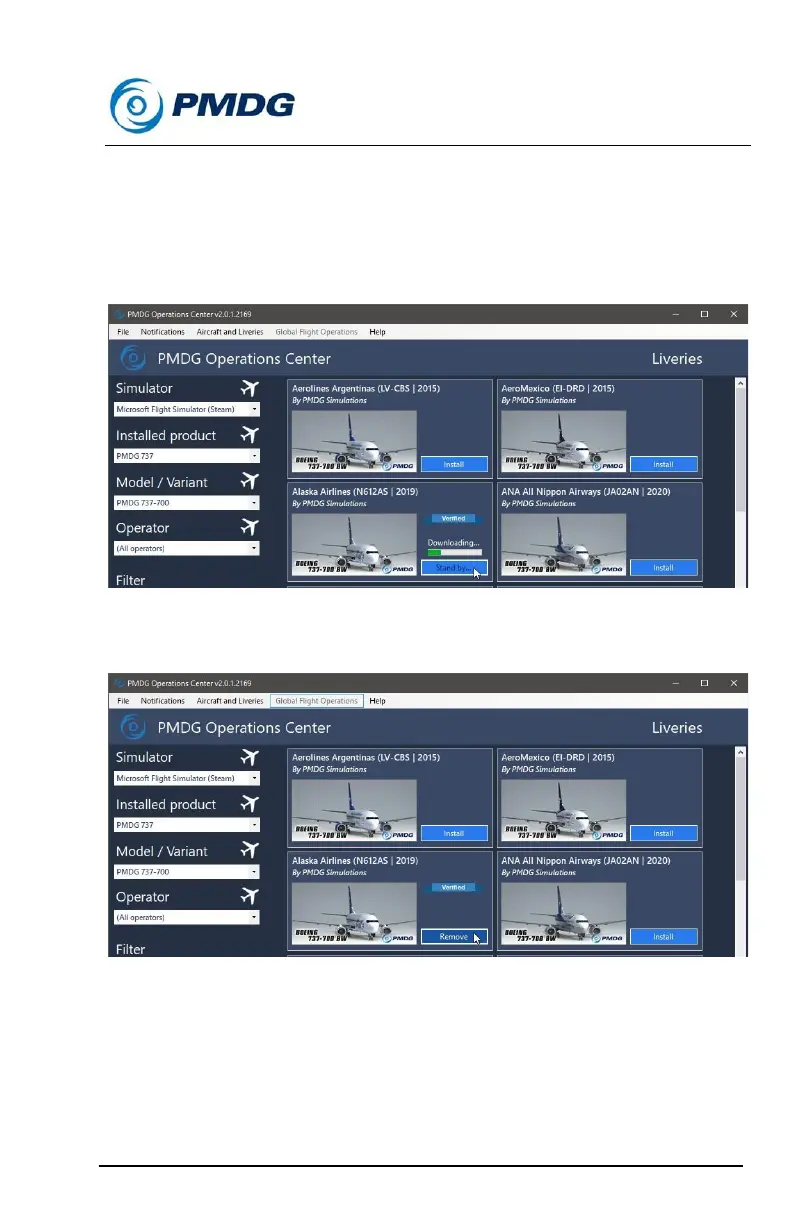
Once you have made your Simulator, Product and Model/Variant
selections, and have decided which livery to install, click on the ‘Install’
button next to the livery you want installed.
The livery installation will begin, and you will see a green progress bar
and a ‘Downloading…’ message above the Install button:
Once you livery has been installed, the ‘Install’ button will change to a
‘Remove’ button:
To remove an installed livery, press the ‘Remove’ button, and the livery
will be removed.



 To Next Page