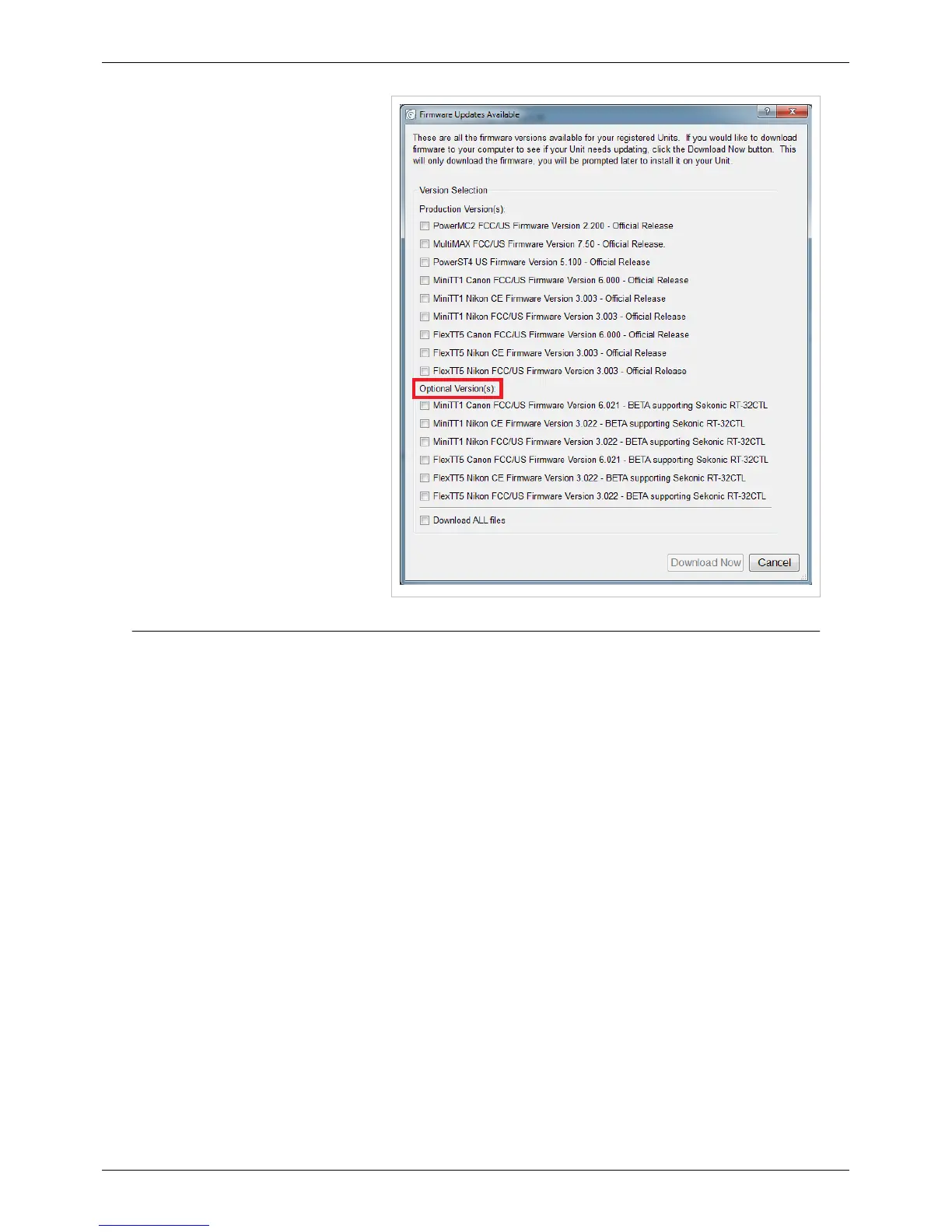
Beta Firmware
116
Navigate down to where it says
"Optional Versions" and then select the
option that matches your connected
radio. Click OK and then follow the
onscreen prompts that follow.
For a beta program to to be of value to us in improving PocketWizard firmware, we need feedback on your
experiences with testing the beta firmware. Feedback can include your opinion of overall functionality or any bugs
or issues you may have encountered. When providing feedback, the more detail you can provide the better. Please
ALWAYS include the following:
• Beta firmware release version number
• Camera being used (brand & model #)
• Flashes being used(brand & model #)
• PocketWizard models being used
If possible, the following information would also be useful but is not required:
• Camera settings
• Flash settings
• Location information (indoor, outdoor)
• Any potential radio interference sources
• Anything else that may help us understand your photo environment and situation.
• Computer system info
• Best way to contact you should follow-up be necessary
Feedback on the beta firmware should be sent to PocketWizard via the “Inquires Form
[2]
” on our “Contact
[2]
” page
or simply email them to betalab@pocketwizard.com
[3]
and put "beta" in the subject line.



 To Next Page