97
More Information
Remote Camera Triggering
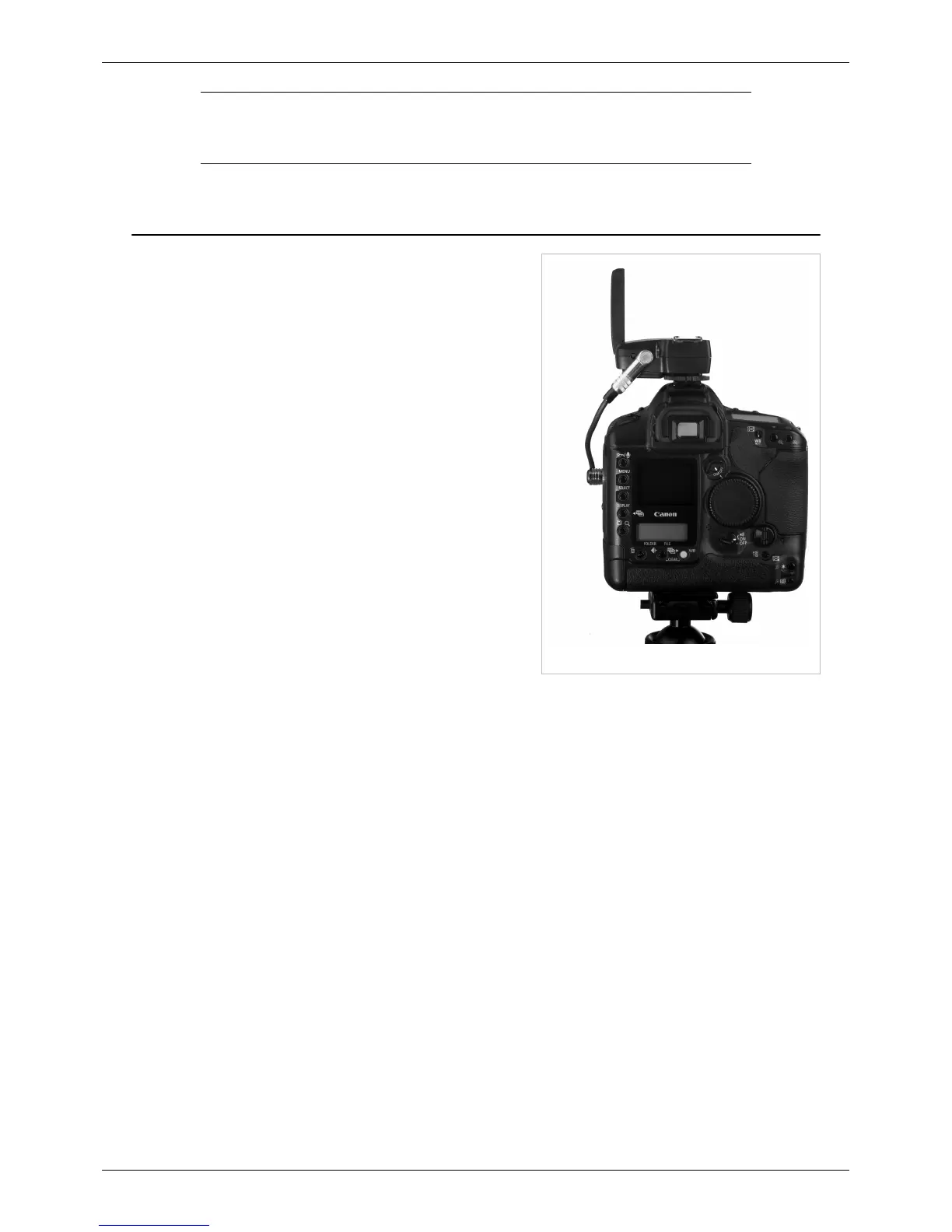
1D Mark II, FlexTT5, and CM-N3-ACC cable
As with other PocketWizard radios, the MiniTT1 and FlexTT5 can
be used to trigger a remote camera. A PocketWizard remote
camera cable is required to perform this operation. Different
camera bodies have different remote camera connectors and
require different cables. To find the right cable for your particular
camera, you can use the Cable Finder
[1]
.
Basic Remote Camera Setup
1. Set the transmitting radios and the receiving radio on your
camera to the same Channel.
2. Attach the remote camera cable
[1]
to your camera's motor
drive port and the sync port on the camera's receiving radio.
3. Turn on your equipment top to bottom (radio, then camera)
4. The transmitter in your hand will trigger the remote camera
when you press the TEST button
Note: For a MiniTT1/FlexTT5 remote camera setup using default
radio settings, a remote camera can be triggered in single shot
mode and there will be a delay between subsequent triggers until
the camera's viewfinder LCD deactivates. Continuous triggering
for motor drive bursts is possible if the FlexTT5 attached to the camera has either Disable Shoe Communications or
Basic Trigger Mode set via the PocketWizard Utility. It is not possible to combine continuous remote camera
triggering with advanced features like TTL and FP/High Speed Sync. Relay Mode with TTL is only available in
single shot mode. For Nikon cameras, you can adjust the length of the delay by going into the custom menu settings
and changing the setting. It's called Auto Meter Off or Standby (in the newer cameras) and the shortest delay is 4
seconds.
Relay Mode
A receiving FlexTT5 is automatically configured to use Relay Mode to trigger remote flashes in sync with the
remote camera. To engage relay mode, simply set the FlexTT5s connected to remote flashes to receive ONE
CHANNEL HIGHER than you're using to trigger the camera. So if the FlexTT5 triggering the camera is receiving
on ControlTL Channel 1, it will transmit on ControlTL Channel 2 to trigger flash in sync. You can also specify the
transmit and receive Channels via the PocketWizard Utility.
You can read more on our Relay Mode page.
Note: You can use a flash in the receiving camera's hot shoe, simply set it to Master, just as you would if you were
firing directly from the camera.
See more about Relay Mode in this PW TV episode:
<videoflash>pHJ3_wajYlA&loop=0?rel=0&autohide=1|425|240</videoflash>



 To Next Page