HyperSync Setup
55
This video shows you how to set up your transmitter and receiver for HyperSync for the Nikon system of radios.
<videoflash>ZitAGBznf6M&loop=0&rel=0?&autohide=1|475|290</videoflash>
This video shows you how to set up your transmitter and receiver for HyperSync for the Canon system of radios.
<videoflash>syUotEwZNQs&loop=0&rel=0?&autohide=1|475|290</videoflash>
HyperSync Automation with the PowerMC2 is intended for use with the Einstein E640 flash. Using the Einstein’s
“Color” mode will provide the best results. The E640 only provides its best HyperSync results when set to full power
(+3 on the AC3 ZoneController or master Speedlite). Due to its IGBT design, settings lower than full power may
result in clipping.
You can read more about this behavior on the IGBT-controlled flashes vs. Voltage-controlled flashes page.
Before you connect a PowerMC2 to the PocketWizard Utility via USB, make sure to disconnect the radio from the
Einstein flash. Failure to disconnect the PowerMC2 from the flash before connecting it to the Utility could result in
damage to the radio.
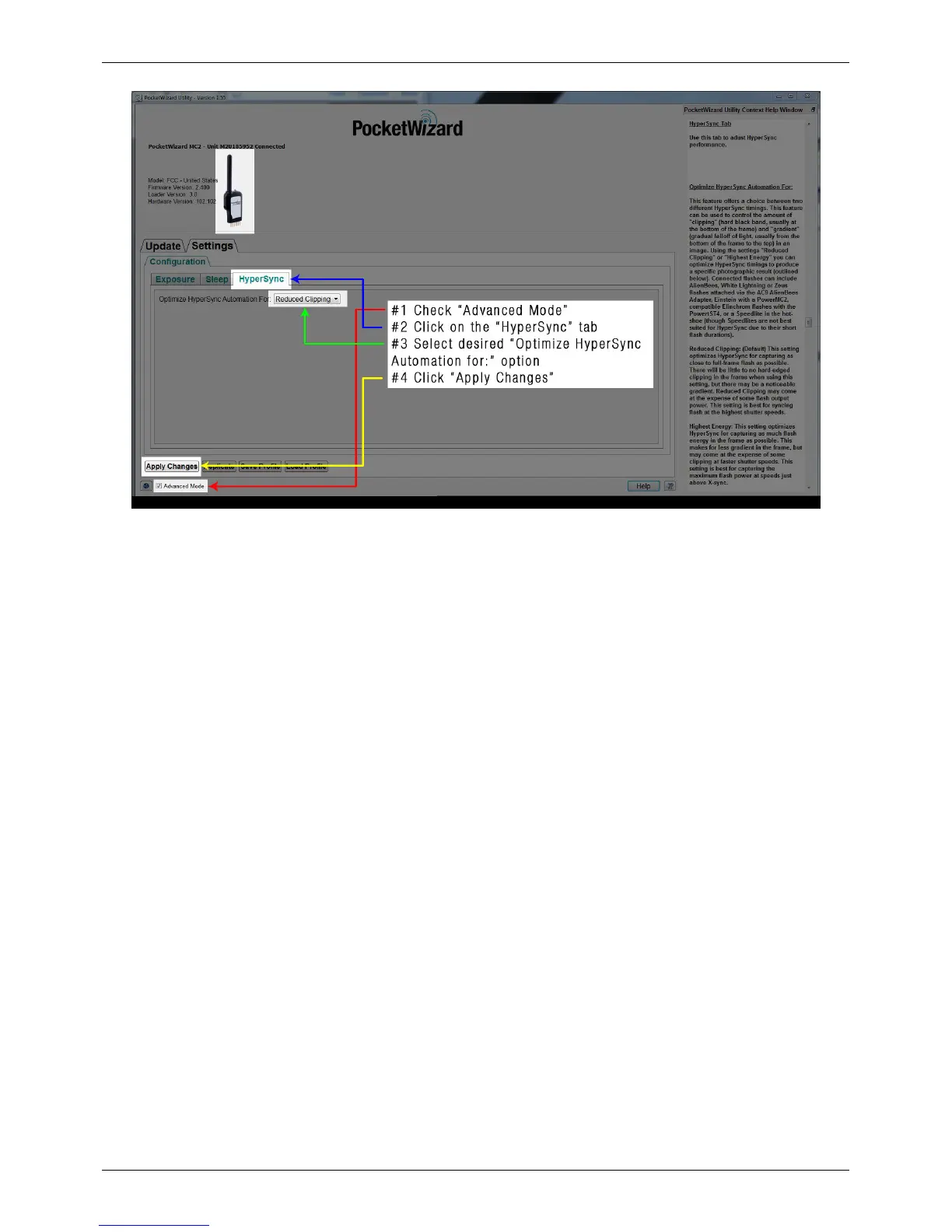
How to Configure the Receiving PowerST4
When using a PowerST4 as your receiver, follow these steps to configure your radio:
1. Connect your PowerST4 to the PocketWizard Utility via USB, and make sure that the “Advanced Mode” box is
checked
2. Navigate to “Optimize HyperSync Automation For:” on the “HyperSync” tab; choose "Reduced Clipping" or
"Highest Energy"
3. Navigate to the Misc Tab and select S-head or A-head if you have a Ranger RX, or select your Digital RX series
head if you're using a Digital 1200 or 2400 pack.
4. Select your flash model as well.
5. Click "Apply Changes"
6. Connect the PowerST4 to the flash or pack



 To Next Page