Beta Firmware
115
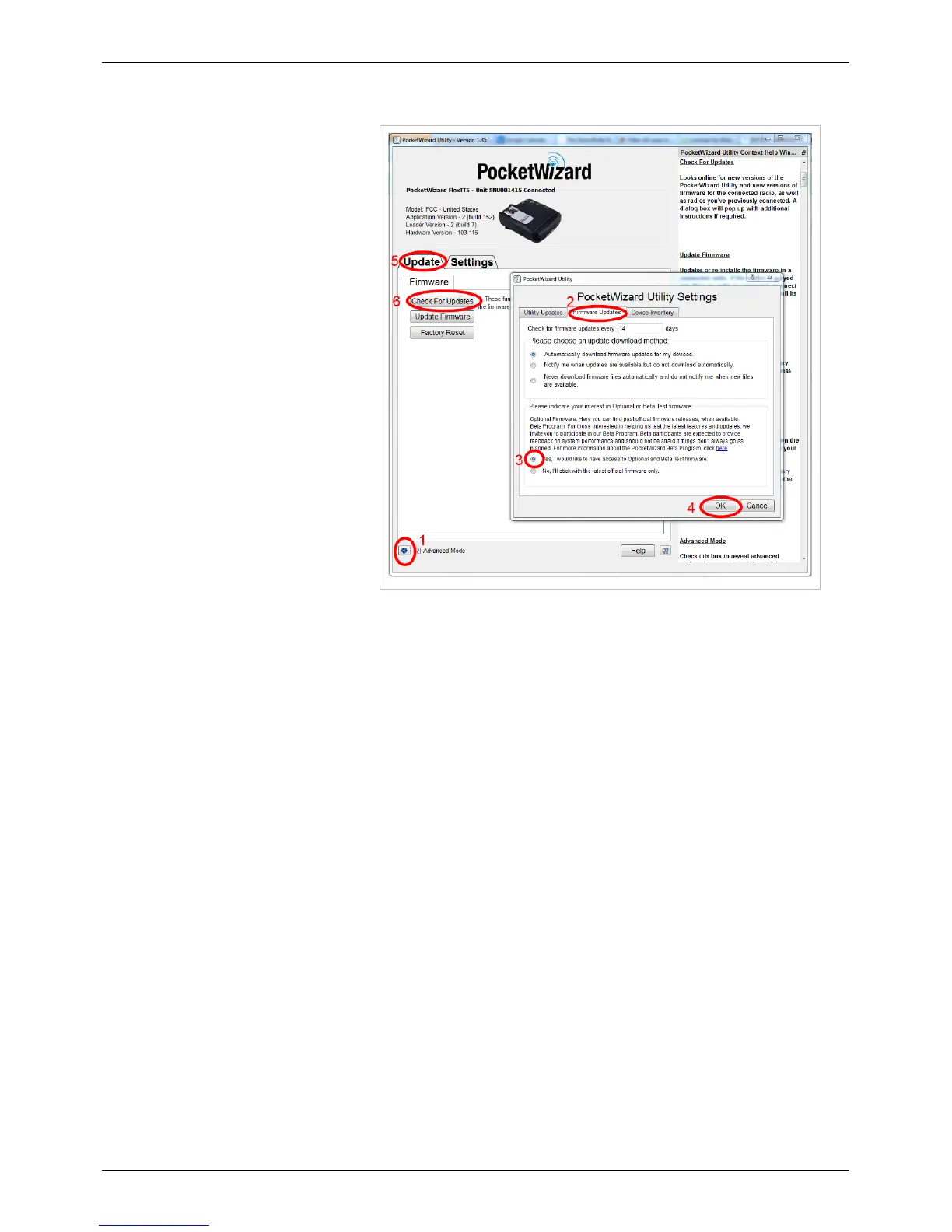
Enabling Beta Firmware
1. To enable access to beta firmware,
open PocketWizard Utility, and
navigate down to the blue gear in
the bottom left corner of the
window.
2. Navigate over to the "Firmware
Updates" tab.
3. Navigate down to the bottom and
check "Yes, I would like to have
access to Optional and Beta Test
firmware."
4. Click OK.
5. Navigate to the Update Tab.
6. Click "Check for Updates."



 To Next Page