Getting Started
7
First Shot
The first exposure after making initial connections or powering on may not be properly exposed. The first shot is a
camera calibration shot for Canon radios and will not fire your remote flashes. Always test fire at least twice!
Transmitters
You may use a FlexTT5 as a transmitter instead of a MiniTT1 in all scenarios.
Channels
Make sure all PocketWizard radios are set to the same PocketWizard channels. The PocketWizard channel is used
instead of Nikon or Canon’s communication channel. See the Channels section for more information.
Don't use REMOTE or SLAVE mode
Always set your remote TTL flashes to standard i-TTL/E-TTL mode. Do not use MASTER, REMOTE, or SLAVE
modes on your remote flashes. The ControlTL system talks to your flash via the hot shoe and SLAVE/REMOTE
modes do not communicate through the shoe.
Canon flashes set to <SLAVE> and connected to FlexTT5 radios will have slave mode automatically turned off, but
will still function as slaves correctly.
Nikon flashes set to REMOTE and connected to FlexTT5 will not function as remotes.
Set the remote/slave group A, B, or C, via the FlexTT5 Zone Switch.
Powering On
1. Turn OFF all your PocketWizard radios,
electronic flashes, cameras, etc., before
making connections.
2. When all equipment is connected, turn
ON your equipment starting from the top
and working your way down.
1. Turn on your flash first
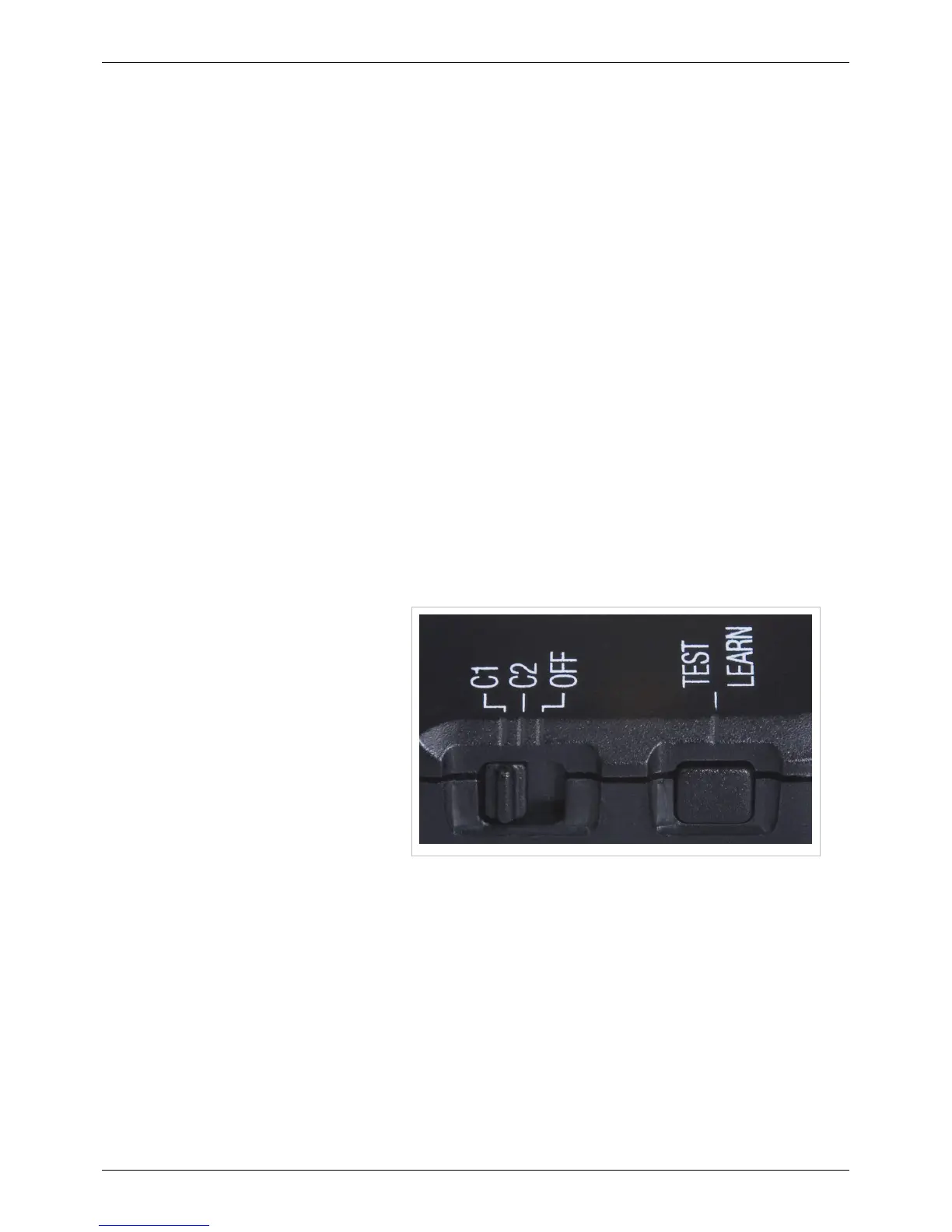
2. Next, turn on the PocketWizard radio
by setting the power switch to C.1 or
C.2. Verify Status LED blinks
normally (short blink every 2 seconds)
(see the PocketWizard Utility for
more information on C.1 and C.2)
3. Turn on your camera last (if using radio/flash on-camera)
The first exposure after making initial connections and powering on may not be properly exposed. The first shot is a
camera calibration shot for Canon and will not fire your remote flashes. Always test at least twice.
NOTE: With Canon radios, a few flash adjustments may not be available when the flash is in the shoe of a powered
on MiniTT1 or FlexTT5 and sitting on an active camera. For example, you cannot take a 580EX II out of
<MASTER> mode if the flash is in the hot shoe of a powered on remote FlexTT5. Turn the MiniTT1 or FlexTT5 off
and wait for the camera to sleep, or remove the flash from the shoe to access these special mode changes.



 To Next Page