HyperSync Setup
52
How to Configure the ControlTL Transmitter
When using a MiniTT1 or FlexTT5 as a transmitter to perform HyperSync, follow these steps to configure your
radio.
For Nikon users:
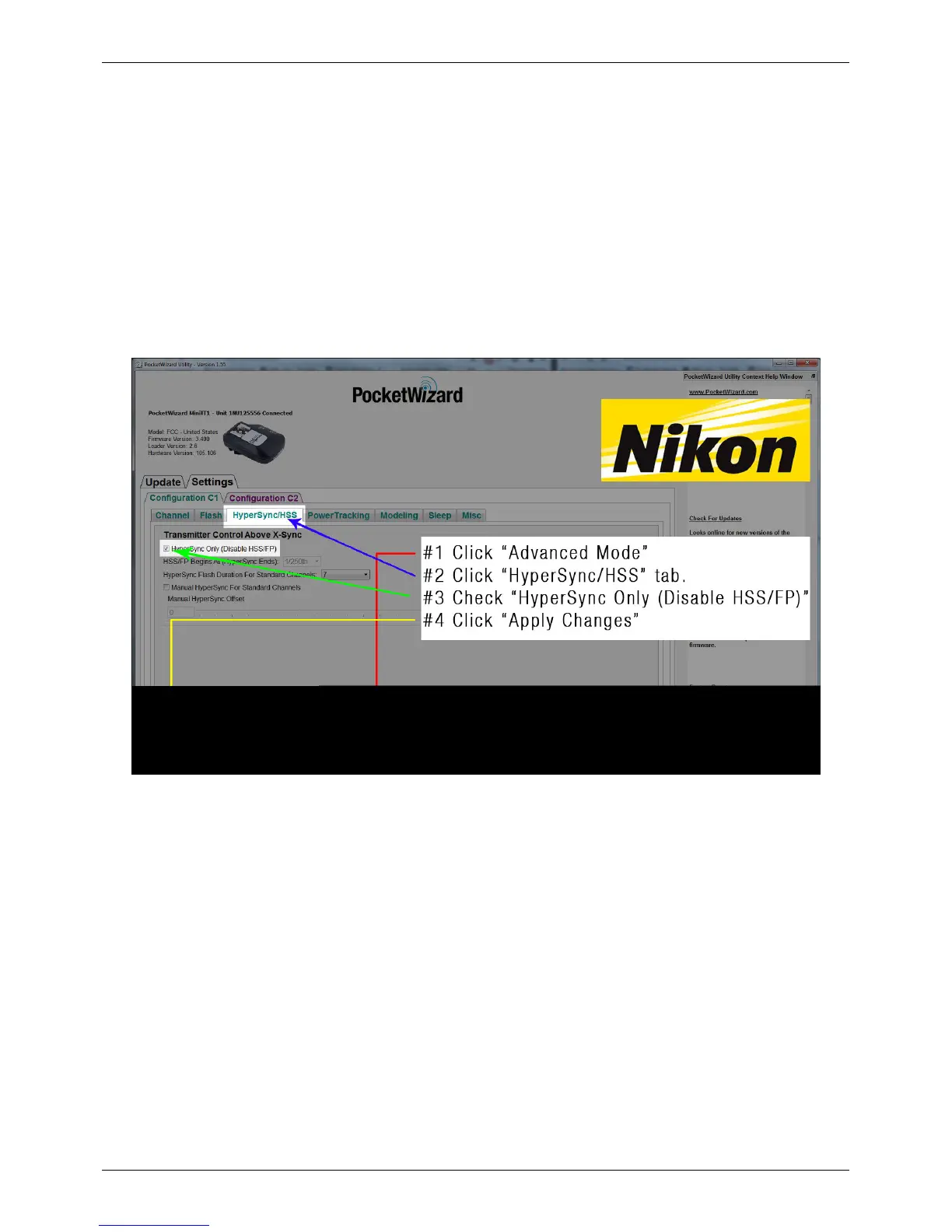
For the most consistent results and most flash energy in frame with Nikon radios, it is highly recommended that you
enable “HyperSync Only:”
1. Connect your transmitting MiniTT1/FlexTT5 to the PocketWizard Utility via USB, and check the "Advanced
Mode" box
2. Navigate to the "HyperSync/HSS" tab
3. Enable “HyperSync Only”
4. Click "Apply Changes"
NOTE: If you are a Nikon user with ControlTL receivers, and the “HyperSync Only” control is left at its default
(disabled) less flash energy will be captured in frame and HyperSync will not be able to optimize flash timing. If you
are a Nikon user attempting to use HyperSync with Standard Channel receivers (like the Plus II, Plus III, PlusX, or
MultiMAX), you must enable "HyperSync Only." Please read the section ControlTL Transmitter, Standard Receiver,
below, for more information.
For Canon users:
For best performance with Canon radios, it is highly recommended that you manually select your camera model:
1. Connect your transmitting MiniTT1/FlexTT5 to the PocketWizard Utility via USB and check the "Advanced
Mode" box
2. Navigate to the "Misc” tab
3. Use the drop-down menu to select the camera model
4. Click "Apply Changes"



 To Next Page