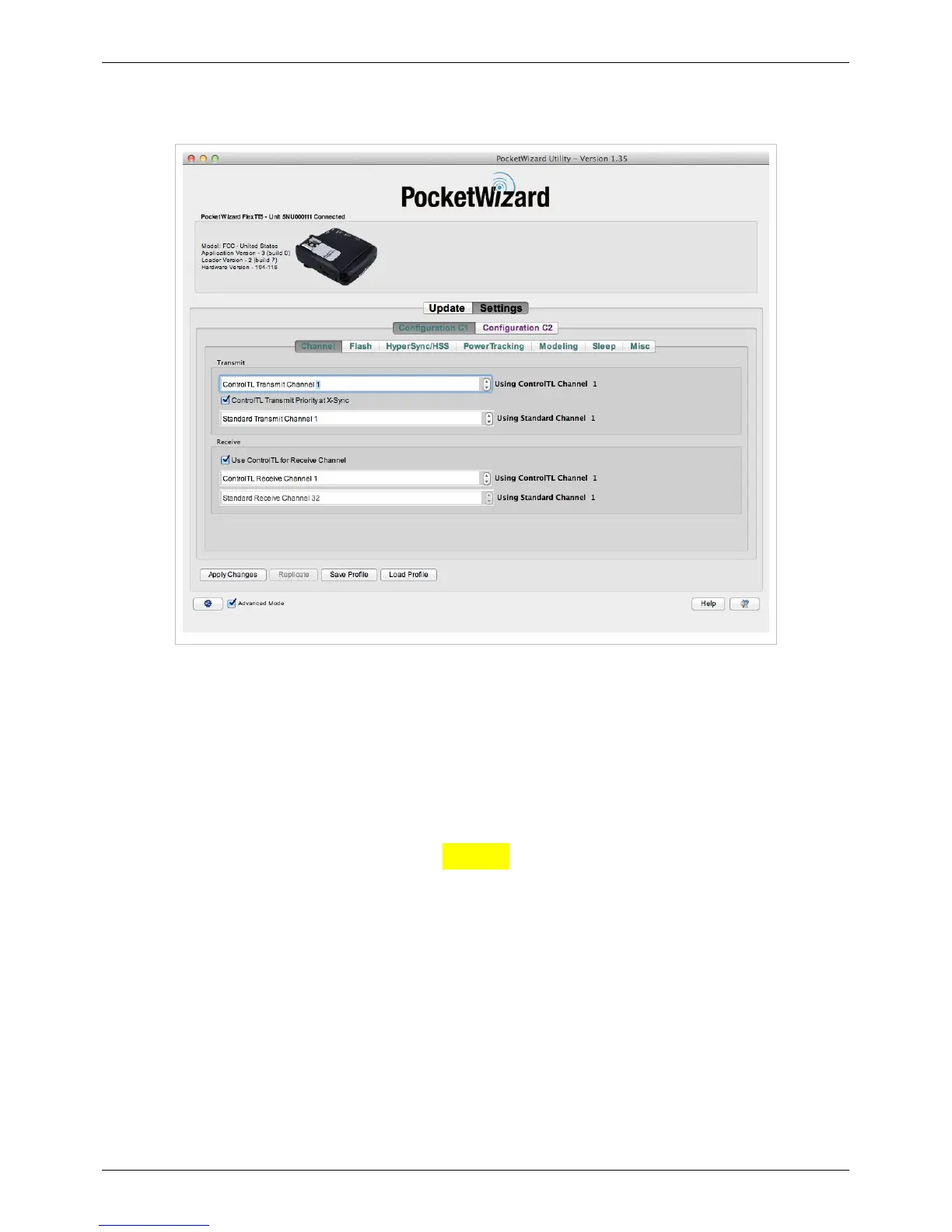
Channel Tab
81
We highly recommend using the Channel Tab to set transmitting and receiving channels - Learn Mode is not
required for normal operation.
Note: When the MiniTT1 is plugged in it only shows the Transmit drop downs - ControlTL Tx and Standard Tx -
because it is a Transmitter. The FlexTT5, a Transceiver, will show both Transmit and Receive options, because it
perform both operations.
Channel Input Boxes
Use these to set the respective Transmitting and Receiving Channels.
ControlTL Transmit Priority at X-Sync (Nikon Only):
Nikon Only
Uncheck this box to have the MiniTT1 or FlexTT5 send the Standard PocketWizard Channel trigger first at your
camera's x-sync speed, rather than ControlTL Channel. If you're using a PocketWizard that receives on Standard
Channels as remote, like a PlusX, Plus III, Plus II, MultiMAX, or embedded PocketWizard receiver, unchecking this
box max slightly increase the maximum sync speed.
This setting is checked by default, and only affects operation at your camera's x-sync speed. Un-checking this box
may result in banding with a ControlTL Channel receiver at your camera's x-sync speed.



 To Next Page