10
Polyend Play Manual Rev 1
NOTES
Overview
1
1.4 Display Layout.
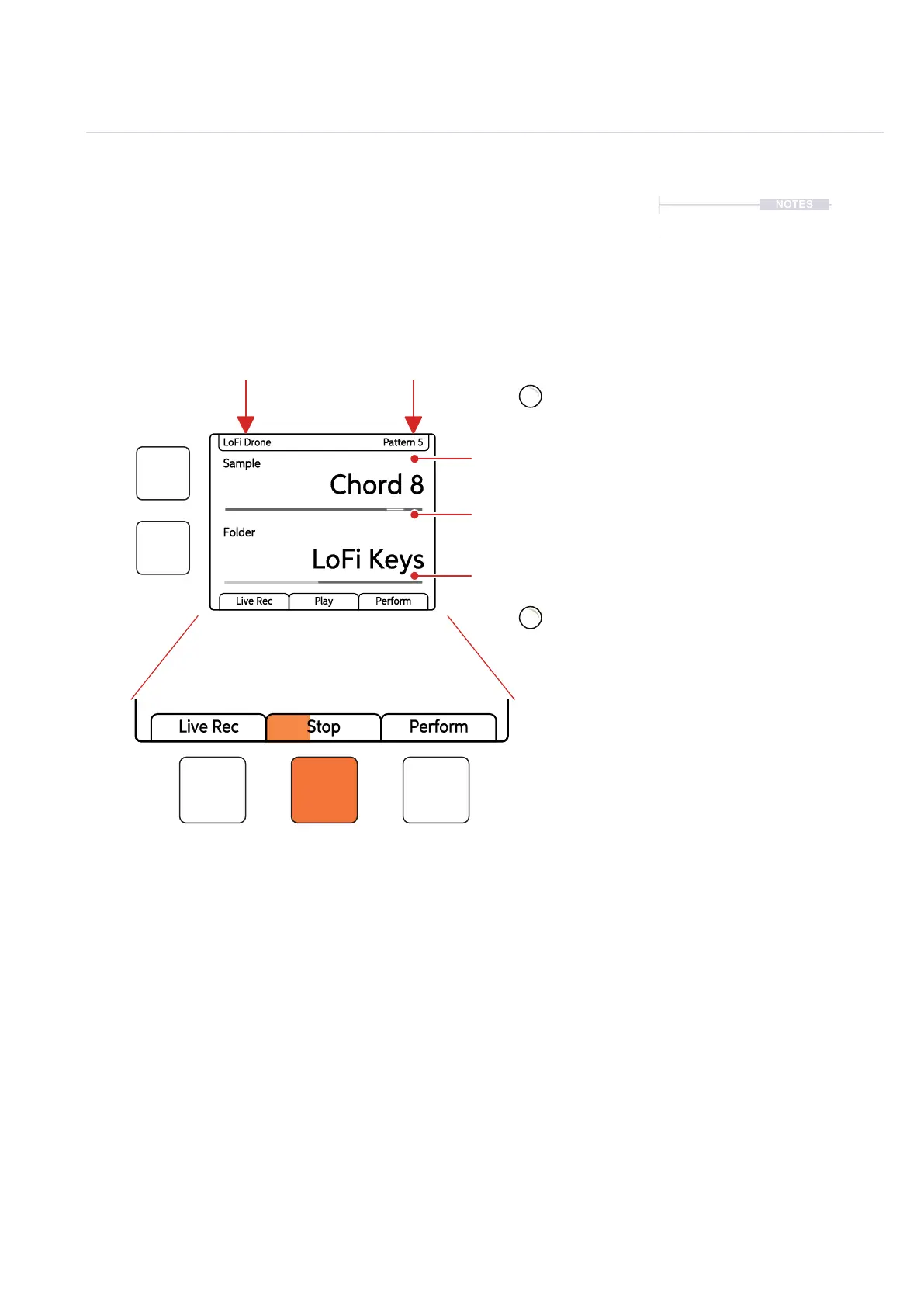
Each page will display the parameter information and control options for the
selected function. While generally this is based on the context and mode of
operation, there are some common features and navigation principles that
apply across all (or most) of the generic pages of Play.
The top part of the screen will display the value setting of the primary
parameter selected. The parameter knobs are touch sensitive and selected
by tapping the knob. The primary parameter is labelled in the large font
under the knob. The lower, smaller font labelled parameter refers to the
secondary parameter for the knob, accessed by double tapping the knob,
the value of which is displayed in the lower part of the display.
The two left side dynamic buttons also can be used to select between the
two upper and lower parameters. The left buttons can be used to perform
the same ‘select’ action as pressing the (Screen) knob. Otherwise the
buttons activate the function labelled on the screen.
Sample
Chord 8
LoFi Keys
LoFi Drone Pattern 5
Folder
Live Rec Play Perform
Primary parameter
and value setting
Parameter bar, value
displayed within the range.
Secondary parameter
and value.
Project Name
Currently loaded project
Pattern.
Currently active pattern
Sample
Folder
Sample
Folder
Physical screen buttons represent the command displayed on the
screen directly above or to the right. The Play / Stop tab will show
the playback progress bar when playing.
[ ]
[ ]



 To Next Page