86
Polyend Play Manual Rev 1
NOTES
6.3 Sequencer Mode
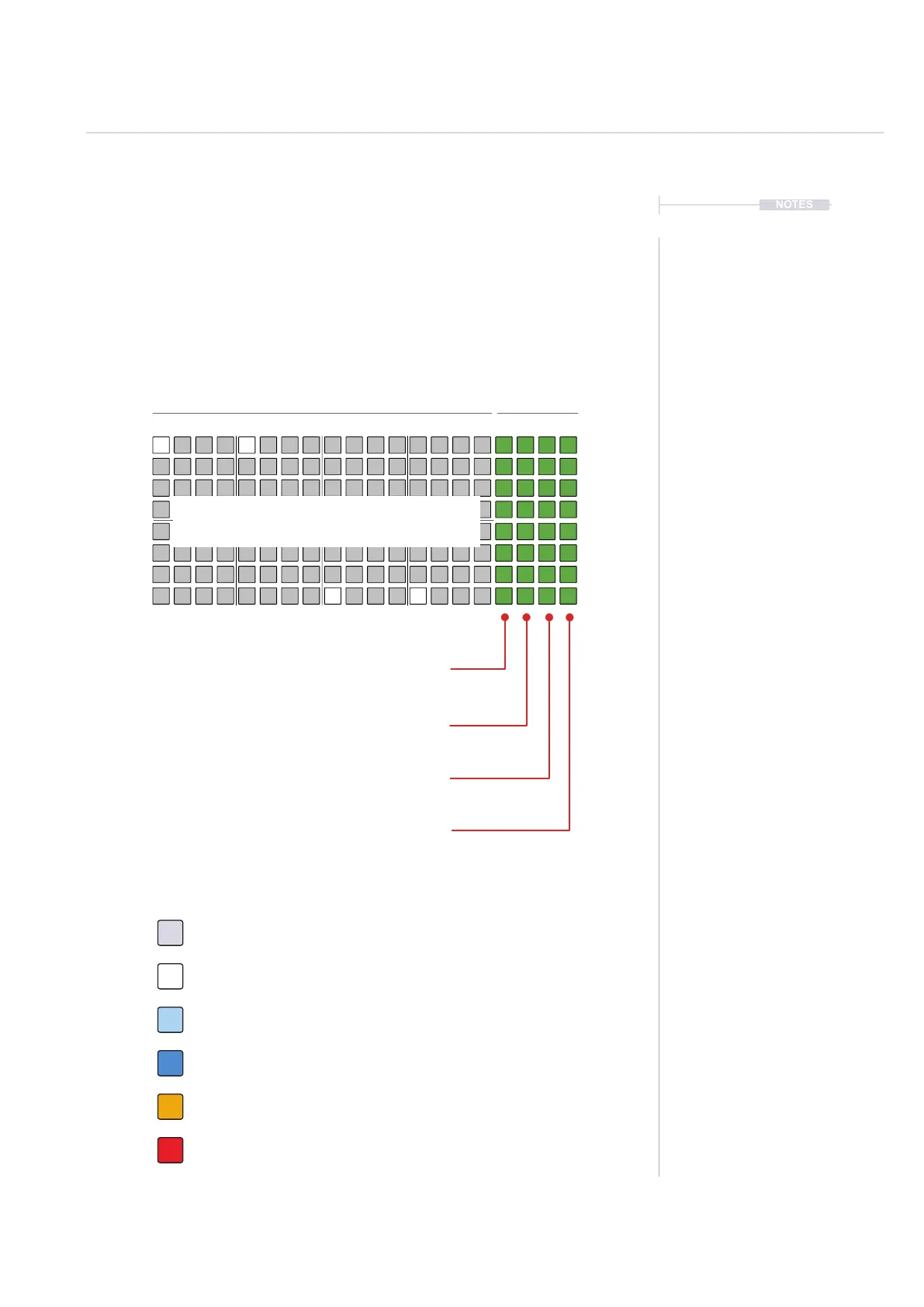
Sequencing mode grid allows sequencing of patterns by adding note steps
Each row represents a track. The grid consist of 8 rows with 16 columns of
pad buttons. The function of the pads depends on the mode selected. The
rst 16 columns left to right represent the pattern steps. The nal 4 right
side columns represent function pads, used to control mute, solo, variation
and selection of each of the tracks. The function pads can also be used to
set the pattern length and view each pattern page.
To play the current pattern: Press [Play]
Mute: Silence the selected tracks. Press [Pad]
16: Step Page 1 - Steps 1-16 - Press [Shift] + [Pad]
Solo: Plays only the selected tracks. Press [Pad]
32: Step Page 2 - Steps 17-32 - Press [Shift] + [Pad]
Variation: Track variation options. Press [Pad]
48: Step Page 3 - Steps 33-48 - Press [Shift] + [Pad]
Select: Selects track to edit. Press [Pad]
64: Step Page 4 - Steps 49-64 - Press [Shift] + [Pad]
Off. Step is empty and does not trigger any event. Tap [Pad].
Sequencer - 8x16 Grid Pad Colours
White. Step has an active note event. Tap [Pad].
Blue. Selected, note event step. Hold [Shift] + [Pad].
Orange. Playhead on currently active step for a track. [Play].
Dim Blue. Selected, empty step. Hold [Shift] + [Pad].
Red. Playhead on currently active step - Live Rec Mode. [Play].
Track 1
Sequencer Track Steps Functions
1 9 5 13 16
Track 3
Track 5
Track 7
Track 2
Track 4
Track 6
Track 8
Each [Pad] represents a step in a pattern. Audio and
MIDI notes can be sequenced in up to 64 steps.
Sequencing Patterns
6



 To Next Page