85
Polyend Play Manual Rev 1
NOTES
Sequencing Patterns
6
6.2 The Play Grid
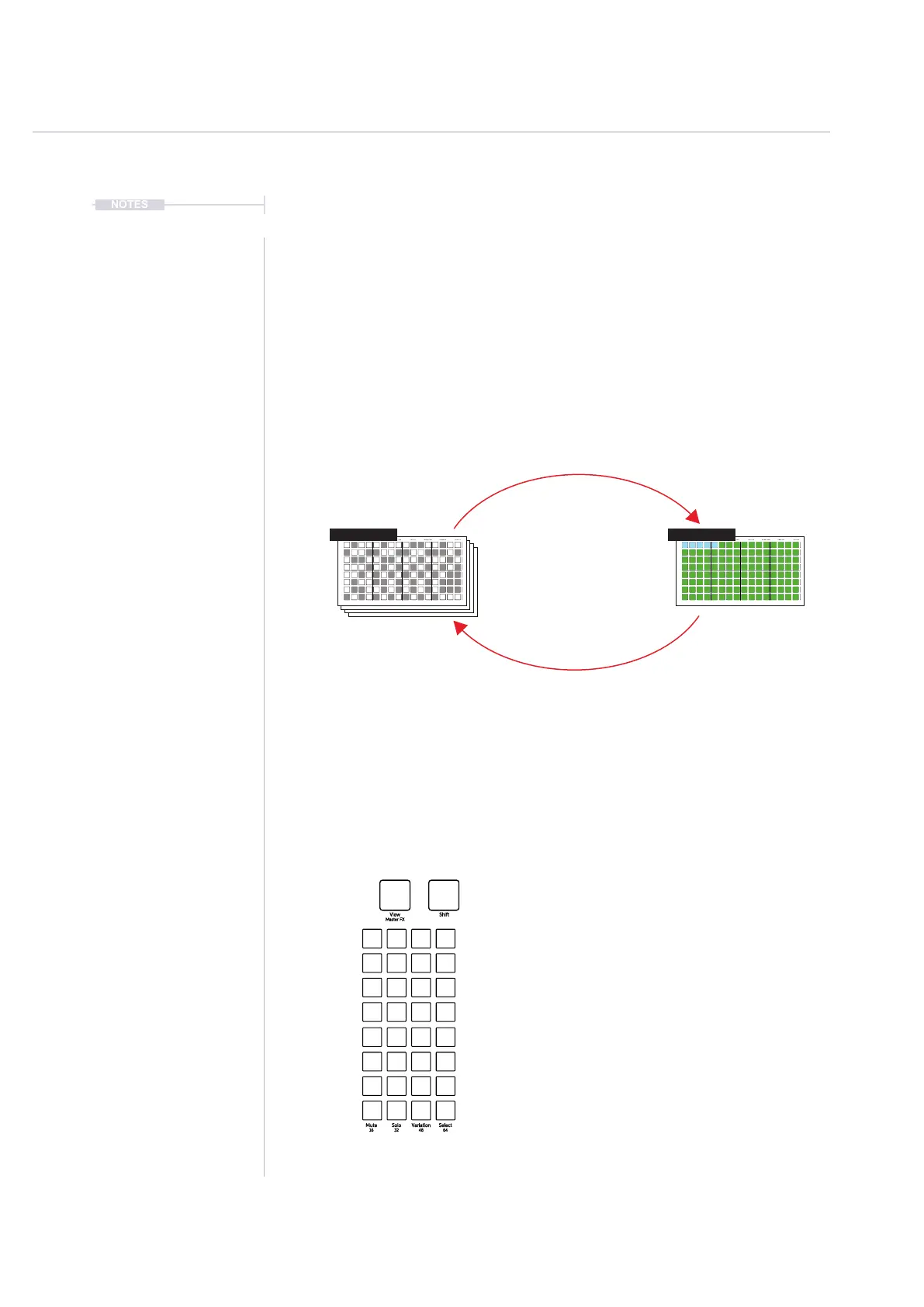
The grid is a multi-functional 8 x 16 button matrix used for various
functions. When working with patterns the grid can operate in sequencer
mode or pattern mode. Sequencer mode allows the creation and editing of
individual patterns across 8 tracks and a maximum of 64 steps. This is the
normal default view. Pattern mode helps manage the entire set of patterns,
where each grid button represents one of the 128 individual patterns
available within each project.
Mute: Silence the selected tracks. Press a [Mute] pad
Track
Track
Track
Track
Track
Track
Track
Track
Solo: Plays only the selected tracks. Press [Solo] pad
Variation: Track variation options. Press a [Variation] pad
Select: Selects track to edit. Press a [Select] pad
Fill
Delete
Reverb Send
Delay Send
Note
Microtune
Master Volume
Limiter
Save
Reset
Overdrive
Bit Depth
Volume
Panning
Tempo
Swing
View
Master FX
Repeat Type
Repeat Grid
Filter Cutoff
Resonance
Track Length
Play Mode
Patterns
Audio/MIDI
Chance
Action
Sample
Folder
Copy
Paste
Randomize
Randomize Type
Sample Start
Sample End
ShiftMove
Micromove
Mute
16
Solo
32
Variation
48
Sample Attack
Sample Decay
Select
64
Default view is Sequencer Mode. Press [Patterns] to switch to Pattern Mode.
Last four rows 17-20 are function buttons that control pattern / track options. This is
available in pattern mode, sequencer mode and also when in perform mode.
[Patterns]
Sequence Mode.
Edit and add steps, build melodies and
beats. Sequence a single pattern across
8 tracks and up to 64 available steps.
Pattern Mode.
Chain and organise up to 128 patterns
across the grid. Arrange and play
chained loops or individual patterns.
Fill
Delete
Reverb Send
Delay Send
Note
Microtune
Master Volume
Limiter
Save
Reset
Overdrive
Bit Depth
Volume
Panning
Tempo
Swing
View
Master FX
Repeat Type
Repeat Grid
Filter Cutoff
Resonance
Track Length
Play Mode
Patterns
Audio/MIDI
Chance
Action
Sample
Folder
Copy
Paste
Randomize
Randomize Type
Sample Start
Sample End
ShiftMove
Micromove
Mute
16
Solo
32
Variation
48
Sample Attack
Sample Decay
Select
64
Fill
Delete
Reverb Send
Delay Send
Note
Microtune
Master Volume
Limiter
Save
Reset
Overdrive
Bit Depth
Volume
Panning
Tempo
Swing
View
Master FX
Repeat Type
Repeat Grid
Filter Cutoff
Resonance
Track Length
Play Mode
Patterns
Audio/MIDI
Chance
Action
Sample
Folder
Copy
Paste
Randomize
Randomize Type
Sample Start
Sample End
ShiftMove
Micromove
Mute
16
Solo
32
Variation
48
Sample Attack
Sample Decay
Select
64
Pattern 1 128 Patterns



 To Next Page