62
Polyend Play Manual Rev 1
NOTES
Parameter Summary
4
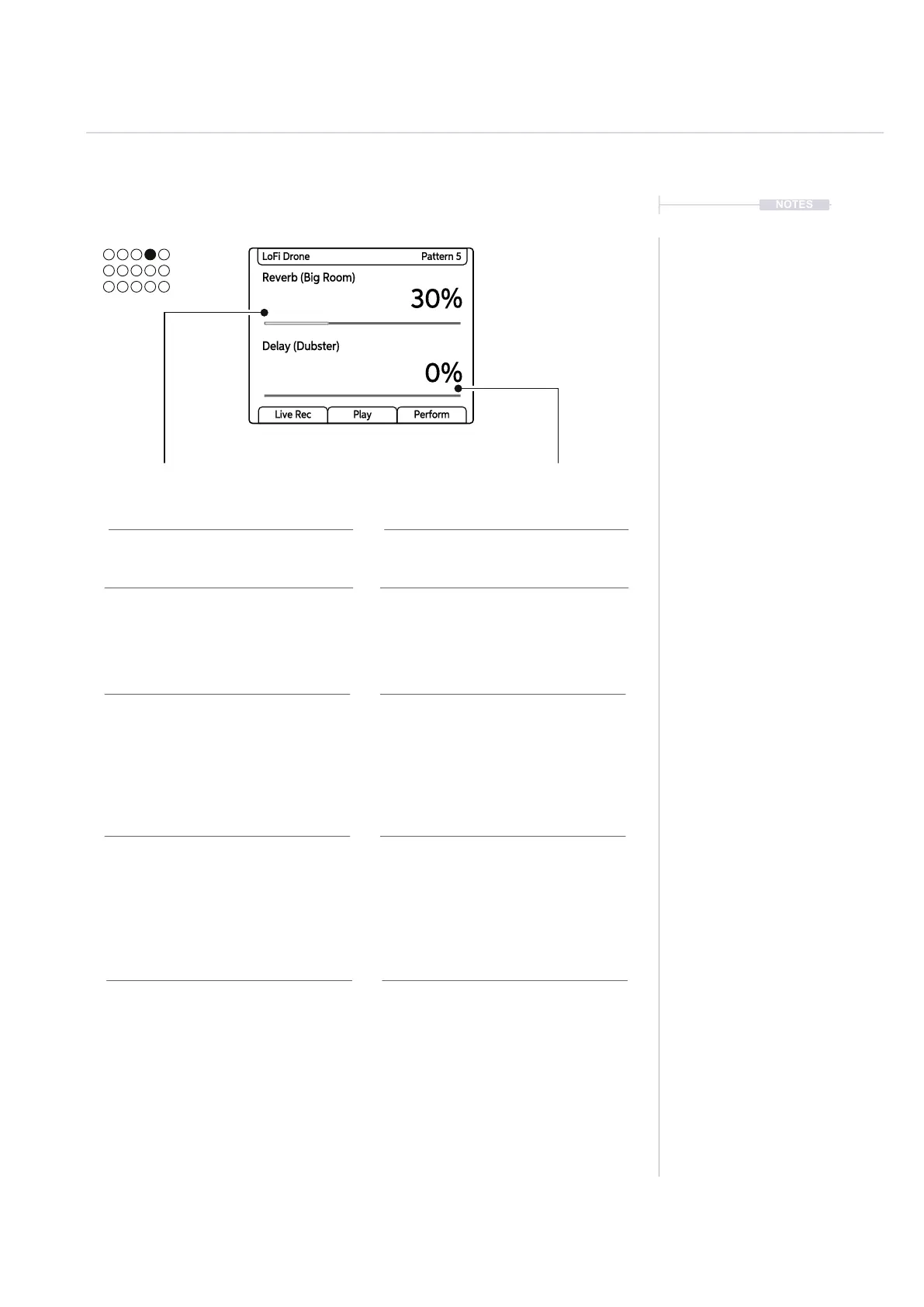
4.11 Reverb Send / Delay Send
Description Description
Range / Options
Other Information
Range / Options
Other Information
Primary Parameter Secondary Parameter
Amount of audio sent to the reverb
effect. The Reverb effect itself is
located in the Master FX.
Amount of audio sent to the delay
effect. The Delay effect itself is located
in the Master FX.
Range is 0-100% to govern the audio
amount sent to the effect. Turn
(Reverb Send) to adjust in 1%
increments, For 10% increments use
[Shift] + Turn (Reverb Send).
Presets are available that assign
various characteristics and style to
the reverb. This is selected in the
Master FX section and the selected
option displayed with the parameter.
Range is 0-100% to govern the audio
amount sent to the effect. Turn (Delay
Send) to adjust in 1% increments, For
10% increments use [Shift] + Turn
(Delay Send).
Presets are available that assign
various characteristics and style to the
delay. This is selected in the Master
FX section and the selected option
displayed with the parameter
Reverb Send Delay Send
Reverb (Big Room)
30%
0%
LoFi Drone Pattern 5
Delay (Dubster)
Live Rec Play Perform
MIDI Mode MIDI Mode
The Reverb Send parameter knob
changes to control CC Messaging in
MIDI Mode. The CC assignments
have a default set but these can be
reassigned in the main menu. Filter
default is CC#17.
The Delay Send parameter knob
changes to control CC Messaging in
MIDI Mode. The CC assignments
have a default set but these can be
reassigned in the main menu. Filter
default is CC#19.



 To Next Page