61
Polyend Play Manual Rev 1
NOTES
Parameter Summary
4
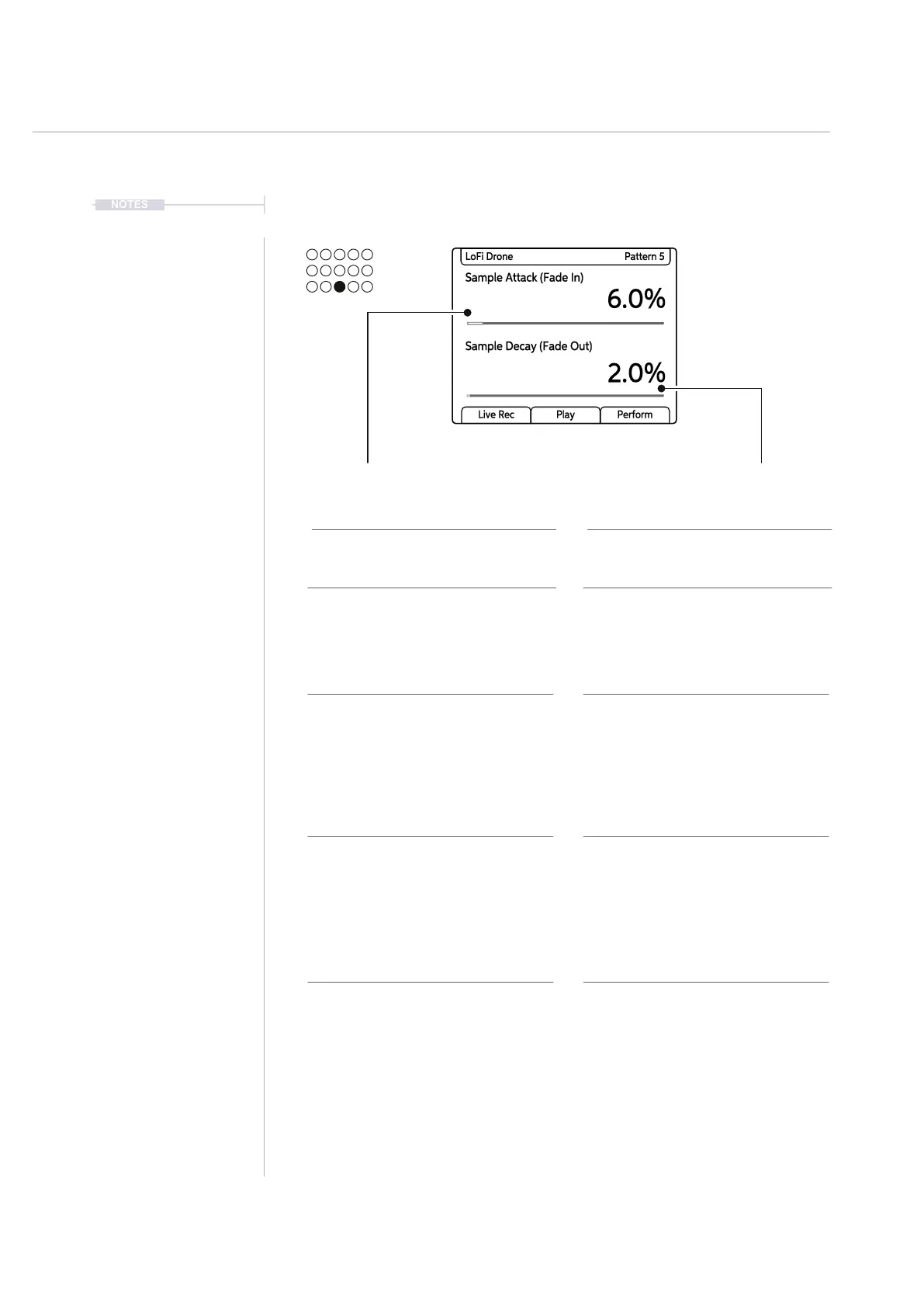
4.10 Sample Attack / Sample Decay
Description Description
Range / Options
Other Information
Range / Options
Other Information
Primary Parameter Secondary Parameter
Attack time of the sample start. This
would enable a fade in of the audio
when the sample is triggered.
Decay time of the sample end. This
would enable a fade out of the audio
when the sample ends.
Range is 0-100%. Increments of 0.1%
are made by turning (Sample Attack)
and 1% increments when using [Shift]
+ Turn (Sample Attack).
This part of the envelope is applied at
the sample start i.e. Attack phase.
The value is set in % as sample
duration varies.
Range is 0-100%. Increments of 0.1%
are made by turning (Sample Decay)
and 1% increments when using [Shift]
+ Turn (Sample Decay).
This part of the envelope is applied at
the sample end i.e. Decay phase.
The value is set in % as sample
duration varies.
Sample Attack Sample Decay
Sample Attack (Fade In)
6.0%
2.0%
LoFi Drone Pattern 5
Sample Decay (Fade Out)
Live Rec Play Perform
MIDI Mode MIDI Mode
The Sample Attack parameter knob
changes to control CC Messaging in
MIDI Mode. The CC assignments
have a default set but these can be
reassigned in the main menu. Filter
default is CC#22.
The Sample Decay parameter knob
changes to control CC Messaging in
MIDI Mode. The CC assignments
have a default set but these can be
reassigned in the main menu. Filter
default is CC#75.



 To Next Page