186
Polyend Play Manual Rev 1
NOTES
10.14 Tracker MIDI Integration
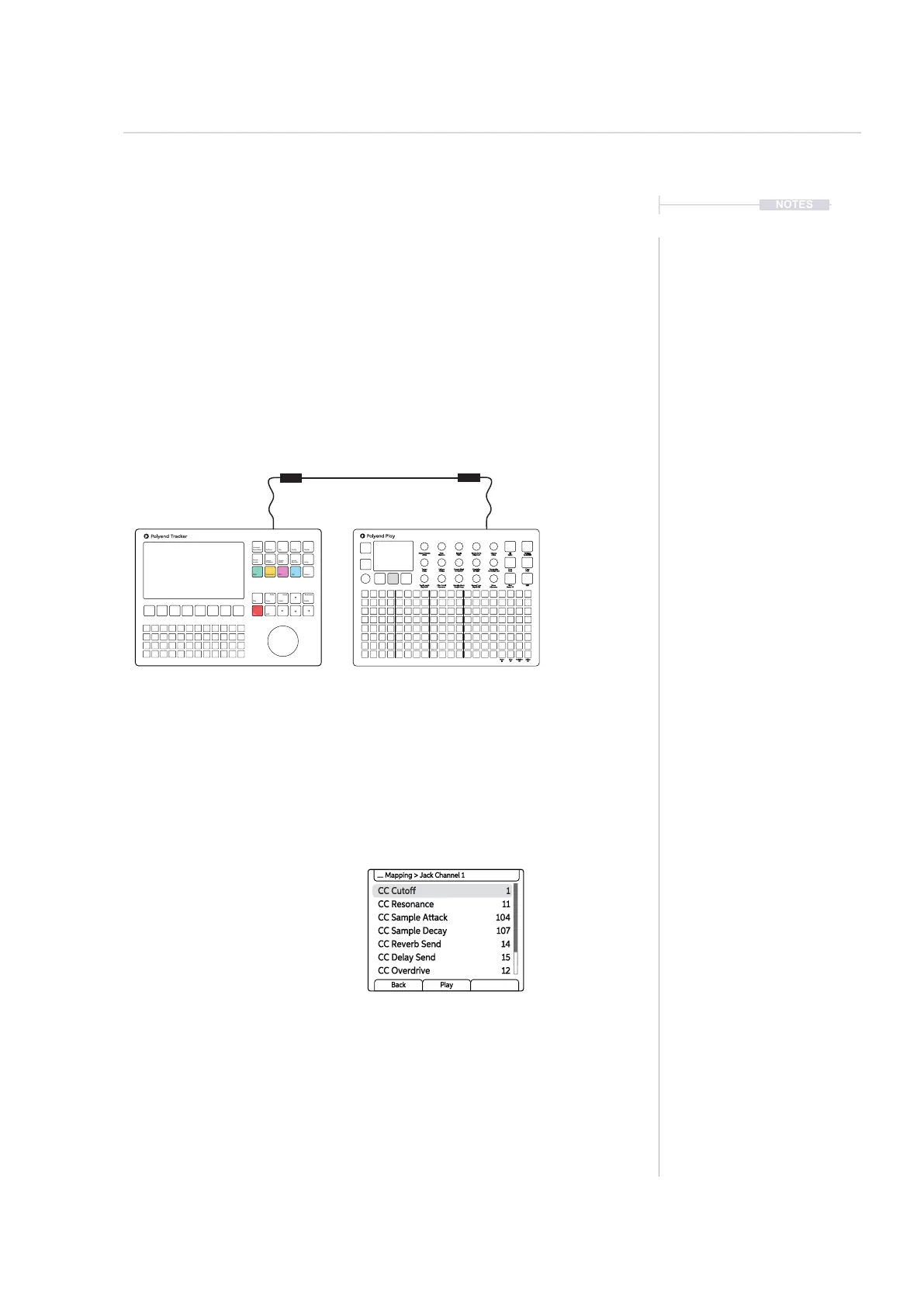
Play integrates seamlessly with Polyend Tracker. The option to set CC
values for Tracker is also available in Play’s MIDI CC Port / Channel
conguration. Tracker operates in MIDI synthesizer mode that allows
integration when controlling Tracker from an external MIDI device and by
controlling up to 8 voices across MIDI. Trackers selected instrument will act
as the sound source and it is this instruments parameters that the Play CC
will control. Play is the primary lead, handling control and clock while
Tracker is the secondary follower.
CC Cutoff 1
CC Sample Attack 104
CC Reverb Send 14
CC Resonance 11
CC Sample Decay 107
CC Delay Send 15
CC Overdrive 12
.... Mapping > Jack Channel 1
Back Play
The rotary controls in the connected Play device will
be automatically mapped to have full integrated
over MIDI CC with Tracker’s selected instruments.
Play can control Tracker with It’s grid pads.
MIDI IN
Follow
MIDI OUT
Lead
Instrument
Parameters
Sample
Loader
Note
Play
Rec
Master
Song
Pattern
Backspace
Delete
File
Sample
Editor
FX1
Insert
Home
Perform
Sample
Playback
Instrument
Copy
Paste
Shift
Config
Sample
Recorder
FX2
Tracker:
Cong > MIDI
Play:
Menu > MIDI > CC Mapping > Jack Channel 1
Choose: Set Values for Polyend TrackerClock In
Clock out
Transport in
Transport out
Notes In
Notes in channel
MIDI out
CC in
CC in channel
Middle C
Clock sync delay
MIDI In jack
Off
MIDI In jack
Off
MIDI In jack
CH1
Off
MIDI In jack
CH1
C-5
0.0
Fill
Delete
Reverb Send
Delay Send
Note
Microtune
Master Volume
Limiter
Save
Reset
Overdrive
Bit Depth
Volume
Panning
Tempo
Swing
View
Master FX
Repeat Type
Repeat Grid
Filter Cutoff
Resonance
Track Length
Play Mode
Patterns
Audio/MIDI
Chance
Action
Sample
Folder
Copy
Paste
Randomize
Randomize Type
Sample Start
Sample End
ShiftMove
Micromove
Mute
16
Solo
32
Variation
48
Sample Attack
Sample Decay
Select
64
Trackers CC’s are automatically mapped when triggering the ‘Set Value for
Polyend Tracker’ option in the MIDI CC congurations. The CC#’s are mapped to
the Filter Cutoff / Resonance, Sample Attack / Sample Decay, Reverb Send /
Delay Send, Overdrive / Bit Depth. The display will indicate the CC#.
MIDI
10



 To Next Page