102
Polyend Play Manual Rev 1
NOTES
Sequencing Patterns
6
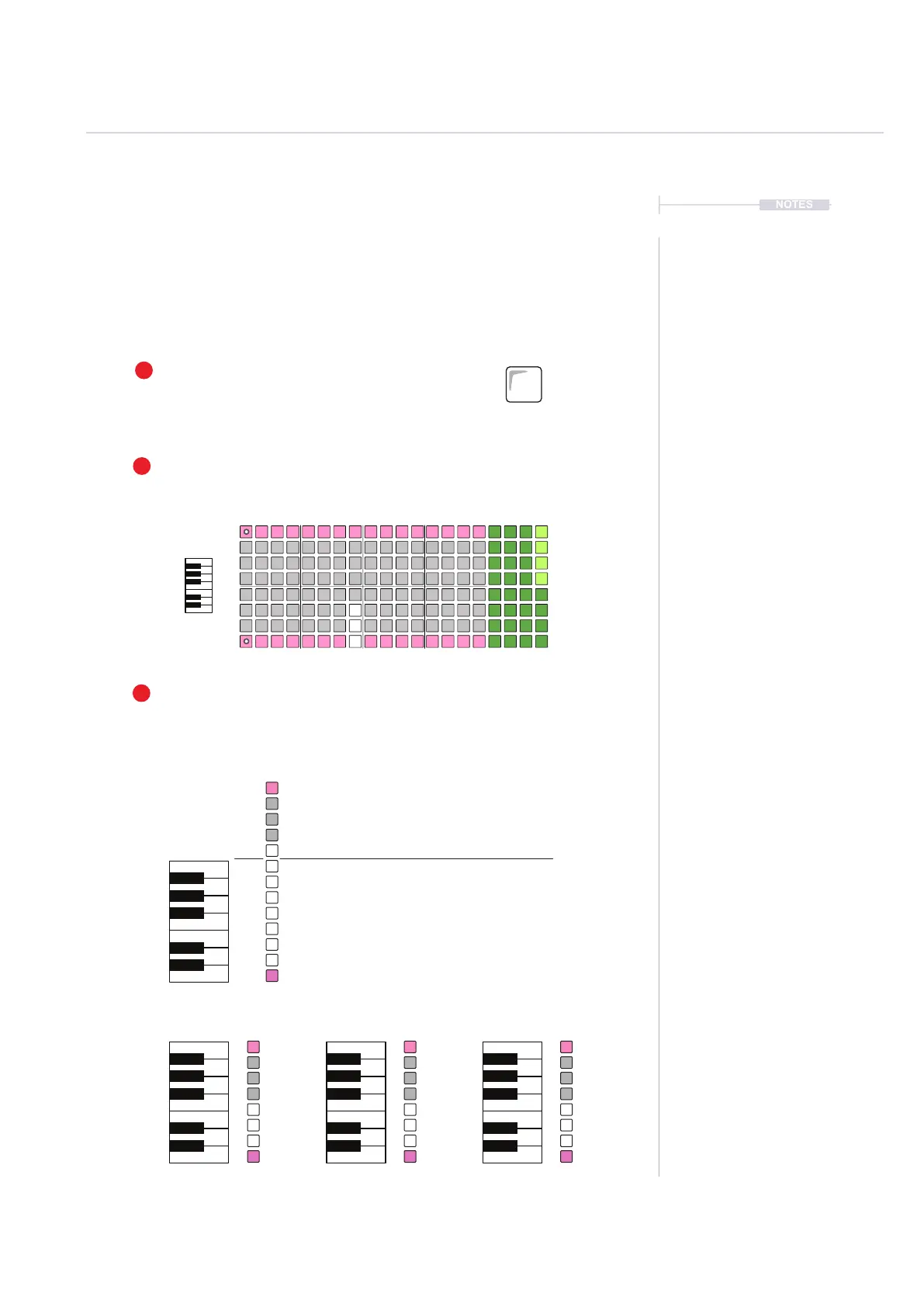
6.10 Piano Roll
The piano roll presents the 8x16 Pad grid in a keyboard note format where
each row represents an individual note within the selected scale. Audio and
MIDI sequencers can be created using the piano roll. The pads are laid out
in note rows with the root note indicated by the pink pad rows. The notes
applied are inuenced by Play’s scale setting.
1
2
3
To Add Notes
Use the grid pads to record notes. The available notes are dependant on the
scale selected and scale ltering state. Rows are notes, columns are steps.
Chromatic mode offers all notes as
being available, however only 8 voices /
8 Notes can be used at the same time.
Scroll the pad grid to view all notes
C Major C Minor C Dorian
Select View Mode
Hold [View] greater than 1 sec to select the Piano roll.
Tracks must be selected as pre-requisite. The number
of which will dictate the available voices / notes.
Piano Roll Keyboard
The 8 rows convert to piano style notes. Pink rows show the root note.
A maximum of 8 Voices can be selected i.e. 8 notes max.
View
Master FX
C
C C C
F
F F F
E
E
D
D D D
G
G G G
A
A A A
B
B
Root Note
Root Note
Examples: Root C, Scale Filter ‘On’, show notes in scale.
C
C C C
C#
D
D D D
D#
E
E D# D#
F
F F F
F#
G
G G G
G#
A
A G# A
A#
B
B A# A#
C
C C C
C#
F#
D#
D# D#
G#
G#
A#
A# A#



 To Next Page