33
Polyend Play Manual Rev 1
Project & Tracks
3
NOTES
3.2 The Grid Overview
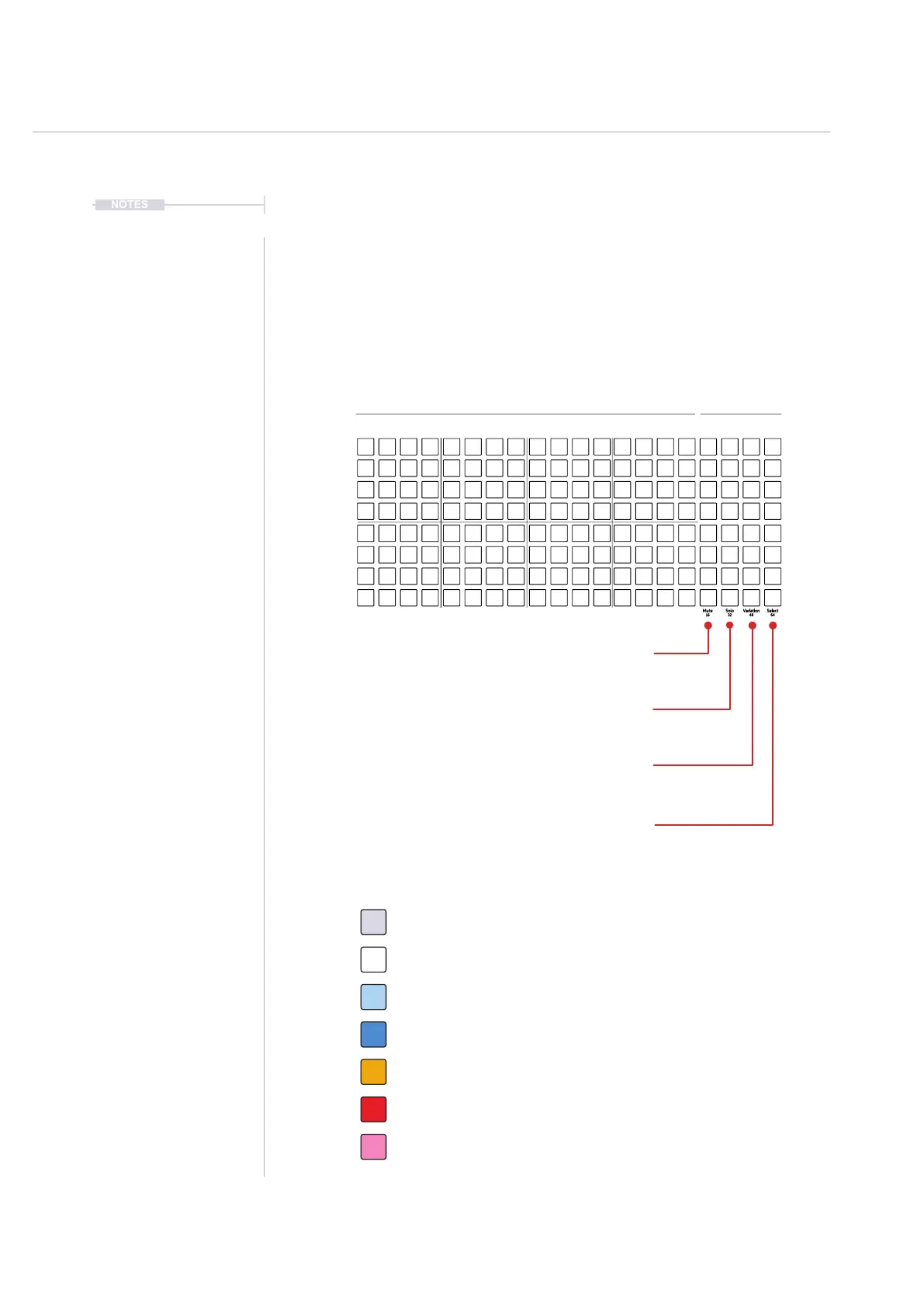
The grid consist of 8 rows of 20 columns of pad buttons. The function of the
pads changes depending on the mode selected. Sequencing mode enables
sequencing of steps where each row represents a track. The rst 16
columns left to right represents steps. Rows represent notes when in piano
roll view mode.The last 4 right columns represent function pads, for mute,
solo, variation and to select each track. Also the function pads when in
View Mode, can operate as a keyboard or pad style note input controller.
Mute: Silence the selected tracks. Press [Pad]
16: Step Page 1 - Steps 1-16 - Press [Shift] + [Pad]
Solo: Plays only the selected tracks. Press [Pad]
32: Step Page 2 - Steps 17-32 - Press [Shift] + [Pad]
Variation: Mutes the selected track. Press [Pad]
48: Step Page 3 - Steps 33-48 - Press [Shift] + [Pad]
Select: Selects track to edit. Press [Pad]
64: Step Page 4 - Steps 49-64 - Press [Shift] + [Pad]
Off. Step is empty and does not trigger any event. Tap [Pad].
Sequencer - 8 x 16 Grid Pad Colours
White. Step has an active note event. Tap [Pad].
Blue. Selected, note event step. Hold [Shift] + [Pad].
Orange. Playhead on currently active step for a track. [Play].
Dim Blue. Selected, empty step. Hold [Shift] + [Pad].
Red. Playhead on currently active step - Live Rec Mode. [Play].
Pink. Root Note Indicator - Piano Roll View Mode. Hold [View].
Track 1
Sequencer Track Steps Functions
1 9 5 13 16 17 20
Track 3
Track 5
Track 7
Track 2
Track 4
Track 6
Track 8
Fill
Delete
Reverb Send
Delay Send
Note
Microtune
Master Volume
Limiter
Save
Reset
Overdrive
Bit Depth
Volume
Panning
Tempo
Swing
View
Master FX
Repeat Type
Repeat Grid
Filter Cutoff
Resonance
Track Length
Play Mode
Patterns
Audio/MIDI
Chance
Action
Sample
Folder
Copy
Paste
Randomize
Randomize Type
Sample Start
Sample End
ShiftMove
Micromove
Mute
16
Solo
32
Variation
48
Sample Attack
Sample Decay
Select
64



 To Next Page