70
Polyend Play Manual Rev 1
5.1 Sample Pool
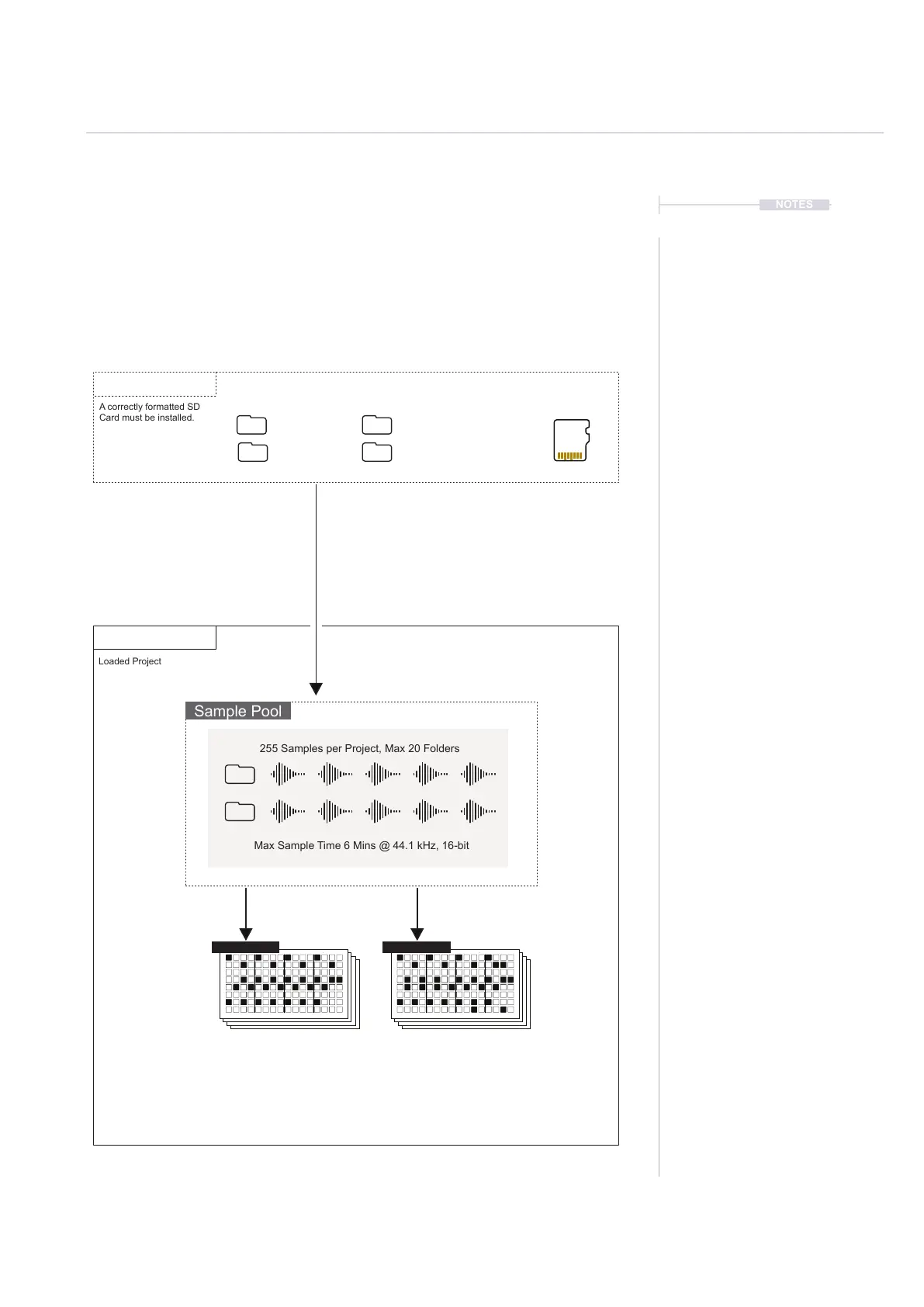
Each project uses samples located within the projects sample pool. In order
to build a pattern a projects sample pool must be loaded with a sample
pack or user samples, or both. Samples can be loaded during playback.
The normal workow would mean samples are copied from the SD card to
the sample pool as the next step after creating a new project.
Projects
Sample Packs
Sample Packs and/or Samples must be
copied from the SD Card into the project
sample pool in order to build patterns.
Samples can be placed from the sample pool and onto any
track step in a pattern. Some tools such as Fill will automate
placement intelligently based on a sample pack format.
Micro SD Card
Project
Artist Samples
Samples
Sample Pool
A correctly formatted SD
Card must be installed.
Loaded Project
255 Samples per Project, Max 20 Folders
Max Sample Time 6 Mins @ 44.1 kHz, 16-bit
NOTES
Samples
5
Fill
Delete
Reverb Send
Delay Send
Note
Microtune
Master Volume
Limiter
Save
Reset
Overdrive
Bit Depth
Volume
Panning
Tempo
Swing
View
Master FX
Repeat Type
Repeat Grid
Filter Cutoff
Resonance
Track Length
Play Mode
Patterns
Audio/MIDI
Chance
Action
Sample
Folder
Copy
Paste
Randomize
Randomize Type
Sample Start
Sample End
ShiftMove
Micromove
Mute
16
Solo
32
Variation
48
Sample Attack
Sample Decay
Select
64
Fill
Delete
Reverb Send
Delay Send
Note
Microtune
Master Volume
Limiter
Save
Reset
Overdrive
Bit Depth
Volume
Panning
Tempo
Swing
View
Master FX
Repeat Type
Repeat Grid
Filter Cutoff
Resonance
Track Length
Play Mode
Patterns
Audio/MIDI
Chance
Action
Sample
Folder
Copy
Paste
Randomize
Randomize Type
Sample Start
Sample End
ShiftMove
Micromove
Mute
16
Solo
32
Variation
48
Sample Attack
Sample Decay
Select
64
Pattern 1 Pattern 2



 To Next Page