71
Polyend Play Manual Rev 1
NOTES
Samples
5
▌ POPULATING THE SAMPLE POOL WITH SAMPLE PACKS
1. Ensure the project in which to work is open and active.
2. Press (Screen) knob to open the options menu.
3. Turn (Screen) to navigate the menu options. The menu may display the
position level previously navigated. If required, Press [Back] screen
button to back up through the menu hierarchy.
4. Highlight the ‘Samples’ option and press (Screen) to select.
5. Highlight the ‘Load Sample Pack’ option and press (Screen) to select.
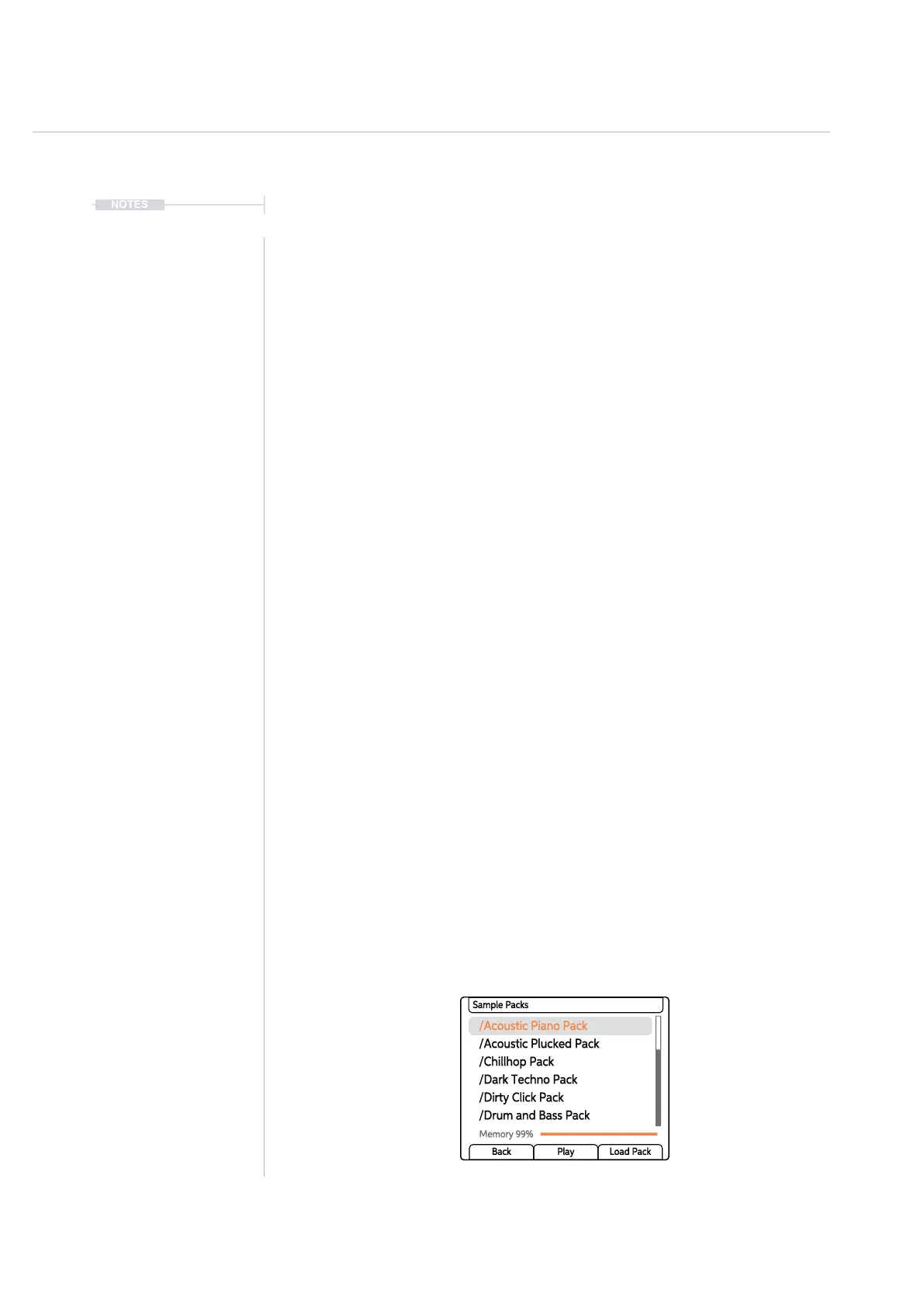
6. The list of sample pack options will be displayed. Sample packs are
recognised by the loader and are displayed and loaded as a complete
folder. The sample pool memory status is also displayed. Turn (Screen)
to navigate.
7. With the desired sample pack folder highlighted, indicated with a
preceding ‘/’, Press [Load Pack] screen button.
• Sample packs with their respective folder structure and samples are
loaded into the sample pool. Maximum 20 folders per pack and
sample packs must have only one sub level folder.
• If a folder already exists then a message will be displayed stating as
such and the command will be cancelled. This will often be the case
when trying to load multiple sample packs.
• The available sample pool memory is displayed in the browser
screen. If the sample pool memory limit is reached, the command
will cancel. Packs, in part, may have been loaded until the memory
limit was reached. A maximum of 255 samples can be located in the
sample pool.
• Press (Screen) when highlighting an audio sample le to audition
the sample sound.
/Acoustic Piano Pack
/Chillhop Pack
/Dirty Click Pack
/Acoustic Plucked Pack
/Dark Techno Pack
/Drum and Bass Pack
Sample Packs
Memory 99%
Back Play Load Pack



 To Next Page