88
Polyend Play Manual Rev 1
NOTES
6.5 Pick & Place to Create A Pattern
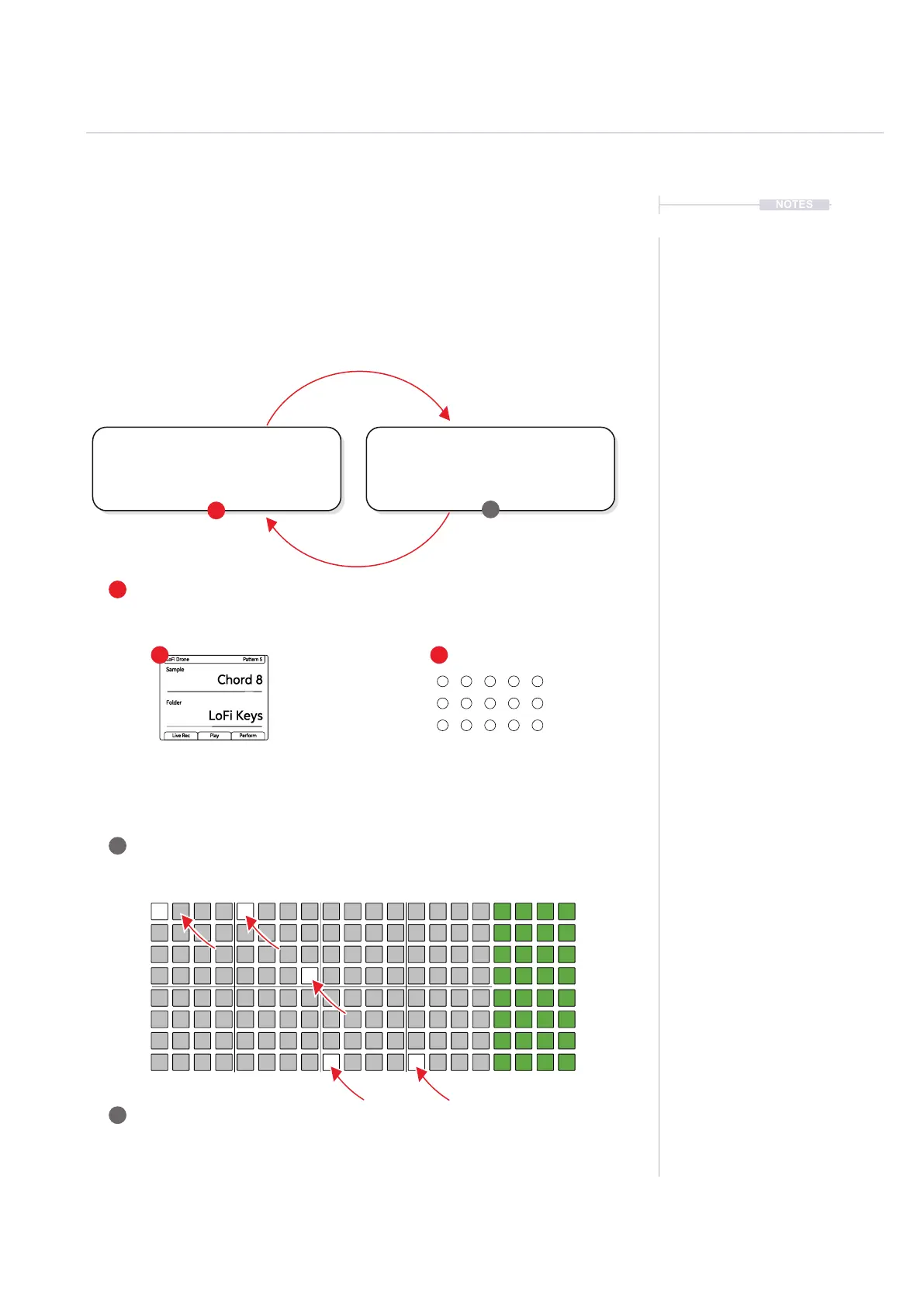
The rst step in sequencing a pattern in Play is to pick a sample and place
it on the sequencer grid. This will populate steps in order to build a melody
or a beat. General selection of a sample and adjustments of the base
parameters creates a work step. Subsequent placement into steps on the
grid will populate each step selected with the same work step settings. This
is performed in sequencer mode.
Sample
Chord 8
LoFi Keys
LoFi Drone Pattern 5
Folder
Live Rec Play Perform
2 3
4
5
1
Pick.
Choose a sample from the selected folder
using (Sample). Adjust parameters as
desired to create a work step.
Select Sample
Tap and Turn (Sample) to select Sample.
Double tap to select and turn to change
sample folder.
Adjust Parameters
Adjust the sample related parameters in
order to create a general work step ready
for placement.
Select Pattern
Press [Patterns] and select from the pattern grid a pattern to work on. Pattern 1 top
left. Switch back to sequencer mode, Press [Patterns] to create the pattern steps.
Ensure Sequencer Mode
Ensure sequencing mode is visible. Press [Patterns] or [Perform] to switch back from
pattern and perform mode views. Pattern mode is only used to manage all patterns.
Sequence Steps
Tap on each desired grid steps to place the work step and create note steps. Empty
steps are unlit and note steps are lit white. The sample and settings are identical on
each step placed.
Place.
Place the work step onto the sequencer
grid. Rows represent tracks and a
sample can be placed on any track
Sequencing Patterns
6



 To Next Page