48
Polyend Play Manual Rev 1
Projects & Tracks
3
NOTES
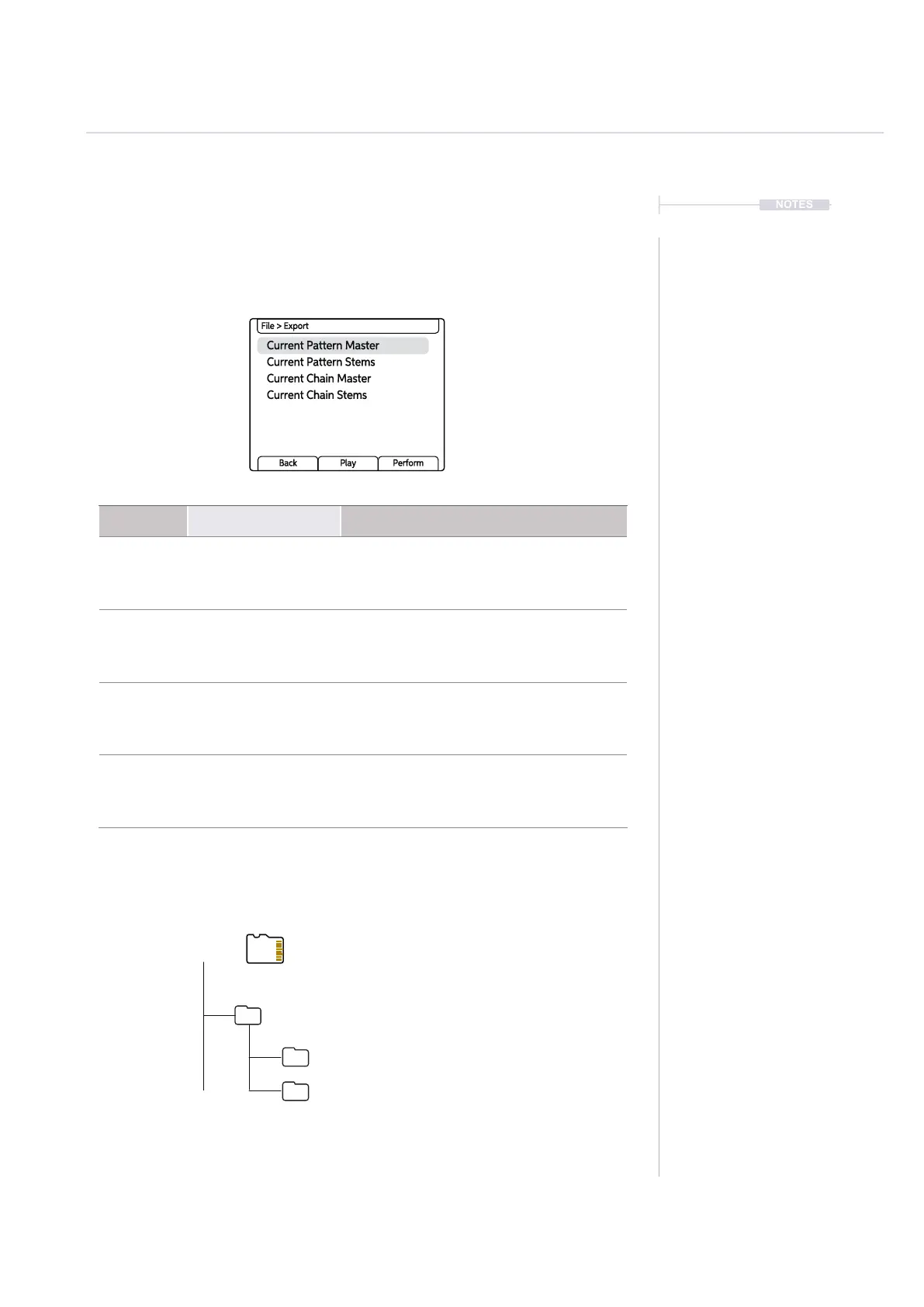
3.13 Exporting Tracks
A number of export options exist in Play that allows bouncing of audio les
as an output to the SD Card. The Export option is found in the main menu
under the ‘File’ functions. Muted tracks are exported as silent.
Menu Option Description
File > Export Current Pattern Master
Exports a single stereo master le of the
current pattern. Export is after saturation but
before the master sound FX.
File > Export Current Pattern Stems
Exports 10 Audio stems from the currently
selected pattern. This consists of 8 tracks,
delay and reverb send effect stems. Export
is at the mixer stage, before the limiter.
File > Export Current Chain Master
Exports a single stereo master le of the
current chain of patterns. Export is after
saturation but before the master sound FX.
File > Export Current Chain Stems
Exports 10 Audio stems from the currently
selected pattern chain. This consists of 8
tracks, delay and reverb send effect stems.
Export at the mixer stage, before the limiter.
Current Pattern Master
Current Chain Master
Current Pattern Stems
Current Chain Stems
File > Export
Back Play Perform
Root
Export
Proj1_P_2_0001
Proj1_P_2_S0001
Files that are exported are stored on the SD Card in the ‘Export’ folder. The folder may not be
present at the outset but is created when les are exported. Files are named after the track or
effect, i.e. Track1, Delay or master for single master output les. A folder named after the project
will be created for the exports.
Exported les.
Folders named after project name +
Pattern + Number. S for Stem exports.



 To Next Page