36
Polyend Play Manual Rev 1
Projects & Tracks
3
NOTES
3.5 Track Step Length
Track lengths can be set between 1 and 64 steps. Each track can have its
own independent steps length which allows polyrhymths, polymeters and
interesting combinations. The 8x16 pads represent each step length page
and the total length is accessed across 4 step pages, each with 16 steps.
The overall pattern length is determined by the longest track length.
▌ QUICKLY EXTENDING AN INDIVIDUAL TRACK LENGTH
1. In sequence mode the track length for each of the 8 tracks can be set to
up to 64 steps in length. Ensure perform mode is off.
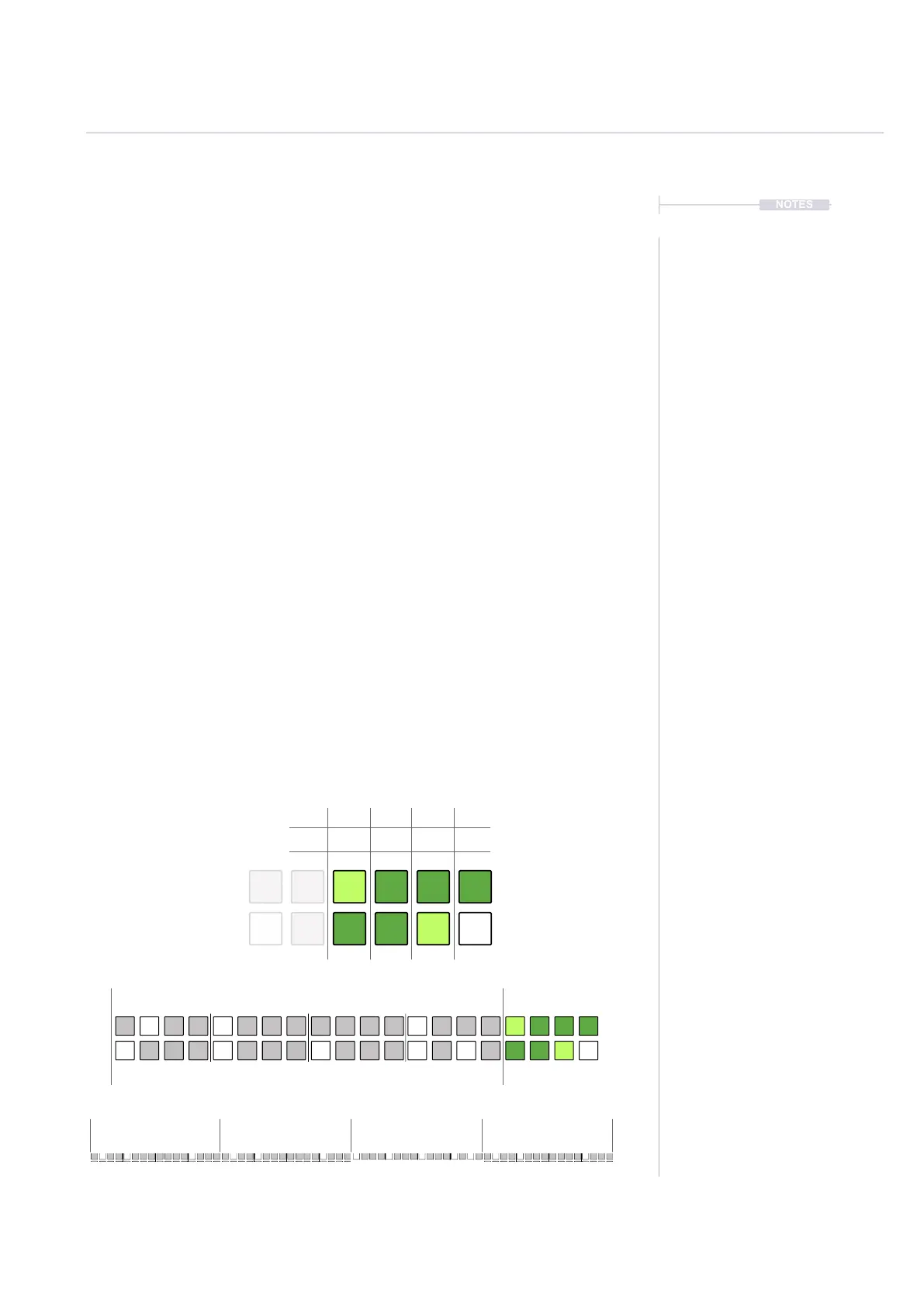
2. Hold [Shift] + [Pad] for one of the 4, far right side columns 17, 18, 19, 20
to increase the step length. Each of the columns represents the step
length pages, each with 16 steps.
3. The brightly lit green pad is the currently selected page. The selected
page allows step editing on the 16 pad columns left to right.
4. The dimly lit green pad is an active page of steps that will play. These
are not currently selected for editing but will play in sequence.
5. The playhead cursor on the grid will be displayed only on the active
track step page.
Track 1
Track 2
Example:
Track 1; 64 Step length active. Page 1 - Steps 1-16 Selected for pattern pads.
Track 2; 48 Step length active. Page 3 - Steps 33-48 Selected for pattern pads
Track 1 - Steps 1-16 for pattern pads.
Track 2 - Steps 33-48 for pattern pads.
1-16 17-32 33-48 49-64
Page 1 2 3 4
Steps 1-16 17-32 33-48 49-64



 To Next Page