73
Polyend Play Manual Rev 1
NOTES
Samples
5
▌ VIEWING THE SAMPLE POOL
1. Ensure the project in which to work is open and active.
2. Press (Screen) knob to open the options menu.
3. Turn (Screen) to navigate the menu options. The menu may display the
position level previously navigated. If required, Press [Back] screen
button to back up through the menu hierarchy.
4. Highlight the ‘Samples’ option and press (Screen) to select.
5. Highlight the ‘View Sample Pool’ option and press (Screen) to select.
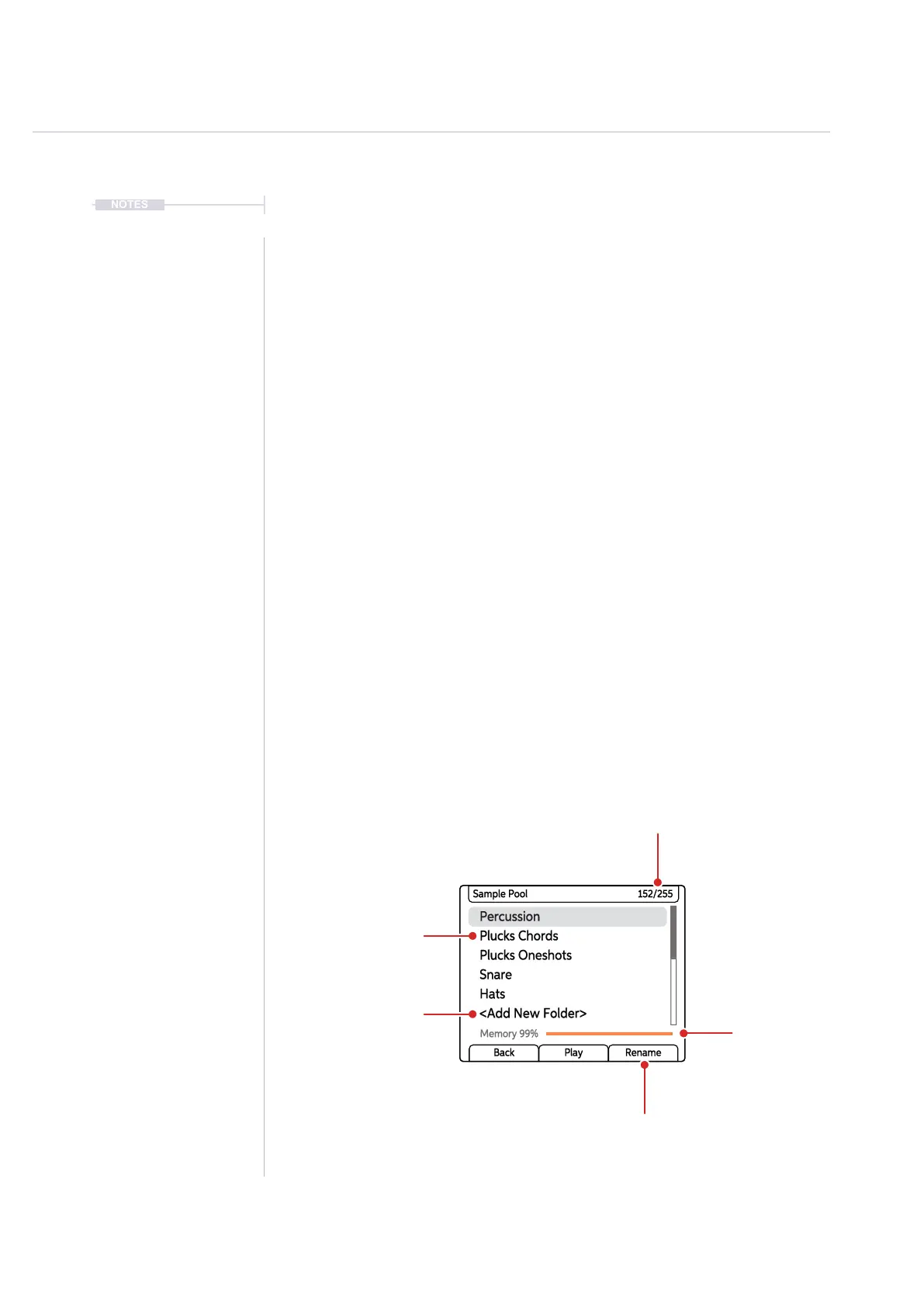
6. The list of sample pack folders will be displayed, named in the Play
convention style. Press (Screen) and [Back] to navigate within the folder
structures.
7. A WAV le can be auditioned in the browser. Press (Screen) or either
left side screen button to play the sample’s audio when highlighting an
audio sample le.
8. The memory usage is shown as well as the number of les loaded into
the sample pool.
9. The option to manually create a new folder in the sample pool or
rename a folder is also possible.
Percussion
Plucks Oneshots
Hats
Plucks Chords
Snare
<Add New Folder>
Sample Pool 152/255
Memory 99%
Back Play Rename
Sample Pool
Folders
Option to name and
create a folder
Sample Pool
Memory Usage
Option to rename
an existing folder
Number of Audio Files /
Maximum Files Available
subject to available memory



 To Next Page