THE ART OF WELDING
P6
PN-0509076 Rev. 16 61-92
2
3
1
3
2
4
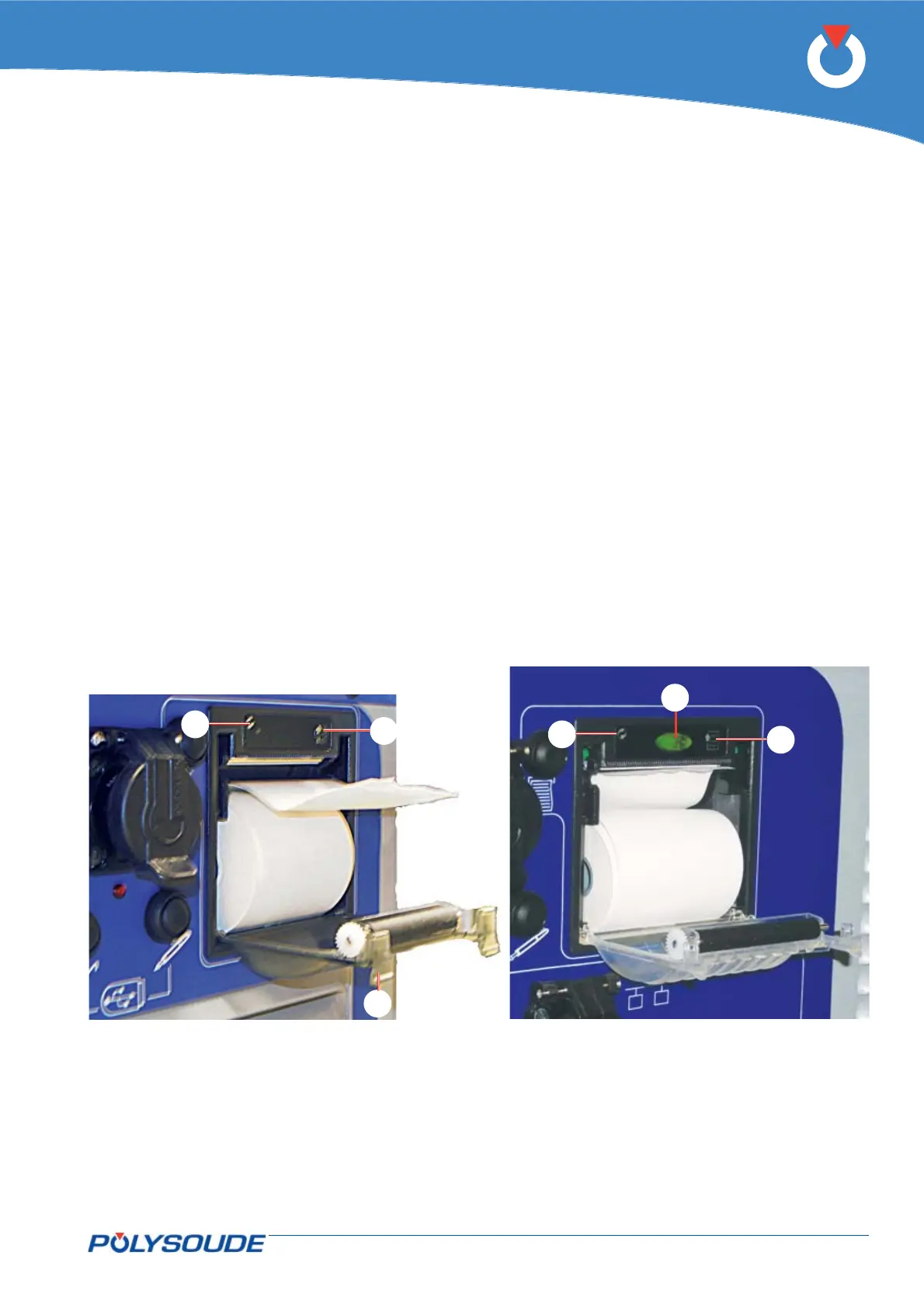
Fig. 6.2 - Printers
Printer6. 1. 4.
Changing the printer paper
To change paper the power source must be switched on. Depending on the model of printer, change the roll
of thermal paper either by pulling down the two tabs of the cover (Fig.6.2 – Item 1) or by pressing the button
(Fig.6.2 - Item 4). Take out the empty roll and insert the new one so that the curve of the paper is at the inside
face of the printer and the start of the paper upwards.
Unwind enough paper so that after closing the cover a strip of paper appears at the outside.
To feed paper, push the button (Fig.6.2 - Item 2).
The green indicator light (Fig.6.2 - Item 3) is illuminated steady if the printer is ready to work; in case of a fault
or lack of paper, it fl ashes.



 To Next Page