9-- 2
Powerware 9330 (10 kVA--40 kVA) Installation and Operation
164201300 Rev . N 013004
9.2 Using the LCD Screen and Pushbuttons
The LCD screen on the C ontrol Panel provides an operator interface with the UPS
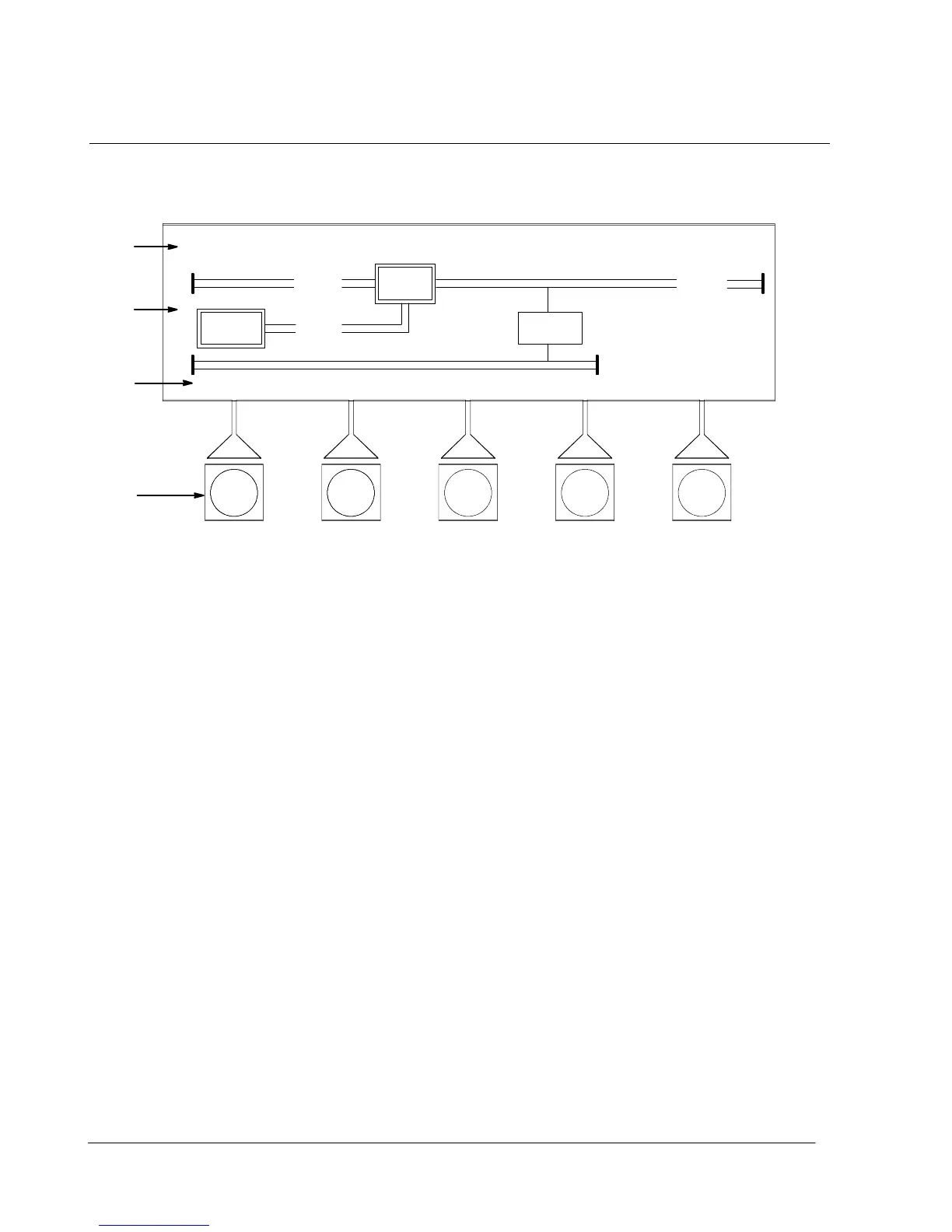
system. Figure 9---2 identifies the display areas discussed in the following sections.
A
D
C
B
EVENTS METERS SETUP
ALARM: AC INPUT UNDER VOLTAGE
OUTPUT
CONTROLS
BATT
UPS
CB1
CB2
UPS
STSW
Figure 9---2. Parts of the LCD Screen
A The UPS status area automatically scrolls between the current date and time, active alarms,
active notices, and load percent and battery run time for the UPS. Shown is a typical alarm
message. (For more information about alarms and notices, refer to Chapter 12, “Responding
to System Events.”)
B The information area contains data about UPS status and operations. Select a menu option to
display the desired information.
C The display menu lists the titles of the available screens. To select a screen, depress the
pushbutton underneath the desired screen.
D Softkey pushbutton switches. Function changes depending on the screen displayed. Use to
select menu screens or scroll through available s creens. Designated function is indicated on
the LCD screen above the respective pushbutton.
To select the System Control screen or turn off t he Alarm, depress the respective
pushbutton to the right of the LCD screen.
You can use the LCD screen and the pushbuttons beneath or to the right of it to:
• Control UPS operation (see paragraph 9.4)
• Set UPS parameters (see paragraph 9.3.5 and 9.3.6)
• Monitor UPS operation (see paragraph 9.3.3 and 9.3.4)
• Look at a log of UPS events (alarms, notices, and commands) (see paragraph
9.3.2).
After approximately one hour, the display screen dims. To restore the screen, press
any pushbutton once.












 To Next Page