9-- 3
Powerware 9330 (10 kVA--40 kVA) Installation and Operation
164201300 Rev . N 013004
9.3 Using the Main Menu
The UPS main menu allows you to display data in the information area to help you
monitor and control UPS operation. The following menus and options are
available:
• EVENTS Displays the list of Active System Events and a historical log of
system events.
• METERS Displays performance meters for the system or critical load.
• CONTROLS Displays the System Controls screen.
• SETUP Allowsyoutosetthedisplaycontrast,setthedateandtimefor
thetimestamp,configuretheUPSserialcommunicationports
and view the firmware version numbers.
• ReturnstoMainMenuanddisplaysareal-timegraphic
representation of the U PS operating status.
9.3.1 Mimic Screen
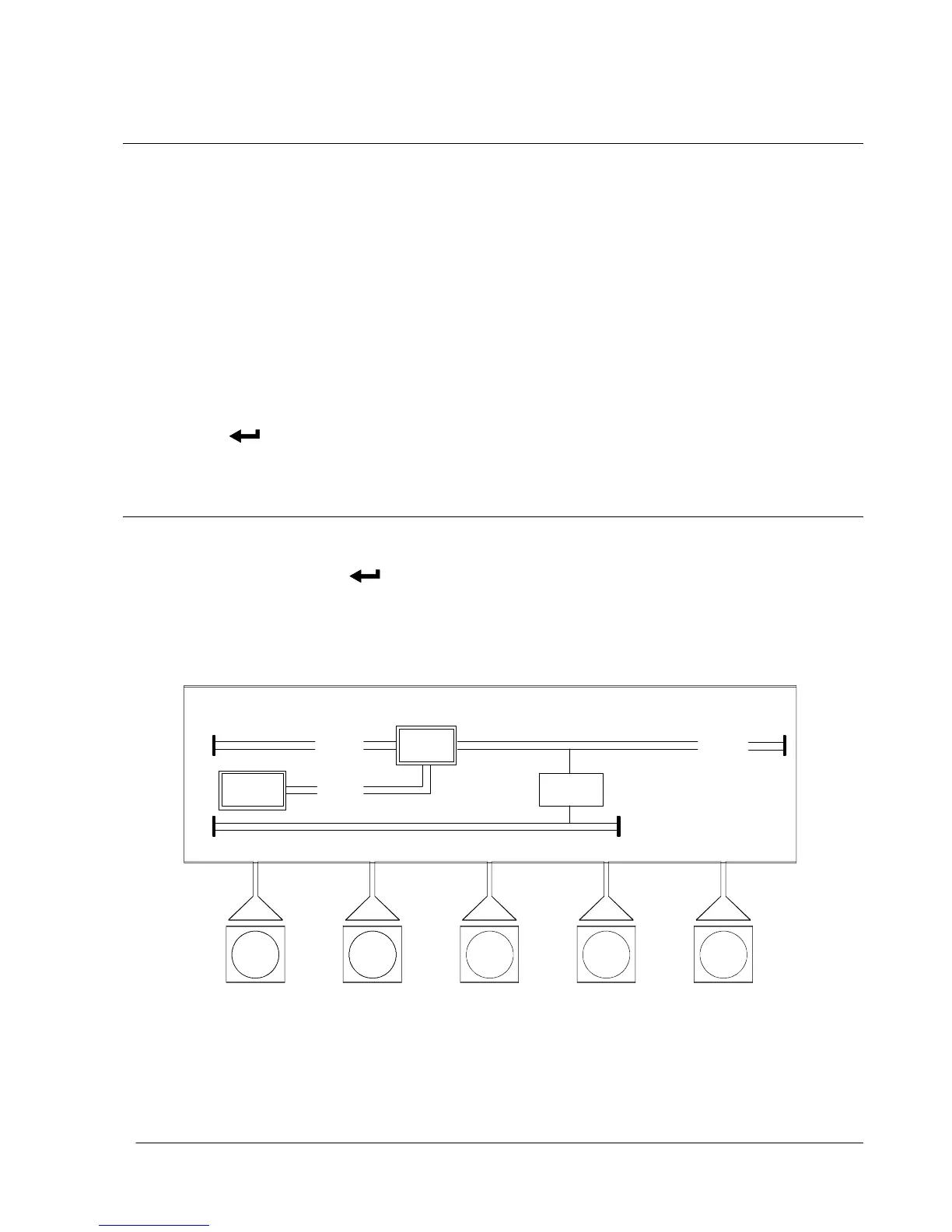
Figure 9---3 shows the LCD screen as it appears when you first start the UPS. To
select the mimic screen from the Events, Meters, Setup or System Controls
screens, select the
pushbutton from the current display menu.
The Mimic screen shows the internal components of the UPS cabinet and a
real-time graphical representation of the operating status of the system.
EVENTS METERS SETUP
DATE: 01/10/2001 TIME: 11:35:43
OUTPUT
CONTROLS
BATT
UPS
CB1
CB2
UPS
STSW
F i g u r e 9 --- 3 . M i m i c S c r e e n












 To Next Page