11- -2
Powerware 9330 (10 kVA--40 kVA) Installation and Operation
164201300 Rev . N 013004
11.4 Optional Remote Monitor Panel
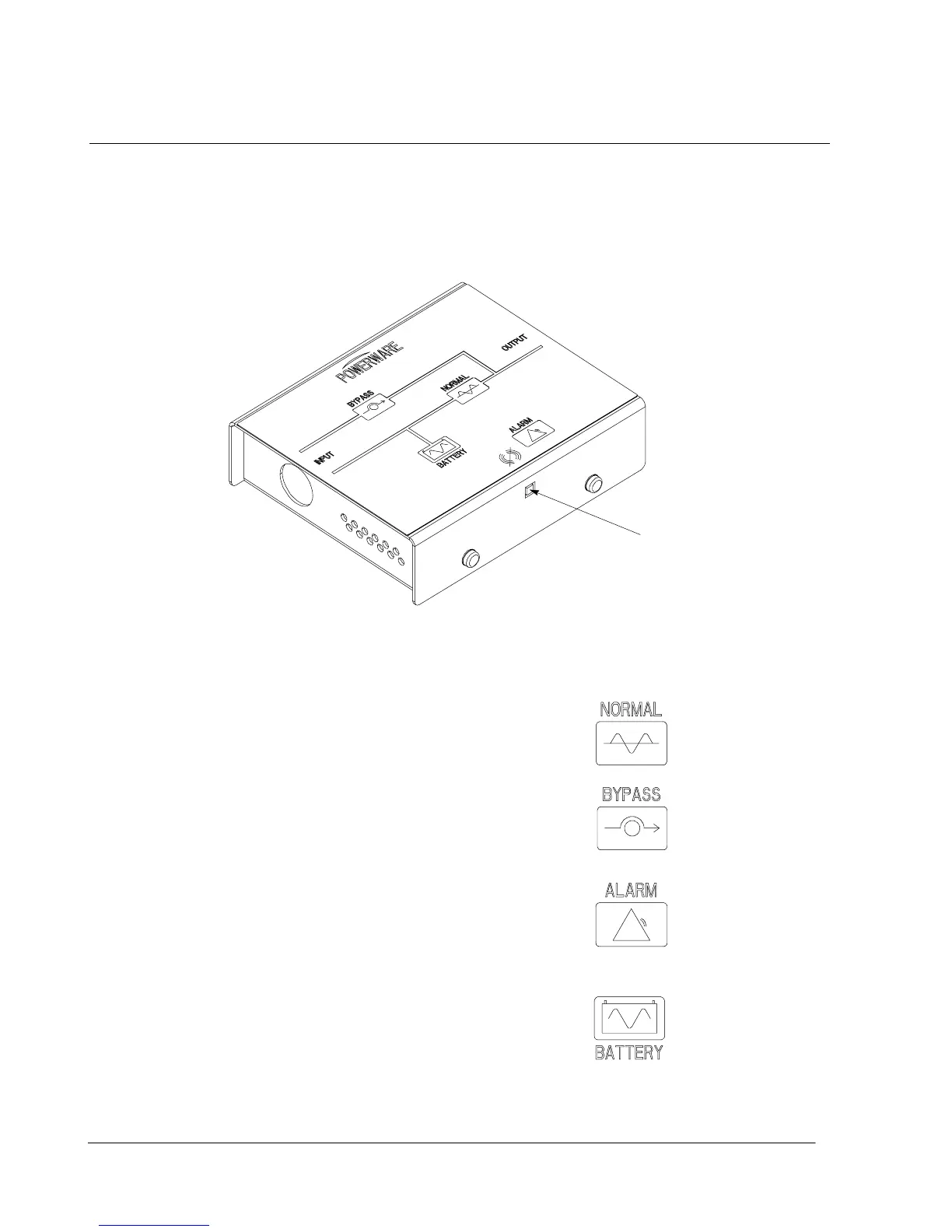
As an option, you can install a R emote Monitor Panel (RMP) to monitor the
operation of the UPS system from virtually any location within your facility, up to
500 feet from the UPS. The RMP contains backlit status indicators and a local
horn. You can surface-mount an RMP on a desktop, secure to a wall, or place in
another convenient location. Figure 11---1 shows an RMP.
HORN SILENCE
Figure 11---1. Remote Monitor Panel
The RMP contains a local horn and the following backlit status indicators:
NORMAL
The UPS is energized (either with utility power
or battery backup) and is supplying
conditioned power to the critical load.
BYP ASS
Thebypasssourceissupplyingthecritical
load. Usually this means that the UPS is not
energized. The load is not protected in Bypass
mode, and a horn sounds after 30 seconds.
ALARM
The UPS system is issuing an alarm.
Conditions that affect the current UPS mode
are indicated by the alarm lamps and horn on
the UPS.
BATTERY
The UPS battery backup is supplying the
critical load. The utility power is either
interrupted or out of specification. The
NORMAL indicator is also lit. After 30 seconds
of run time, the alarm indicator will illuminate
and a horn sound.












 To Next Page