AFV
+
Series High Power Programmable AC Power Supply
3-62
3.6.2 STEP Setting
When MAIN page displays on the screen, users can press to enter into RAMP
page.
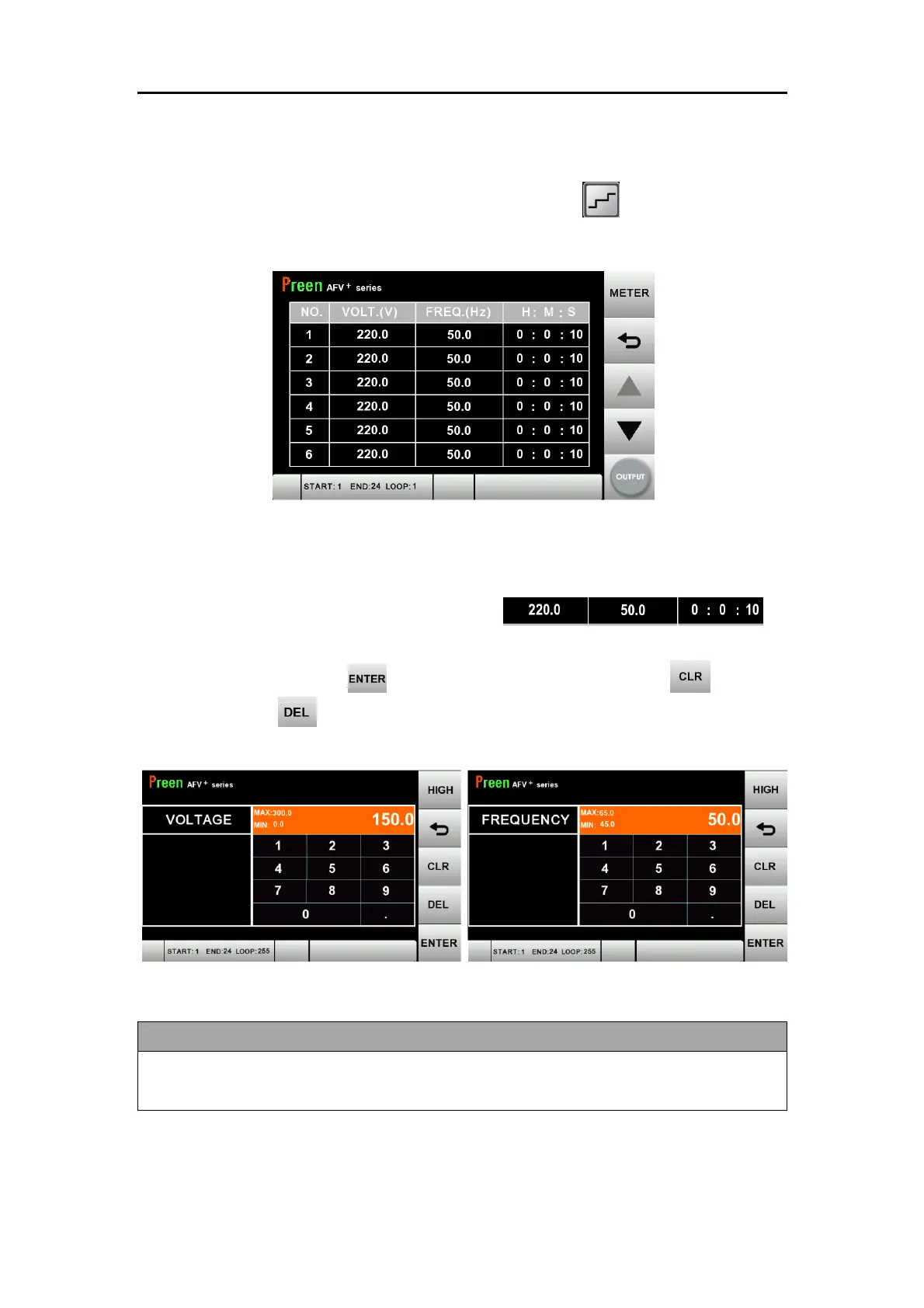
Figure 3.38 STEP setting page
The descriptions for the items and icons in the above figure are given as follows.
Press the corresponding value on the item of
each step set to set start and end output voltage/frequency and dwell time. When
setup is completed, press to confirm. To edit an entry, Press to clears
all digits or press to delete the last digit.
Figure 3.39 STEP voltage and frequency settings
In PGM mode, the STEP output voltage setting will be fixed to the high level for a
wide range setting.



 To Next Page