AFV
+
Series High Power Programmable AC Power Supply
3-35
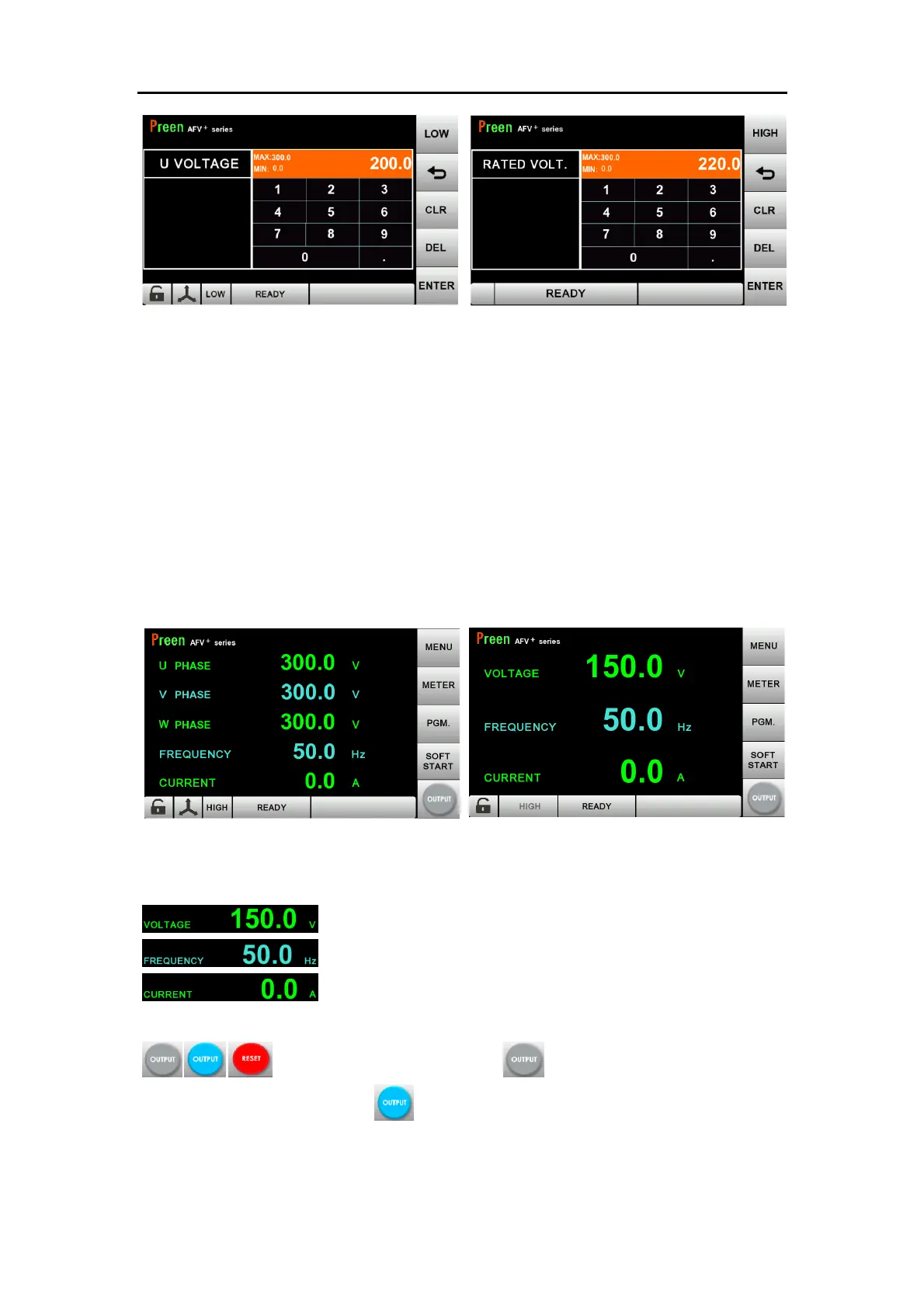
Figure 3.2 Virtual numeric keyboard (left: three-phase, right: single-phase)
3.3 MAIN Page
When users turn on the power switch, the touch screen will load the MAIN page
(refer to Section 3.3.1) after the power-on procedures. MAIN page shows the output
settings and the measurement readings of the device output. Users can set output
value by using the touch screen, and then press the Output & Reset Button on the
touch screen to enable the device output. The touch screen will switch to Meter
page (refer to Section 3.7) automatically once the device output is enabled.
Figure 3.3 MAIN page display while the output is off (left: three-phase models;
right: single-phase models)
:Press to set output voltage (L-N).
:Press to set output frequency.
:Press to set output current high limit (Note: this item will
only be shown when the CURRENT LIMIT function in SETTING page is turned ON)
Output/Reset button: press over 1 second, and the button
will change from grey to blue , which indicates that the status of output is ON.



 To Next Page