AFV
+
Series High Power Programmable AC Power Supply
3-69
3.7.4 Ethernet Setting Page (Optional)
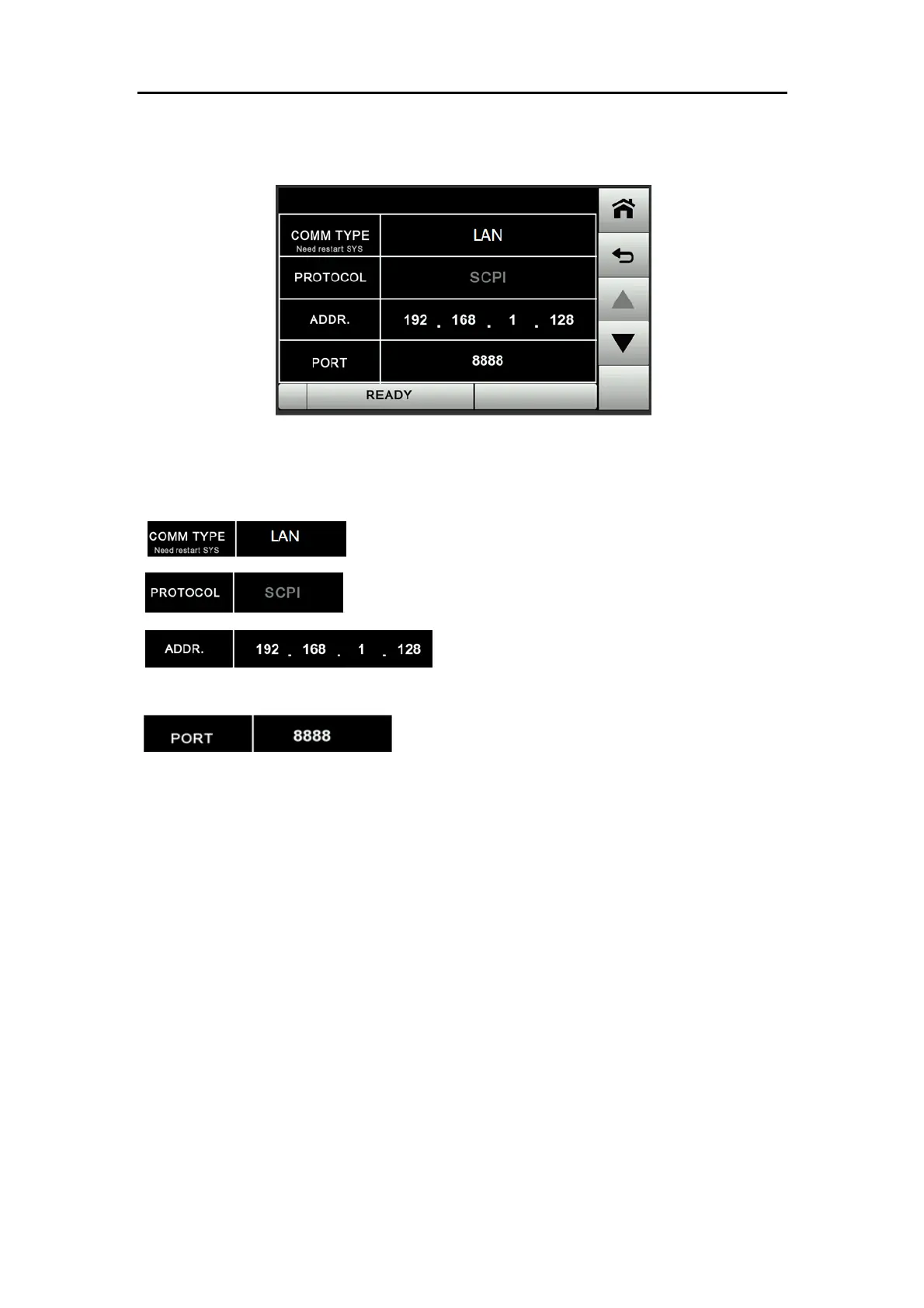
Figure 3.50 LAN settings
The descriptions for the items and the icons in the above figure are given as follows.
:Switch the communication interface to Ethernet.
:The protocol is fixed by default to SCPI.
:Communication address setting. For the
settings on the PC, refer to the below instruction.
:The communication port is user-defined. After
editing, users need to restart the device to complete the update. The default setting
is 8888.



 To Next Page