AFV
+
Series High Power Programmable AC Power Supply
4-85
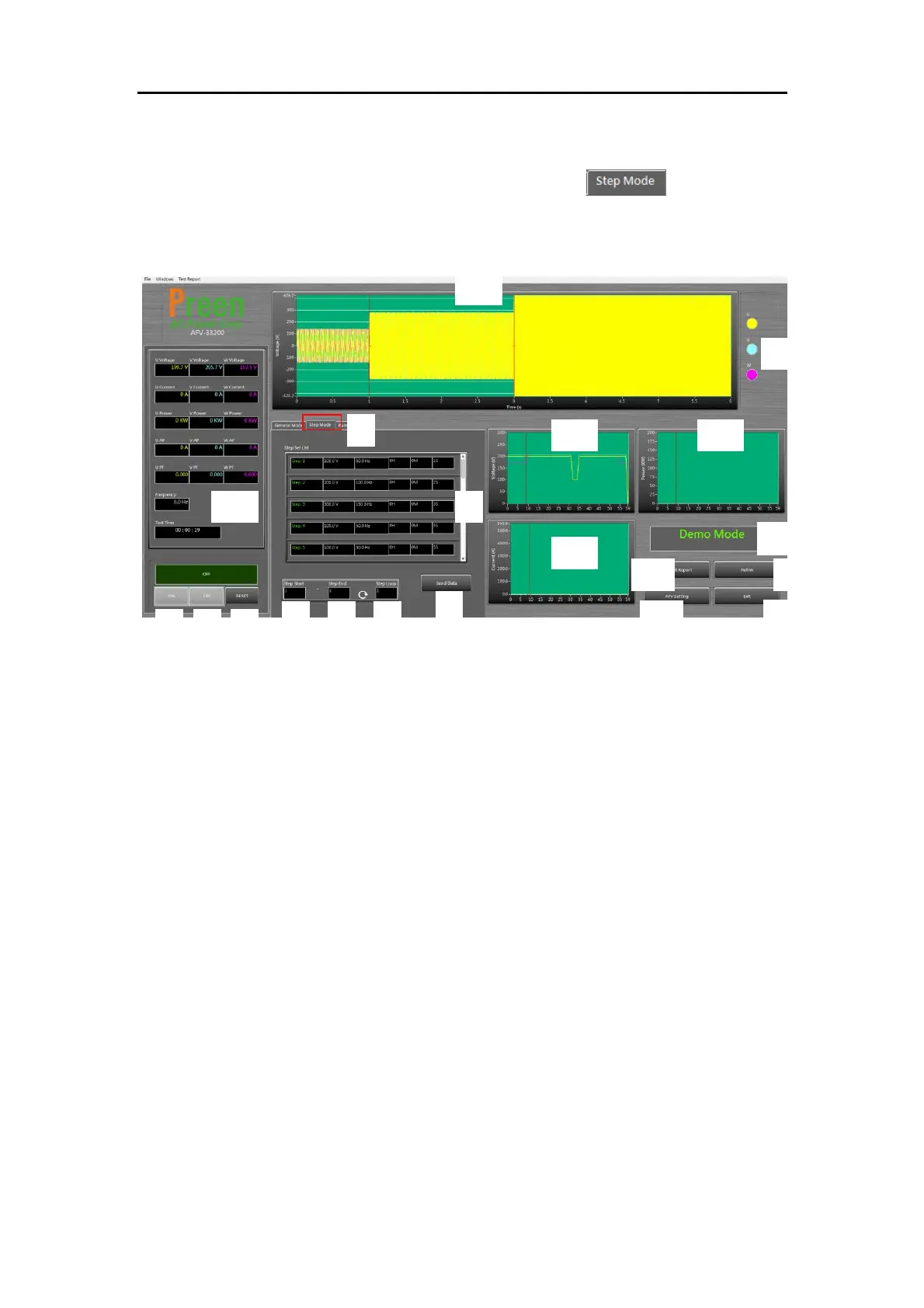
4.3 Control Software: STEP Mode
To operate the STEP mode of the control software click marked in red
box below.
Figure 4.6 control software: STEP mode
The descriptions for the items and icons at the STEP mode are given as follows.
1) Switches to STEP mode.
2) Set voltage / frequency and dwell time for each step in Step Set List.
3) Set the start number of Step set (1-24).
4) Sets the end number of Step set (1-24).
5) Set the cycle time of the entire sets (1-255).
6) Sends programming data to the device.
7) Turns on the output.
8) Turns off the output.
9) Resets the device output. When an error occurs, correct it first, and then reset
the protection.
10) Displays the output measurement readings.
11) Displays the simulated waveform preview of output settings.
12) Switches the simulated waveform preview of three phases.
13) Displays the waveform of output voltage.
14) Displays the waveform of output power.



 To Next Page