AFV
+
Series High Power Programmable AC Power Supply
4-81
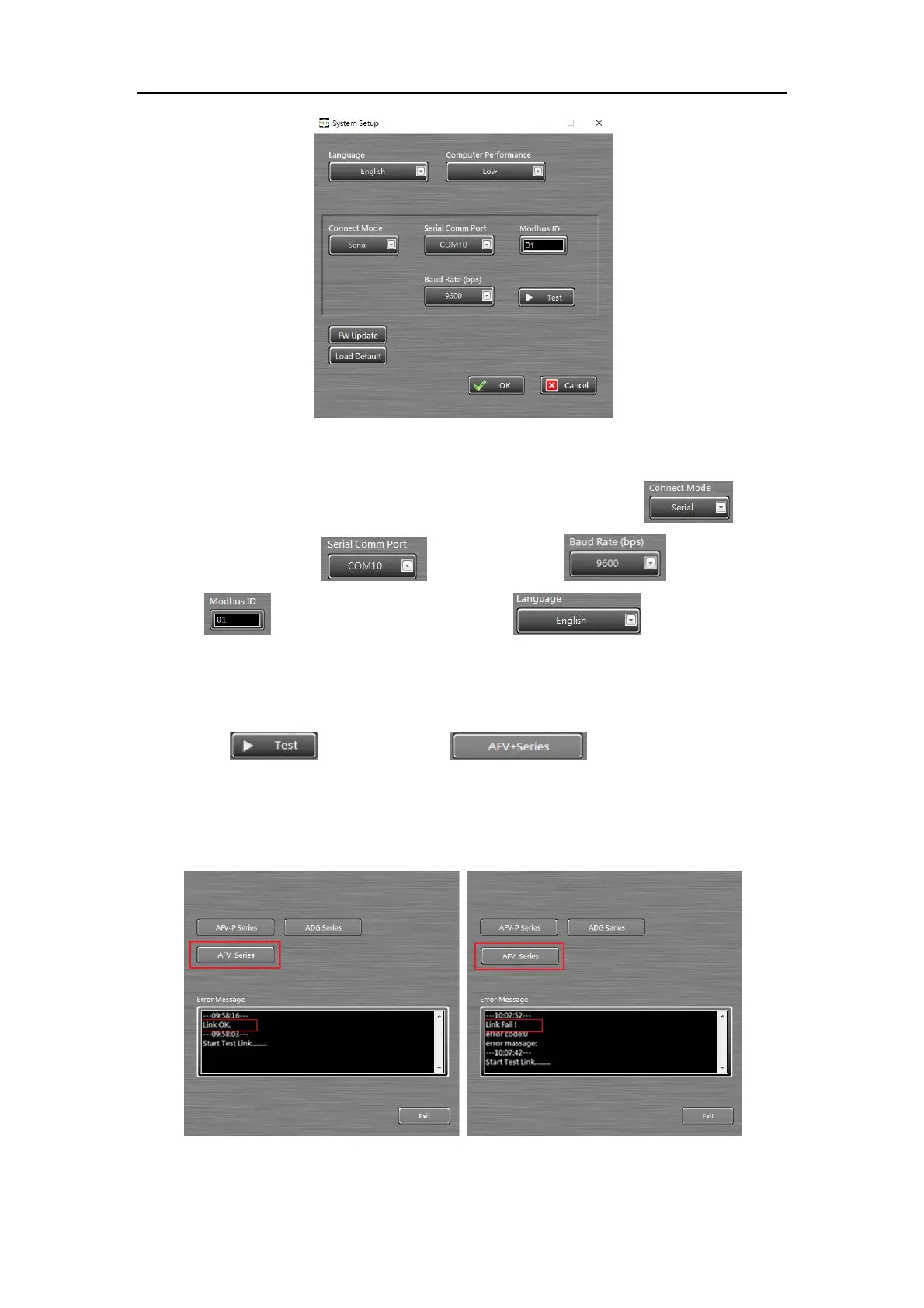
Figure 4.2 system setup page
3) Confirm the following parameters: the Connect Mode , the
Serial Comm Port , the Baud Rate , the MODBUS
ID , and the operational language . Make sure these
settings are identical with the device’s setting (refer to section??) before
communication.
4) Click and choose to test whether the
communication between power supply and PC is well connected. The figures
below show the control software’s display for successful link and failed link.
Figure 4.3 Communication test



 To Next Page