- 66 -
4
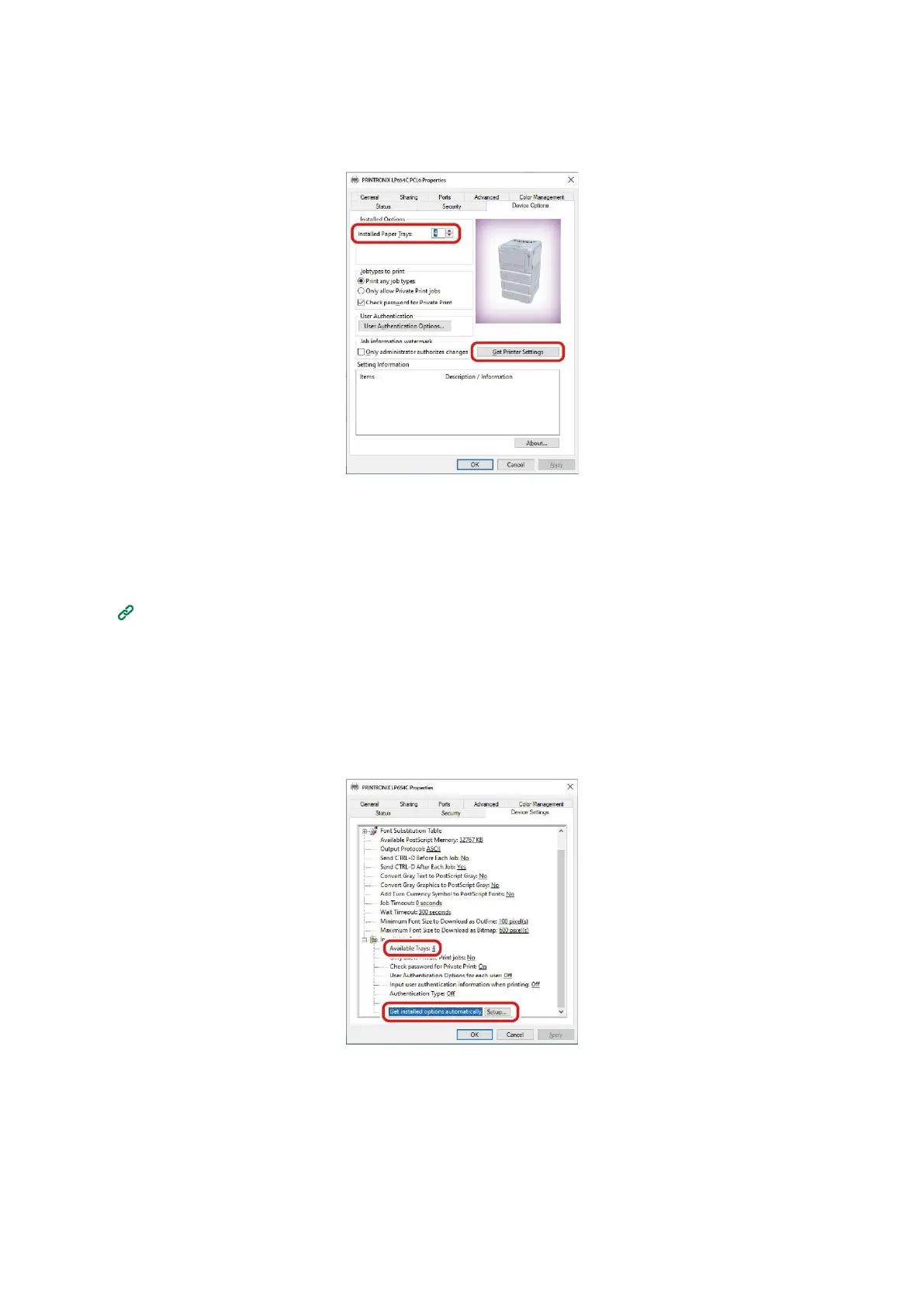
For a network connection, click [Get Printer Settings].
For a USB connection, input the number of trays minus the MP tray in [Installed Paper Trays].
For example, if three expansion tray units are mounted, the usable trays are trays 1/2/3/4, so input "4".
5
Click [OK].
For Windows PS printer driver
1
Open the "Devices and Printers".
2
Right-click on the icon of [PRINTRONIX LP654C PS], and select [Printer Properties].
3
Select the [Device Settings] tab.
4
For a network connection, select [Get installed options automatically] in [Installable Options],
and click [Setup].
For a USB connection, select the corresponding value in [Available Trays] of [Installable Options].
5
Click [OK].















 To Next Page