Prontonet User’s Manual v410 57
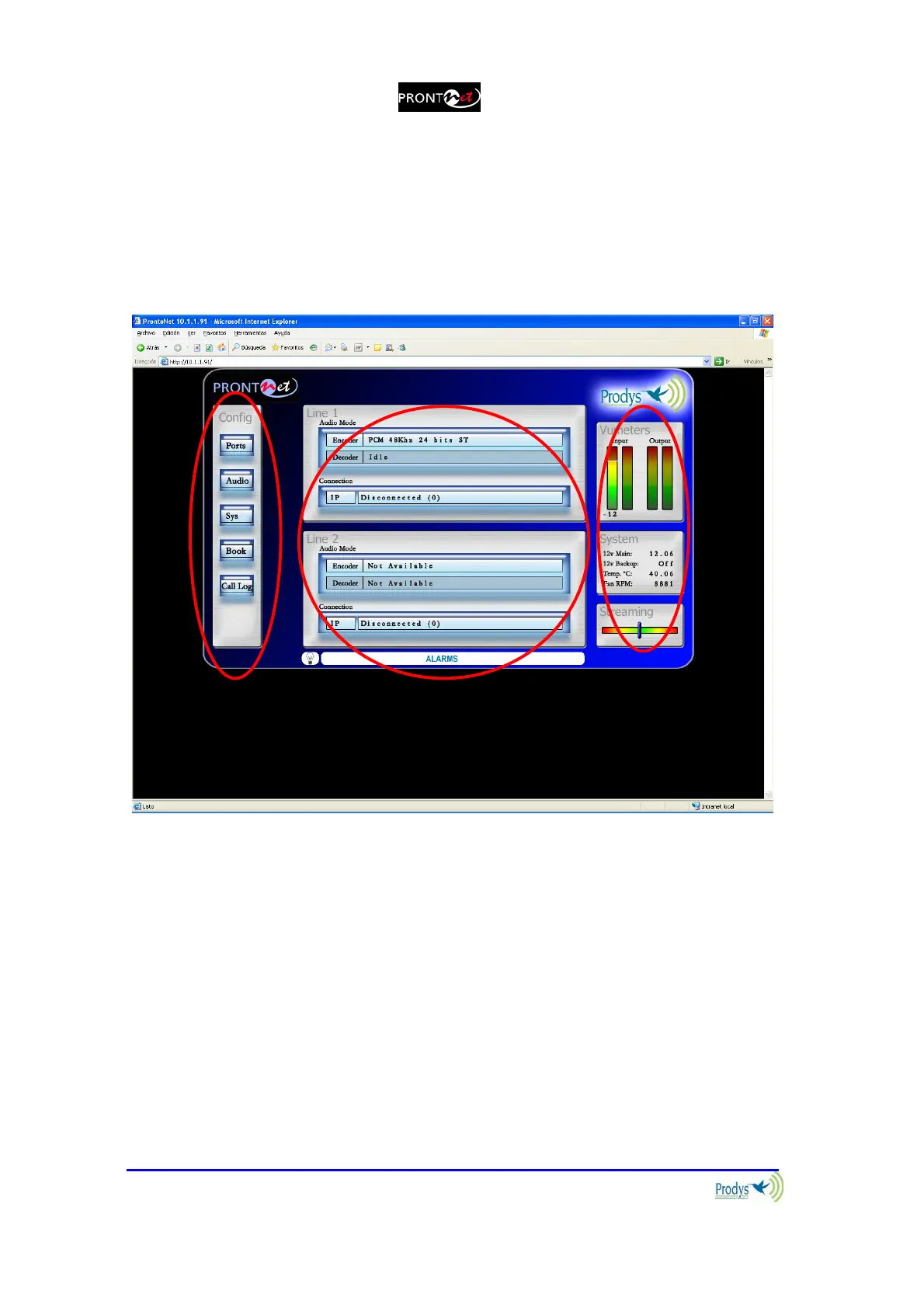
The ProntoNet Web page is arranged in three main areas:
General Configuration area.
n
Control area.
o
Monitor area.
p
By clicking on any button on the menu bar or any highlighted zone, individual
configuration pages are displayed.
V.1 General Configuration
There are the following options:
Ports: To configure the ProntoNet Ports.
Audio: To select analog or digital audio input.
Sys: System configuration.
Book: To edit the phone book.
Call Log: An history report has been included to record the input and output
calls according to the following information: telephone/IP, audio modes, date
and start/end time, length of each call, etc…
n
o
p



 To Next Page