Prontonet User’s Manual v410 81
V.2.3 Making Calls:
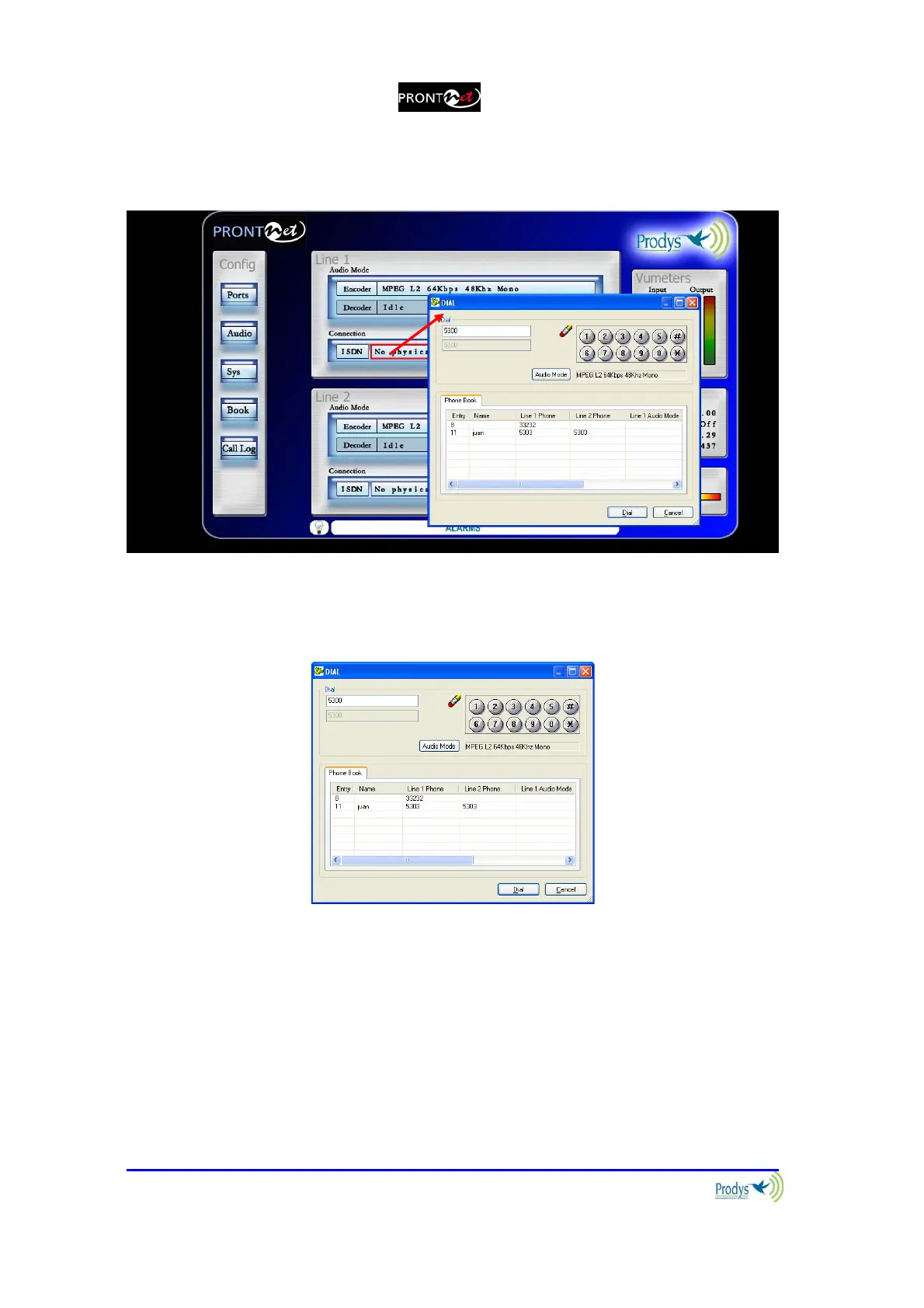
By clicking on right side of the Connection area, the dial menu is shown:
Depending on the selected NET we will have a different dialog options:
If NET = ISDN, the following dialog will be shown:
The user can enter the number directly or can select an index from the Phone
Book. The encoder can be configured from this dialog as well. After the number
has been entered, click Dial to call.
If NET = IP, the following dialog will be shown:



 To Next Page