ProntoNet
What’s New
62
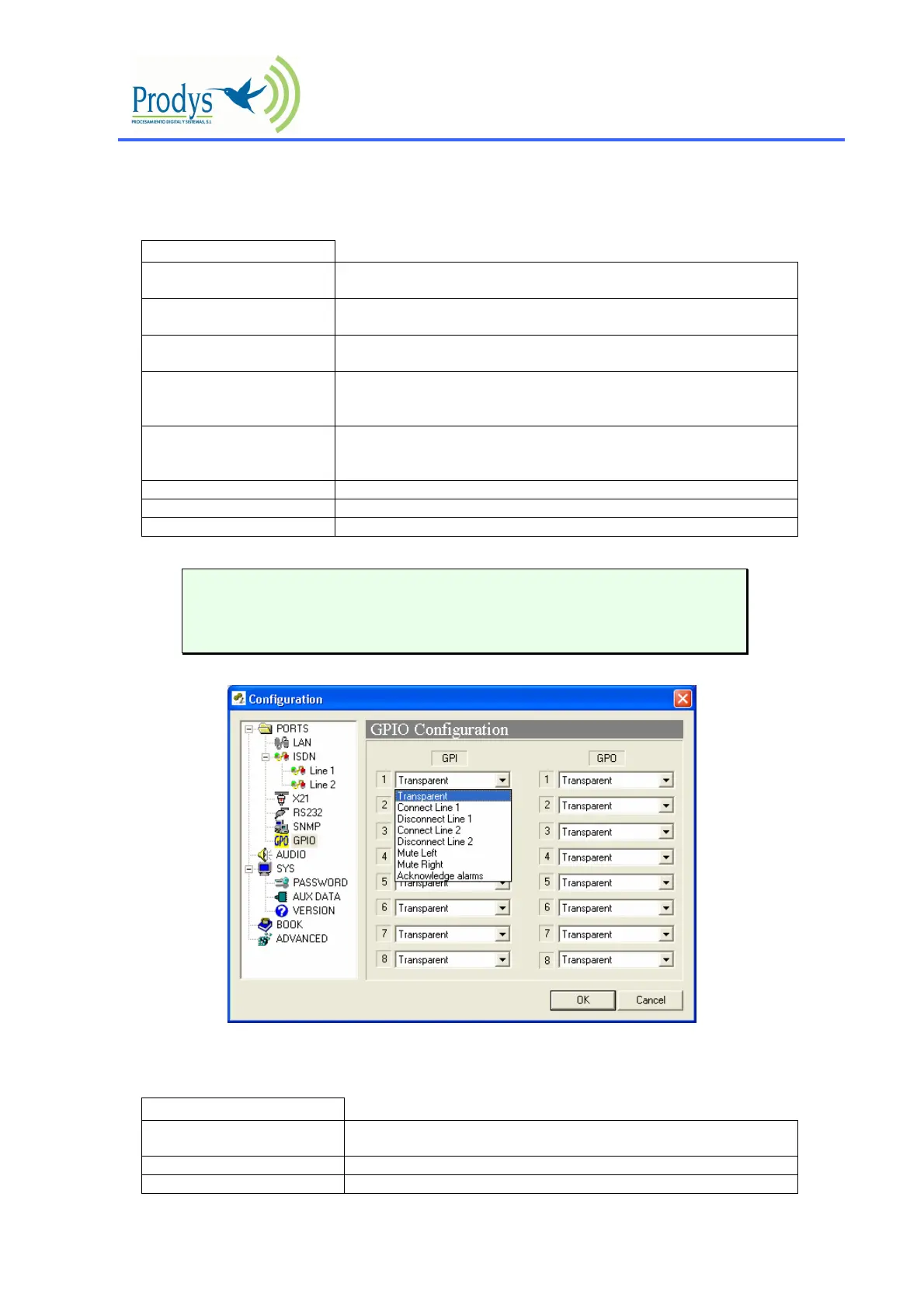
GPIO Port:
From this option the inputs and outputs of the GPIO port are configured.
INPUTS
Transparent Under this configuration, the state of the input will be present in its homologous
output in the ProntoNet connected in the other end.
Connect Line 1 When this input is activated, the ProntoNet will proceed automatically to connect
the line 1.
Disconnect Line 1 When this input is activated, the ProntoNet will proceed automatically to
disconnect the line 1.
Connect Line 2 When this input is activated, the ProntoNet will proceed automatically to connect
the line 2. It makes sense only when the ProntoNet is working in ISDN mode as
a DUAL CODEC.
Disconnect Line 2 When this input is activated, the ProntoNet will proceed automatically to
disconnect the line 2. It makes sense only when the ProntoNet is working in
ISDN mode as a DUAL CODEC.
Mute Left When this input is activated, the left audio output will be muted.
Mute Right When this input is activated, the right audio output will be muted.
Acknowledge alarms When this input is activated, the alarms will be acknowledged.
The inputs are activated by grounding
Transparent configuration only works with audio algorithms that
support ancillary data and have been previously activated.
SALIDAS
Transparent Under this configuration, the state of the output will be the same that its
homologous input has in the ProntoNet connected in the other end.
Line 1 Connected The output will be activated when the line 1 is connected.
Line 1 Disconnected The output will be activated when the line 1 is disconnected.



 To Next Page