Prontonet User’s Manual v410 94
The ProntoNet uses two Prodys proprietary protocols:
a. Prodys Real Time Control Protocol (P-RTCP): This is a protocol based
on TCP that allows for the establishment and termination of a
connection as well as for the negotiation of the codec mode (automatic
audio synchronisation in all modes)
b. Prodys Real Time Protocol (P-RTP): This is a protocol based on UDP
used for the transmission of audio.
To guarantee a constant delay time the units must synchronise clocks.
ProntoNet incorporates a clock-sync algorithm that adjusts the PLL of
the unit that receives the IP call.
To end a connection press and hold the CALL 1 key for more than one
second.
V.8.2.2. Establishing a MULTICAST communication from the ProntoNet
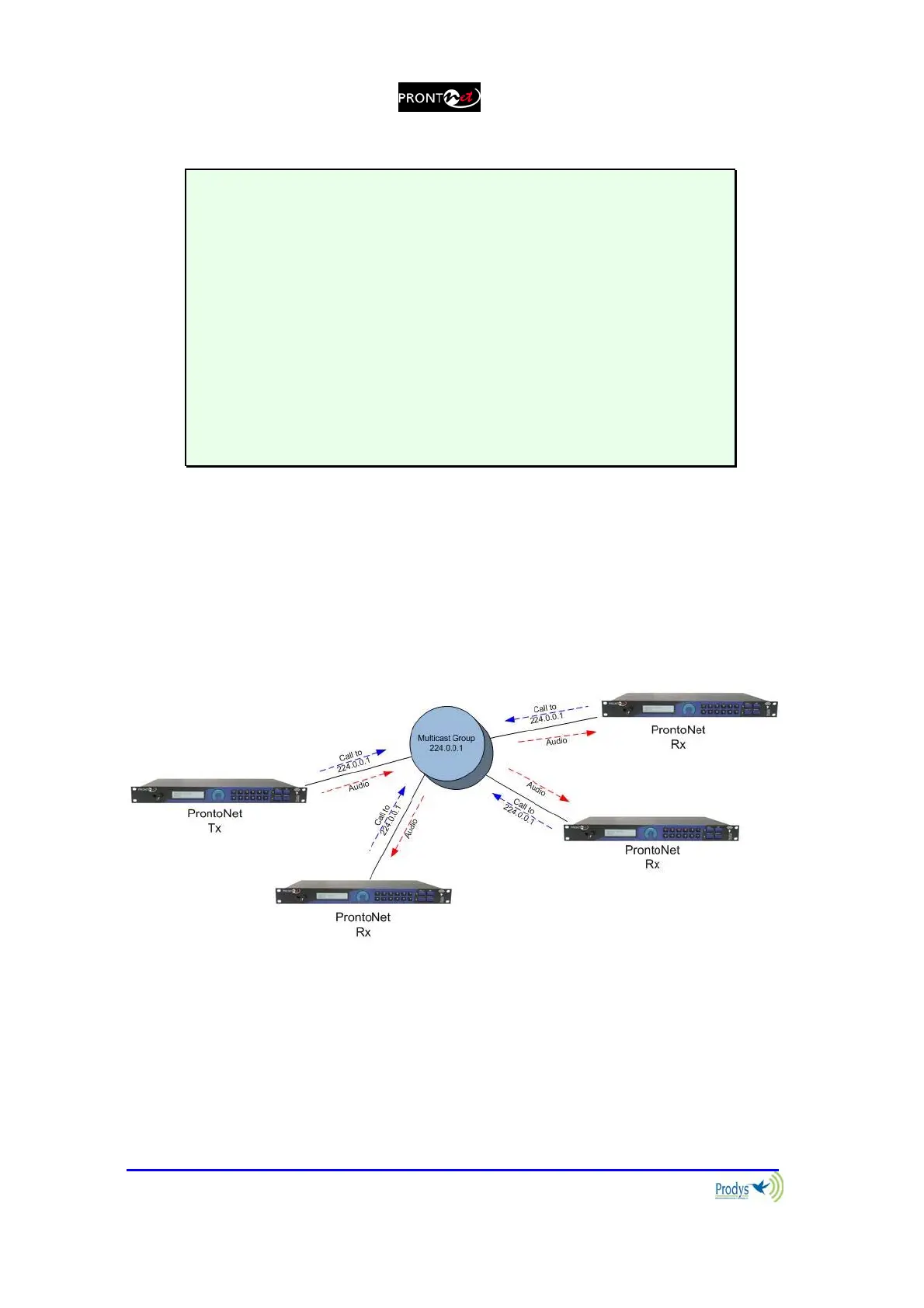
With MULTICAST the calls must be made from both ends. Both the sender of
the data and all the receivers of the data must call to establish a connection to
the multicast group. The multicast operation can be shown in the following
diagram:
To initiate audio distribution the role of the transmitter unit and the roles of all
the receiver units must be set up for the group. These modes can be selected
from the menu CONF/PORTS/LAN/MULTICAST where you select Tx
(transmitter) or Rx (receiver). Once this is done, the calls can be established.
This can be done in any order, that is, calls can be set up first from the
transmitter and then from each of the receivers, or the other way round. The
important thing to note is that when the transmitter is connected to the group, it



 To Next Page