Prontonet User’s Manual v410 76
V.1.5 Phone Book:
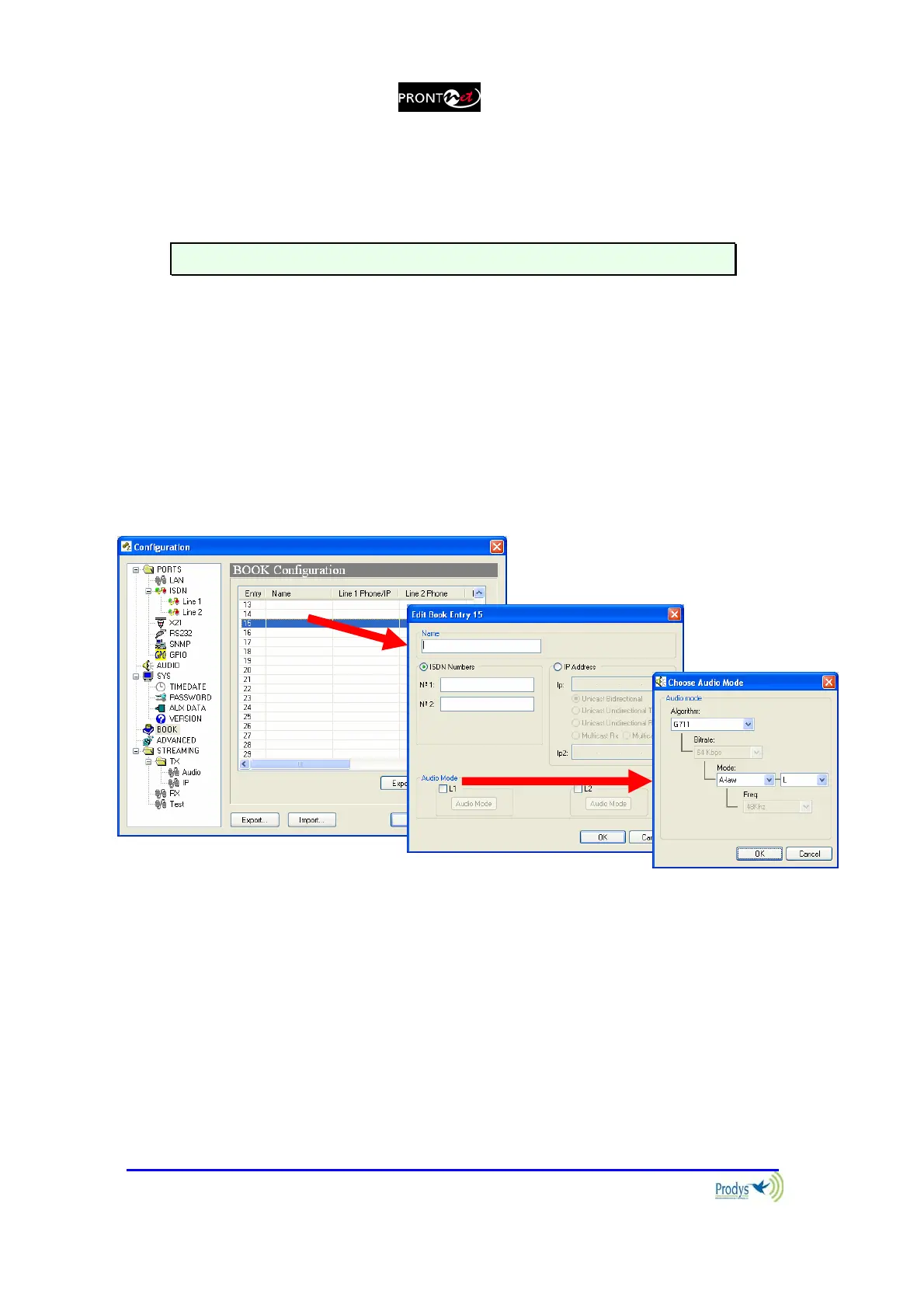
When the BOOK option is selected, the phone book window is showed on the
right side. The Phone Book records the user name, a telephone number
(optionally two), an IP address. There are up to 32 indexes.
It is not possible to store ISDN numbers and IP address in the same index.
The proceeding to edit a phone book index is as follows:
1. To select one index by clicking on its area.
2. To select ISDN numbers or IP Address depending on which network will
be used. Only it is possible to select one of them.
3. To enter the ISDN number/numbers or the IP address according to the
before selection.
4. To configure the encoder is optional. In case of that it is not entered, the
unit will proceed to call in the current encoder configuration.
From version 3.3.1 It is possible to configure a second IP address for
line2. This connection can only be unicast unidirectional TX, so It is not possible
to select the call type for line2.
It is possible to Export / Import the Book in XML format. It is also possible to
create an html report allowing to preview and print. This option is available from
version 3.4.1.



 To Next Page