Device Manual CANlink wireless
Operation
PROEMION GmbH | Phone: +49 661 9490-600 | Fax: +49 661 9490-666 | info@proemion.com | proemion.com | Version 1.0 100
© 2016RM MICHAELIDES● VX.X ● Device Manual CANlink 5000 series © 2016RM MICHAELIDES● VX.X ● Device Manual CANlink 5000 series © 2016 PROEMION GMBH > 1.0 EN > Device Manual CANlink wireless 3000 series
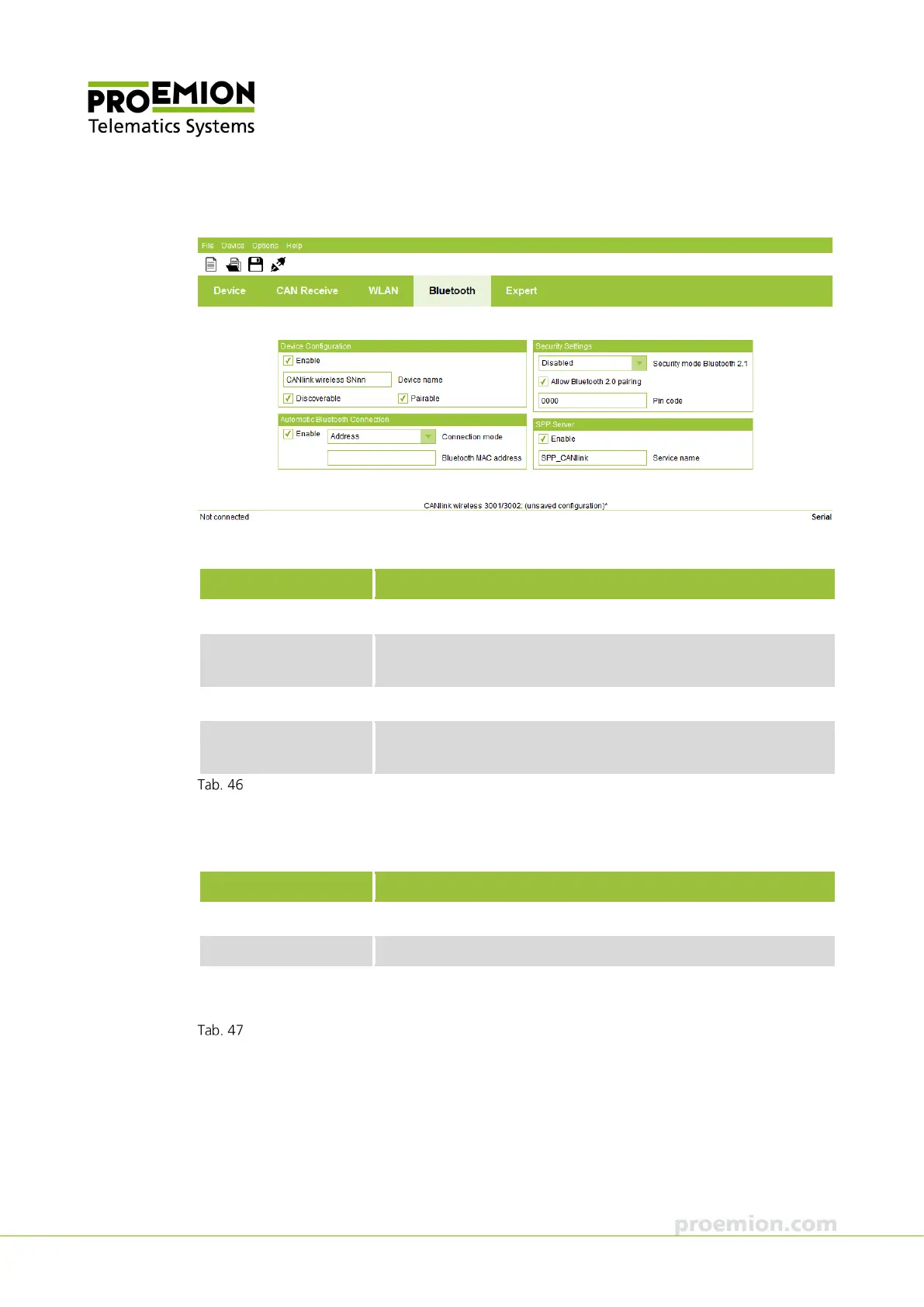
BLUETOOTH TAB
In the D
EVICE CONFIGURATION field, define the Bluetooth parameters.
Parameter Description
NABLE
Enable/disable Bluetooth radio Interface.
DEVICE NAME
Input field for the Bluetooth device name. Use an unequivocal
name, e.g. by including the serial number.
DISCOVERABLE
Enable/disable visibility for Bluetooth scan (Inquiry).
PAIRABLE
Enable/disable pairing capability. If this function is active, pairing
with another Bluetooth device is possible.
Device Configuration field
In the AUTOMATIC BLUETOOTH CONNECTION field, define the parameters for automatic
connection of a CAN-CAN-Bluetooth Bridge.
Parameter Description
ENABLE
Enable/disable automatic connection.
CONNECTION MODE
Bluetooth connection mode.
LUETOOTH
ADDRESS
Input field for the Bluetooth MAC address of the slave.
Automatic Bluetooth Connection field



 To Next Page