Device Manual CANlink wireless
Operation
PROEMION GmbH | Phone: +49 661 9490-600 | Fax: +49 661 9490-666 | info@proemion.com | proemion.com | Version 1.0 102
© 2016RM MICHAELIDES● VX.X ● Device Manual CANlink 5000 series © 2016RM MICHAELIDES● VX.X ● Device Manual CANlink 5000 series © 2016 PROEMION GMBH > 1.0 EN > Device Manual CANlink wireless 3000 series
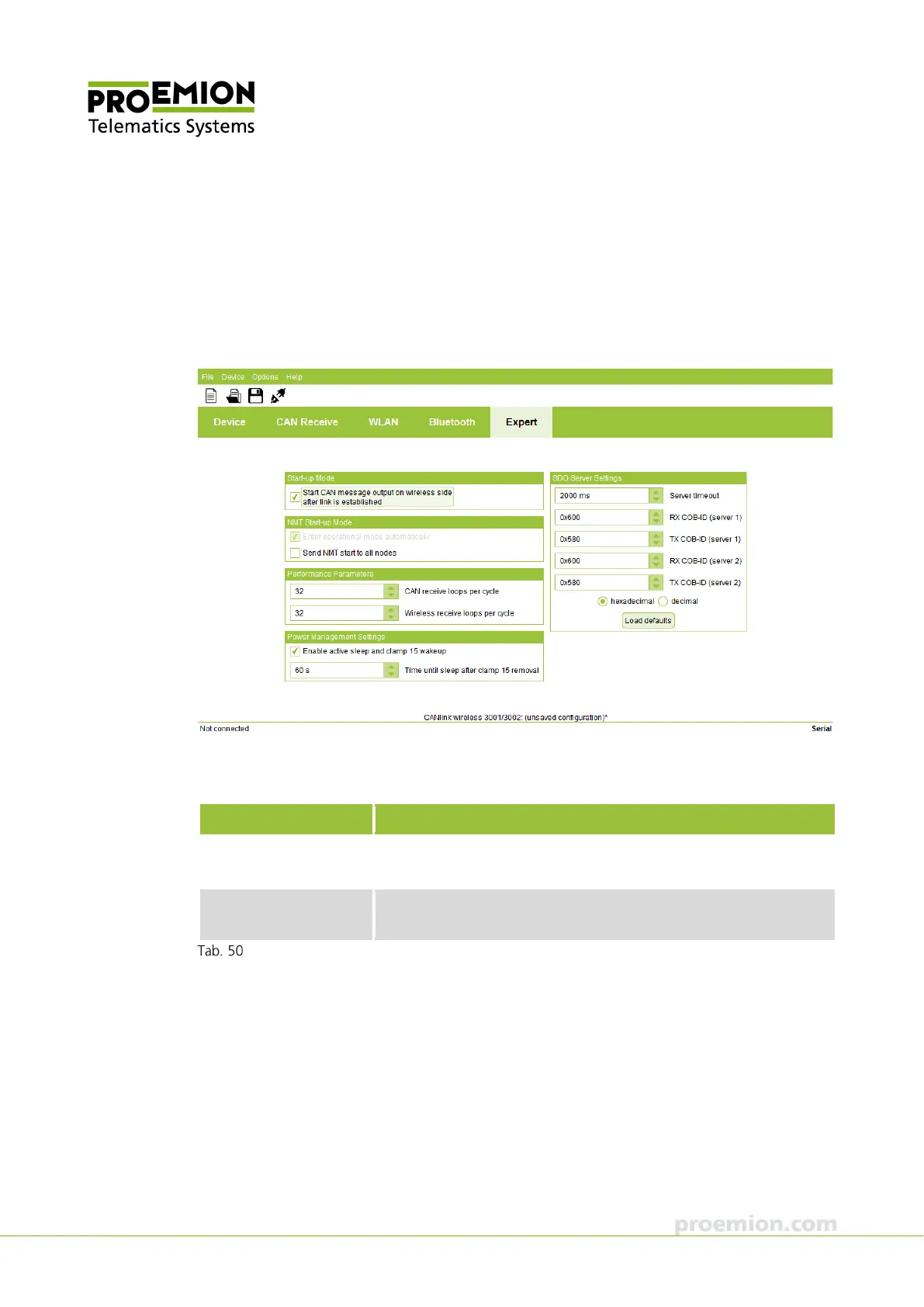
EXPERT TAB
The parameters in this field are for experts and only need to be configured in special cases. In
most applications, the default values can be retained.
In the S
TART-UP MODE field, enable/disable the automatic transmission of CAN messages
during an active connection (S
TART CAN MESSAGE OUTPUT ON WIRELESS SIDE AFTER LINK IS
ESTABLISHED
).
In the NMT S
TART-UP MODE field, define whether after initialization a command is sent to all
bus participants which switches them from "Pre-Operational" to "Operational" status.
Parameter Description
NTER OPERATIONAL
MODE AUTOMATICALLY
The function is always enabled and cannot be changed.
END
START TO
ALL NODES
Enable/disable send CANopen command.
NMT Start-up Mode field



 To Next Page