Device Manual CANlink wireless
Getting started
PROEMION GmbH | Phone: +49 661 9490-600 | Fax: +49 661 9490-666 | info@proemion.com | proemion.com | Version 1.0 39
© 2016RM MICHAELIDES● VX.X ● Device Manual CANlink 5000 series © 2016RM MICHAELIDES● VX.X ● Device Manual CANlink 5000 series © 2016 PROEMION GMBH > 1.0 EN > Device Manual CANlink wireless 3000 series
NOTICE
Connection problems due to faulty screw connection of the cap nut to the RS232
connector.
Insufficient data transmission and connection problems.
Screw the M12 5-pin angle plug correctly to the RS232 connector using the cap nut.
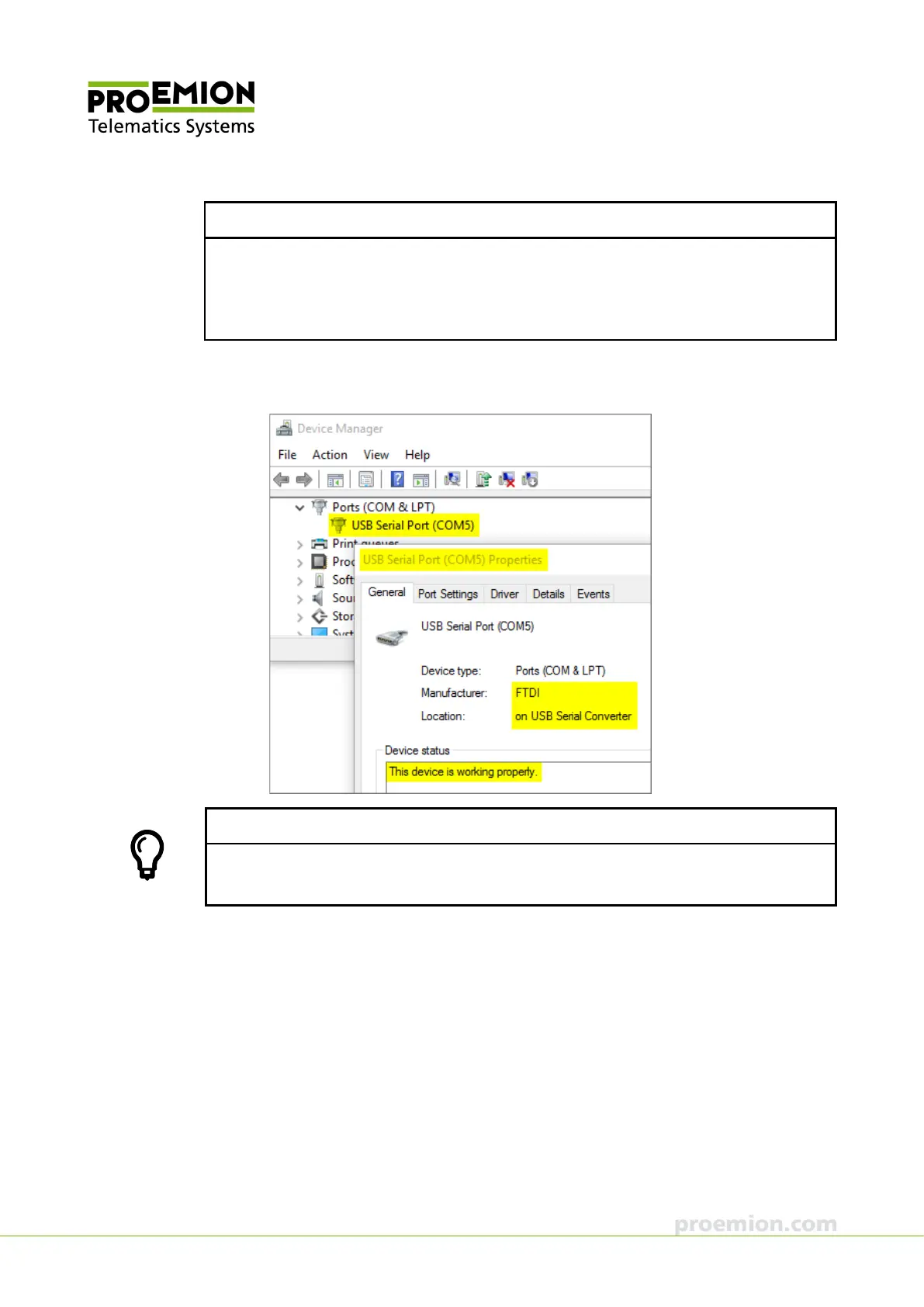
4. Identify the virtual COM port of the device in the PC Device Manager under USB
Serial Port.
TIP
You can identify the virtual COM port of your device in the Device Manager by
disconnecting and re-connecting the USB-RS232 converter cable at the PC.
5. Start the CANlink wireless Configurator on the PC.



 To Next Page