Device Manual CANlink wireless
Getting started
PROEMION GmbH | Phone: +49 661 9490-600 | Fax: +49 661 9490-666 | info@proemion.com | proemion.com | Version 1.0 40
© 2016RM MICHAELIDES● VX.X ● Device Manual CANlink 5000 series © 2016RM MICHAELIDES● VX.X ● Device Manual CANlink 5000 series © 2016 PROEMION GMBH > 1.0 EN > Device Manual CANlink wireless 3000 series
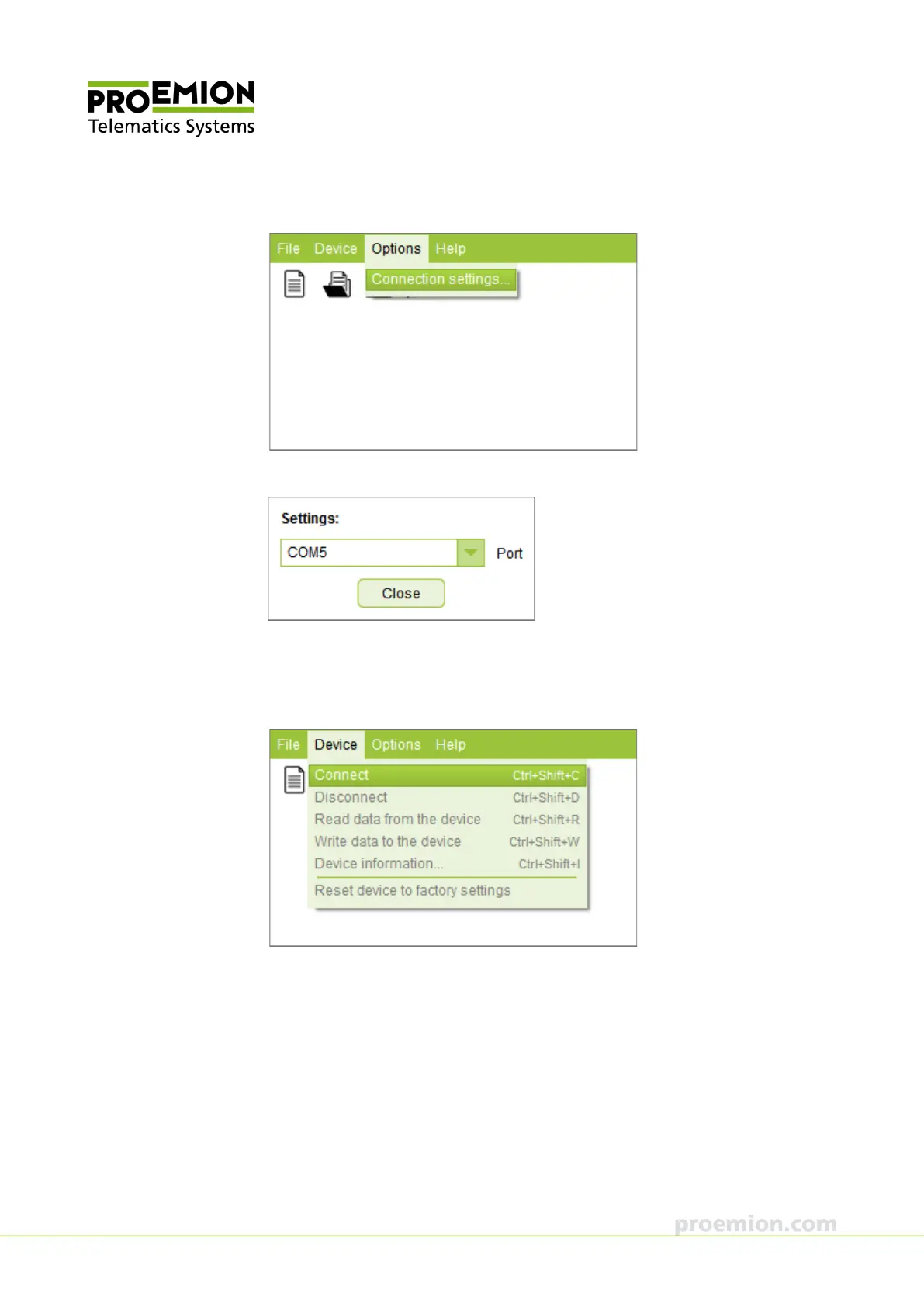
6. Choose OPTIONS → CONNECTION SETTINGS.. from the menu.
This opens the window C
ONNECTION SETTINGS.
7. In the S
ETTINGS: select the device's COM port from the dropdown list.
8. Click the C
LOSE button to close the CONNECTION SETTINGS window.
9. Choose D
EVICE → CONNECT from the menu.
The connection is established.



 To Next Page