Device Manual CANlink wireless
Getting started
PROEMION GmbH | Phone: +49 661 9490-600 | Fax: +49 661 9490-666 | info@proemion.com | proemion.com | Version 1.0 60
© 2016RM MICHAELIDES● VX.X ● Device Manual CANlink 5000 series © 2016RM MICHAELIDES● VX.X ● Device Manual CANlink 5000 series © 2016 PROEMION GMBH > 1.0 EN > Device Manual CANlink wireless 3000 series
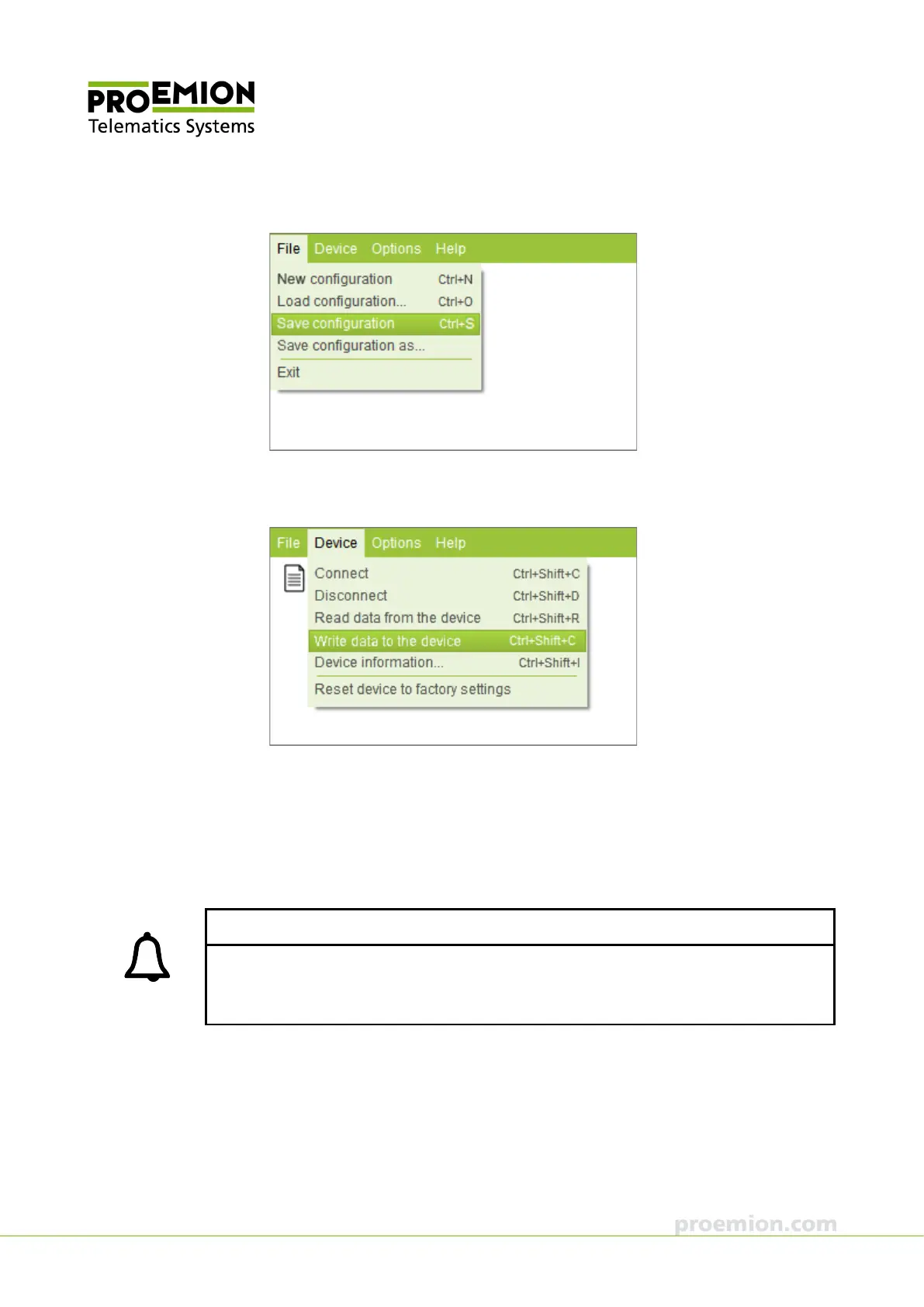
13. Choose FILE → SAVE CONFIGURATION from the menu.
14. Save the configuration to a file.
15. Choose D
EVICE → WRITE DATA TO THE DEVICE from the menu.
The configuration is written to the device.
16. Disconnect the device from the PC.
17. Quit CANlink wireless Configurator.
The configuration of the master device is completed. Now the CAN-CAN-Bluetooth
Bridge is prepared.
INFORMATION
The radio connection between the devices is established automatically when the devices are
switched on. The indicator LED displays the status "WLAN or Bluetooth connection active"
(steady green), see also chapter Indicator elements (LED).



 To Next Page