Device Manual CANlink wireless
Getting started
PROEMION GmbH | Phone: +49 661 9490-600 | Fax: +49 661 9490-666 | info@proemion.com | proemion.com | Version 1.0 68
© 2016RM MICHAELIDES● VX.X ● Device Manual CANlink 5000 series © 2016RM MICHAELIDES● VX.X ● Device Manual CANlink 5000 series © 2016 PROEMION GMBH > 1.0 EN > Device Manual CANlink wireless 3000 series
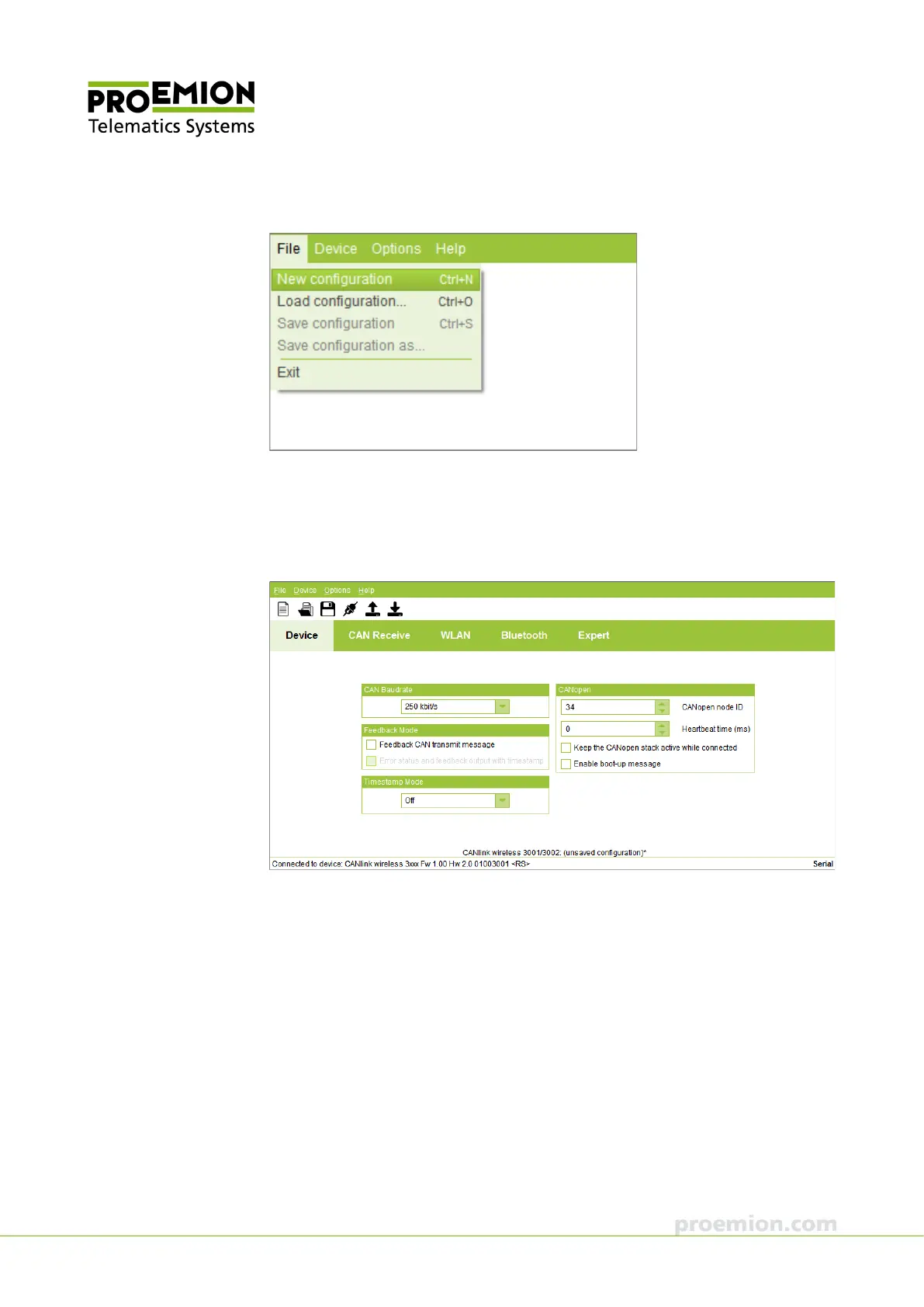
5. Choose FILE → NEW CONFIGURATION from the menu
The default parameters for a configuration are loaded.
6. Click the D
EVICE tab.
7. Alter the configuration of your application as required. In particular, adapt the CAN
baud rate to the target system.



 To Next Page