Device Manual CANlink wireless
Operation
PROEMION GmbH | Phone: +49 661 9490-600 | Fax: +49 661 9490-666 | info@proemion.com | proemion.com | Version 1.0 94
© 2016RM MICHAELIDES● VX.X ● Device Manual CANlink 5000 series © 2016RM MICHAELIDES● VX.X ● Device Manual CANlink 5000 series © 2016 PROEMION GMBH > 1.0 EN > Device Manual CANlink wireless 3000 series
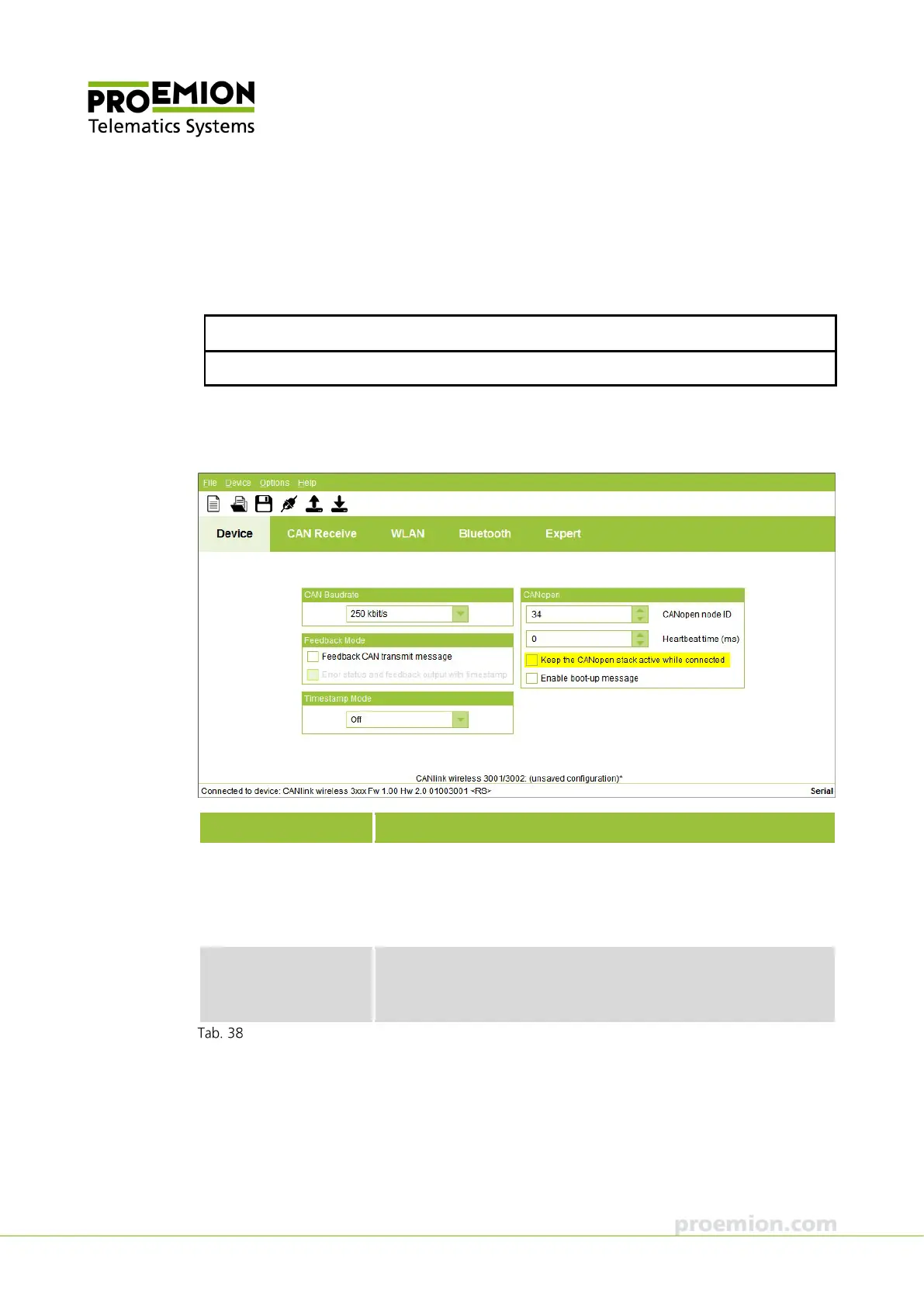
DEVICE TAB
In the list in the CAN BAUDRATE field, select the baud rate for the CAN bus. If you select USER
DEFINED BAUDRATE from the list, the entry field BTR (Bit Time Register) appears in the CAN
BAUDRATE field.
NOTICE
To find the correct values for a specific baud rate, contact the Support.
In the F
EEDBACK MODE field, check the FEEDBACK CAN TRANSMIT MESSAGE box to enable this
function.
Parameter Description
FEEDBACK CAN
TRANSMIT MESSAGE
After transmission of a CAN message, a feedback message is
output via WLAN or Bluetooth.
If this function is enabled, every message transmitted by the CAN
bus is confirmed via the wireless Interface.
RROR STATUS AND
FEEDBACK OUTPUT WITH
STAMPS
Error status and feedback messages are given a timestamp (not
possible if you have selected Off in the list in the TIMESTAMP MODE
field).
Feedback mode field



 To Next Page