Pins 1 - 3 of the "Config I/O” socket can be inputs and outputs.
That can be programmed.
Delayers are started event- or time-controlled. On expiry of the
delay time, the delayer itself can trigger any actions.
11.4
‘Service’
‘Menu / Information
è
Service
è
...’
11.4.1
‘Access protection’
‘Menu / Information
è
Service
è
Access protection
è
...’
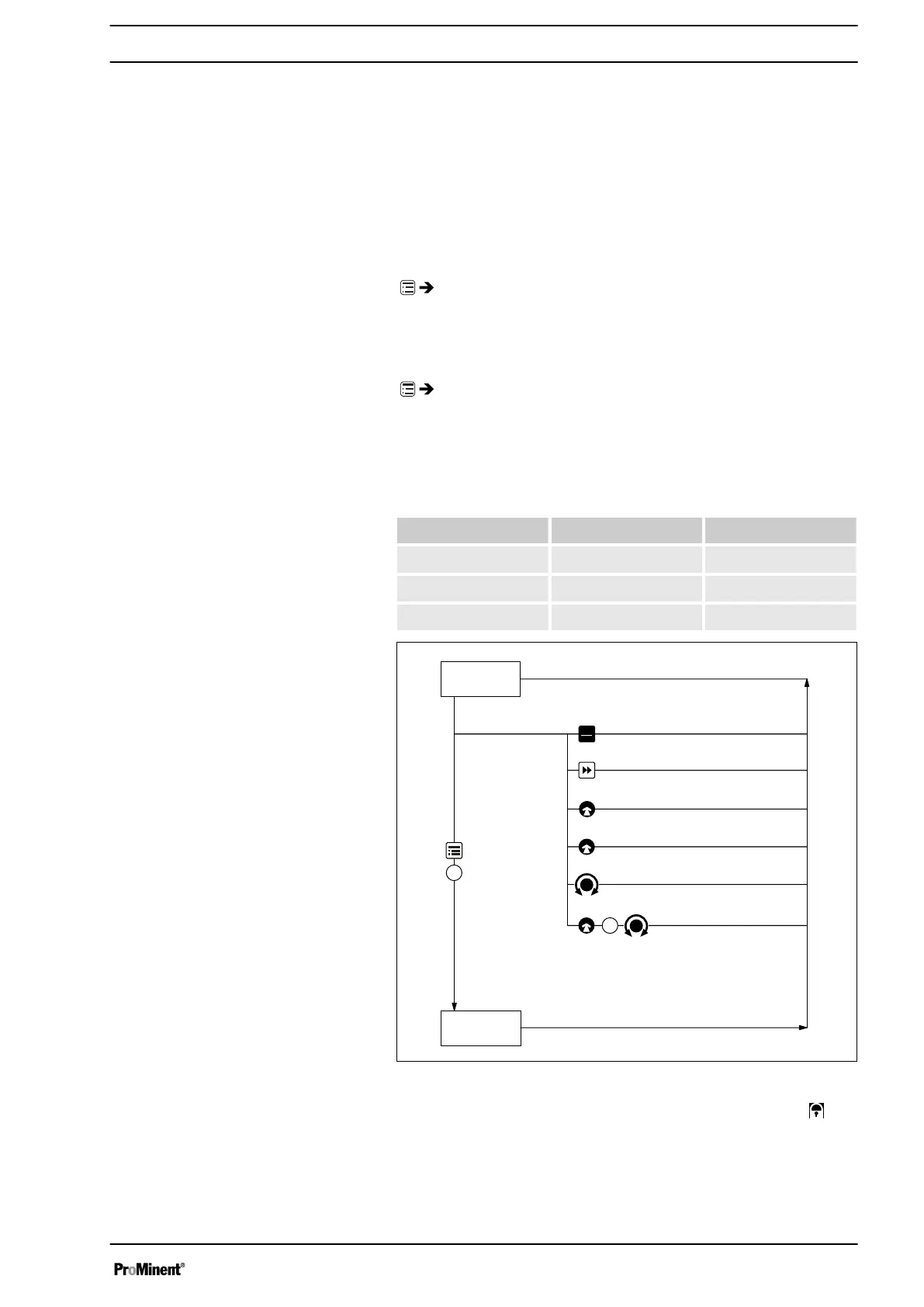
You can lock parts of the setting options here.
The following locking options are available:
Selection Point ① Point ②
‘None’
- -
‘ Lock menu’
X -
‘Lock all’
X X
STOPSTOP
STARTSTART
1
Setting
mode
Continuous
display
Stop/start pump
Priming
Start batch (only in "Batch" operating mode)
Acknowledging errors
Check adjustable values
2
Changing directly changeable variables
B0598
Fig. 37
If you have set a
‘Password’
- see below, then the identifier
will
appear after 1 minute in the top left and the specified areas will be
locked, if no key has been pressed in the meantime.
Both locks use the same
‘Password’
.
Inputs
Delayer
Set up /
‘Menu’
93


 To Next Page
 Loading...