Start Here MVI56-PDPMV1 ♦ ControlLogix Platform
User Manual PROFIBUS DPV1 Master
Page 58 of 251 ProSoft Technology, Inc.
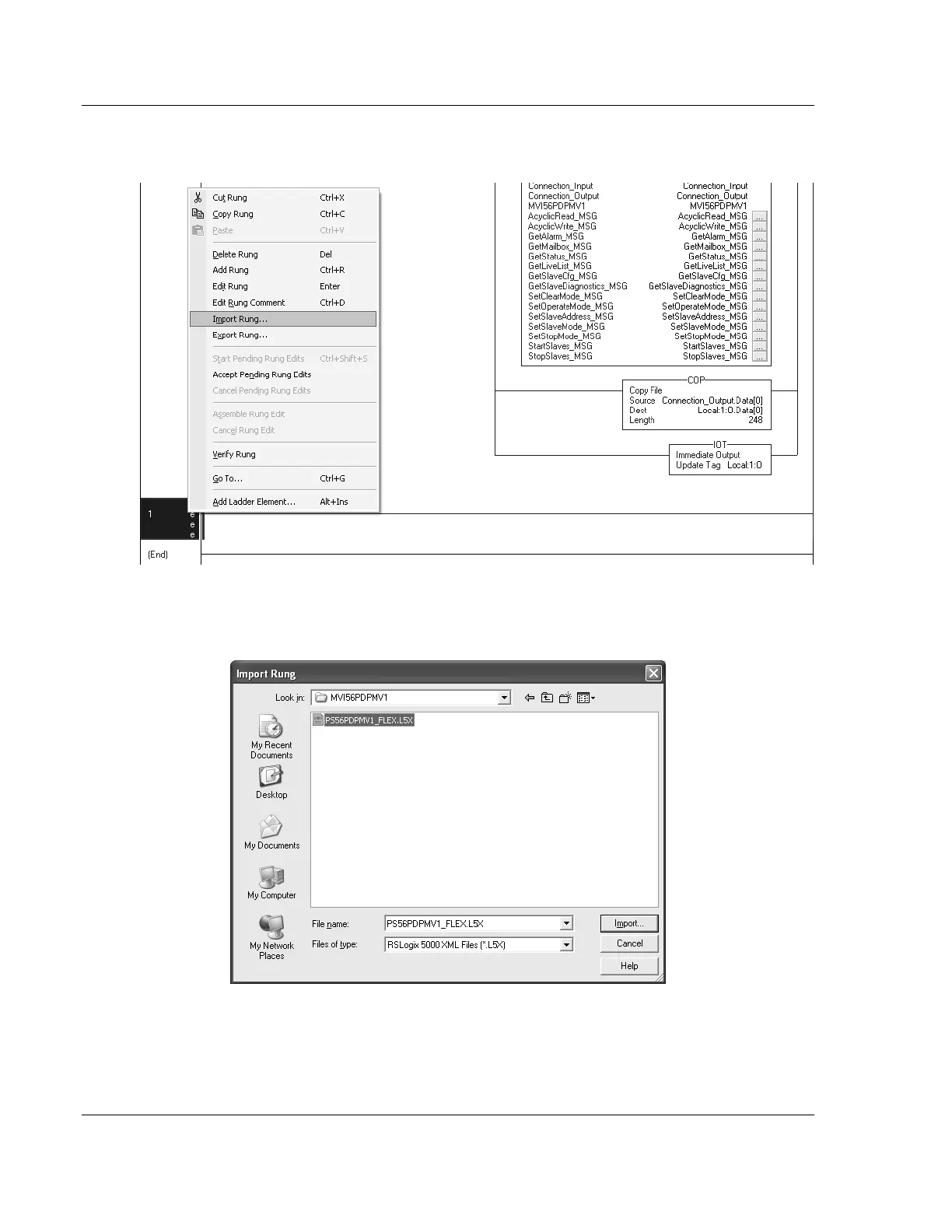
8 Select an empty rung in the new routine, and then click the right mouse
button to open a shortcut menu. On the shortcut menu, choose IMPORT RUNG.
9 Select the PS56PDPMV1_FLEX_v*.L5X standard sample file, or the
MVI56PDPMV1_FLEX_AddOn_Rung_v*.L5X custom file you exported from
PCB, and click the IMPORT button.



 To Next Page