Configuring the MVI56-PDPMV1 Module MVI56-PDPMV1 ♦ ControlLogix Platform
User Manual PROFIBUS DPV1 Master
Page 88 of 251 ProSoft Technology, Inc.
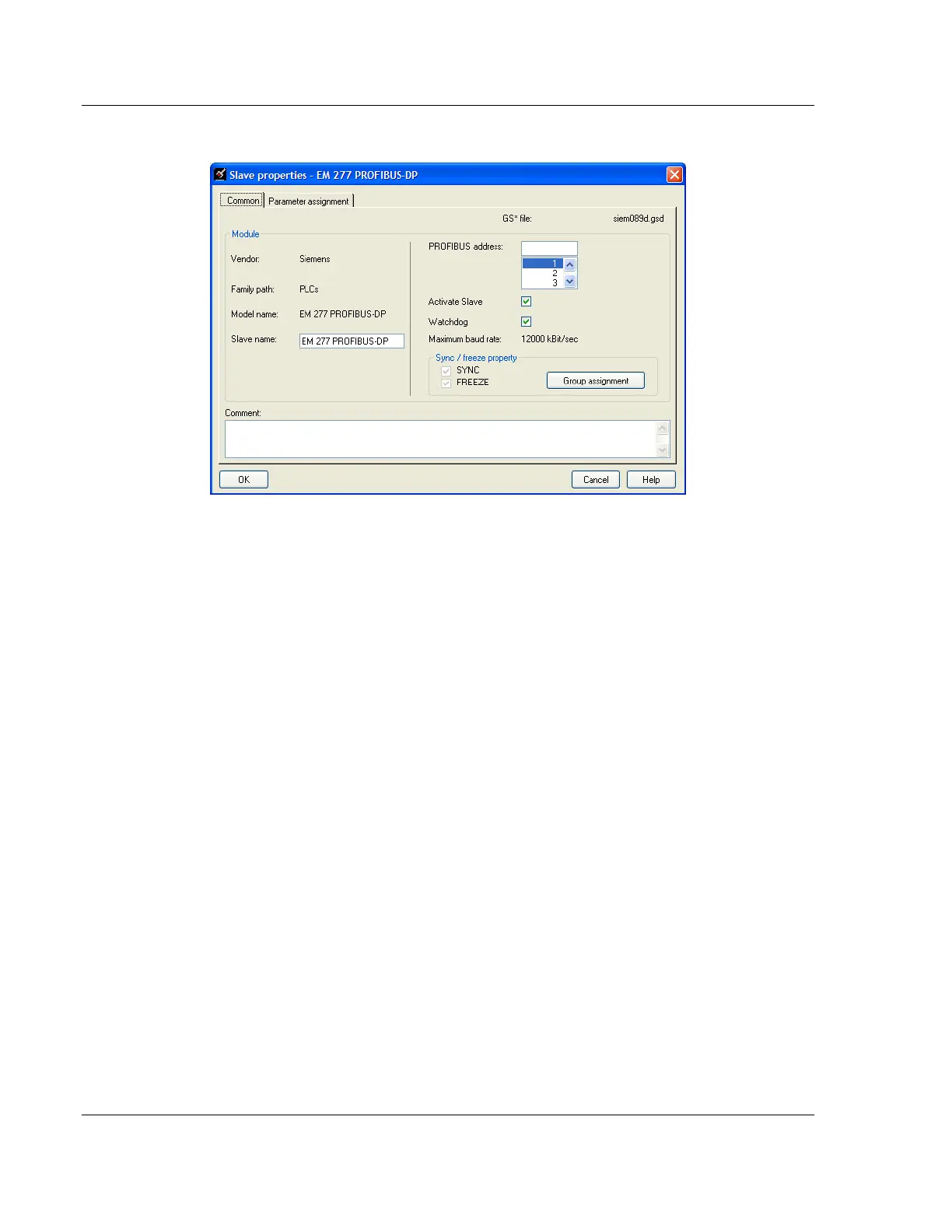
6 Double-click the SLAVE icon to view the Slave Properties.
PCB automatically assigns a PROFIBUS address to each new slave. The
address assignment begins at address 3, and is incremented by 1 for each
new slave added to the network. You can change the address in the
Common tab of the Slave Properties dialog box. PCB will not allow you to
assign a PROFIBUS address that is already in use by another device on this
network.
Leave the remaining settings unchanged for now, and click OK to close the
Slave Properties dialog box.
7 Repeat steps 2 through 6 for all slaves you intend to place on the network.
8 When you are finished adding slaves, open the PROJECT menu and choose
EXIT. Click YES to save the project and return to the PROFIBUS Master
Setup dialog box.



 To Next Page