MVI56-PDPMV1 ♦ ControlLogix Platform Configuring the MVI56-PDPMV1 Module
PROFIBUS DPV1 Master User Manual
Page 95 of 251 ProSoft Technology, Inc.
Slave
In this column the name of the slave as stated in the assigned GSD-file will be
displayed. If no matching GSD-file is found the Ident number will be displayed in
red color in the drop-down list.
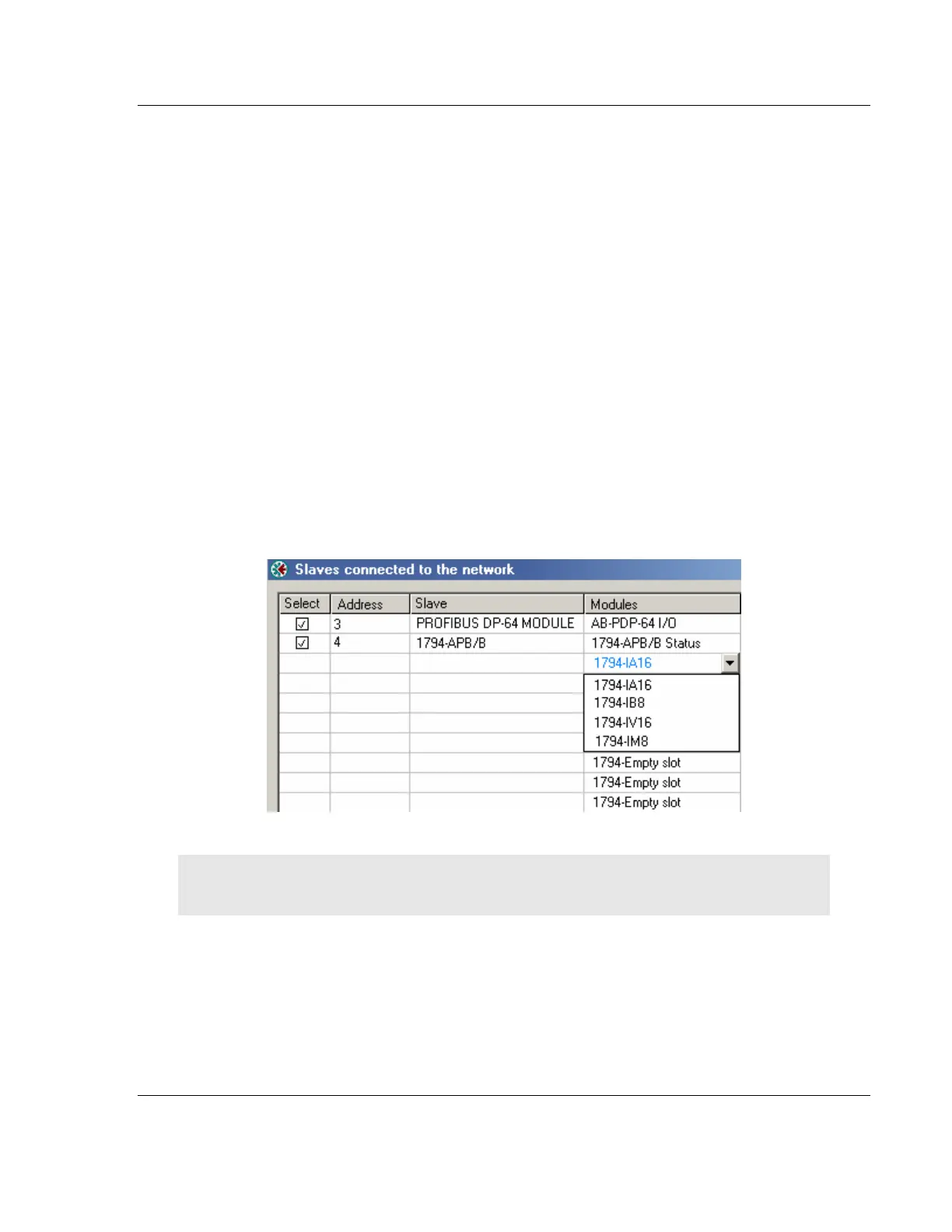
Module
This column shows the name of the module(s) as stated in the assigned GSD-
file, which matches the Identifier byte(s) derived from the GetCfg mailbox
message. If no GSD-file or no matching module is found the Identifier byte(s) will
be displayed in red color. If the configuration for a slave is constructed of several
modules, the modules will be listed under each other.
If there is more than one module in the GSD-file that matches the Identifer bytes,
the first matching module will be displayed in blue color in a drop-down list. The
drop-down list will contain all other matching modules so that the user can select
the desired one.
Note: Only modules that have the exact same Identifer bytes as the first matching module will be
displayed in the drop-down list.



 To Next Page