Configuring the MVI56-PDPMV1 Module MVI56-PDPMV1 ♦ ControlLogix Platform
User Manual PROFIBUS DPV1 Master
Page 96 of 251 ProSoft Technology, Inc.
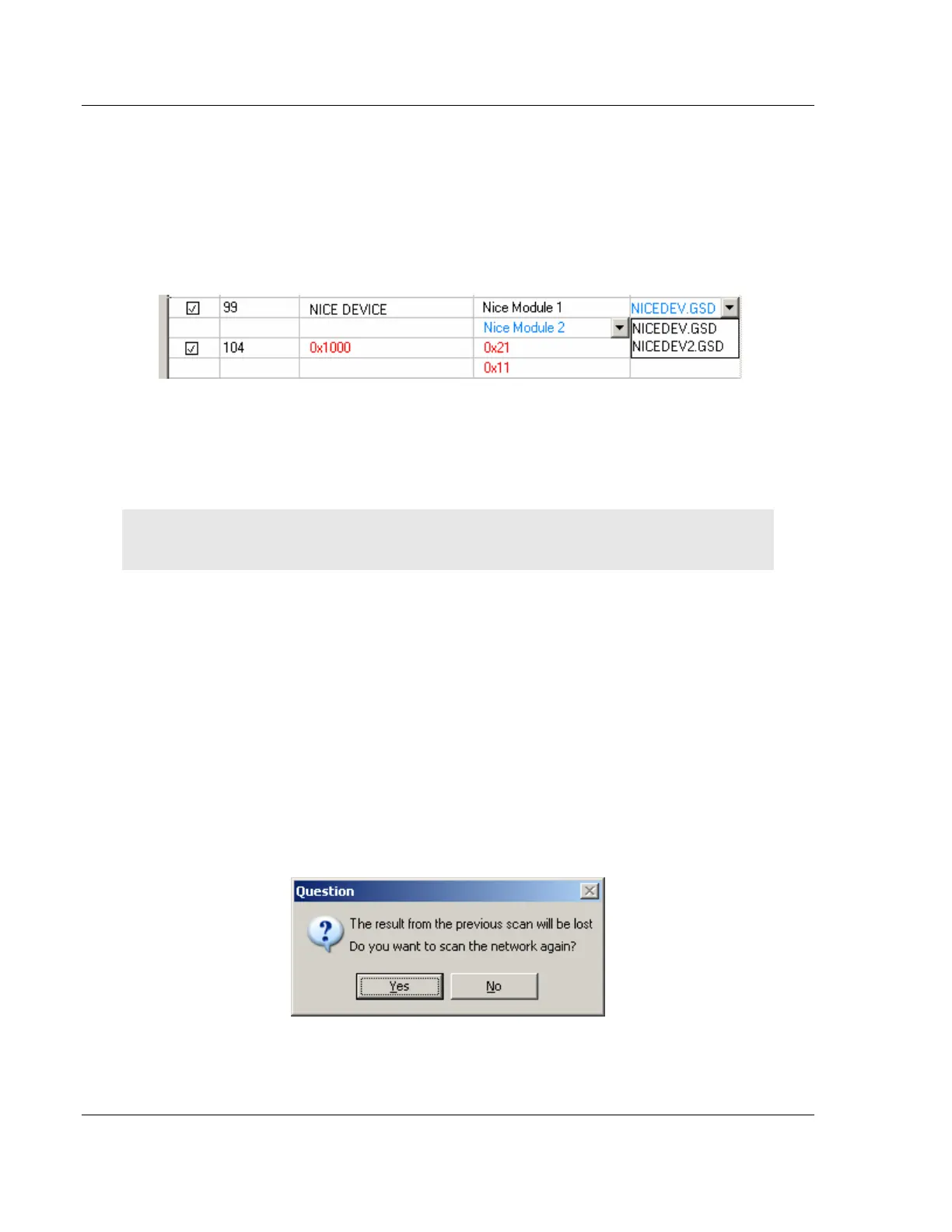
GSD-file
This column shows the name of the GSD-file that matches the Ident number
derived from the SlaveDiag mailbox message. If there are more files with the
same Ident number in the device catalog, the first matching GSD-file will be
displayed in blue color in a drop-down list.
This could be the case if the device catalog contains two or more brand labeled
devices, or GSD-files for two or more languages (for example NICEDEV.GSD
and NICEDEV.GSE) exist.
Note: If the user selects another GSD-file, The PROFIBUS Master Configuration window will
update the modules for that slave accordingly.
If no GSD-file is found the user will be able to copy the expected GSD to the
device catalog by clicking the icon next to the text No GSD found. This will start
the Install new GS*-file dialog box. When the file is installed, the PROFIBUS
Master Configuration window will verify that the installed file matches the slave
and update the modules for the slave accordingly.
Rescan
Pressing the YES button will trigger a new network scan. Before proceeding with
the scan a message similar to the one below will appear. If a new scan is
accepted, detected slaves found during the previous scan will be lost.



 To Next Page