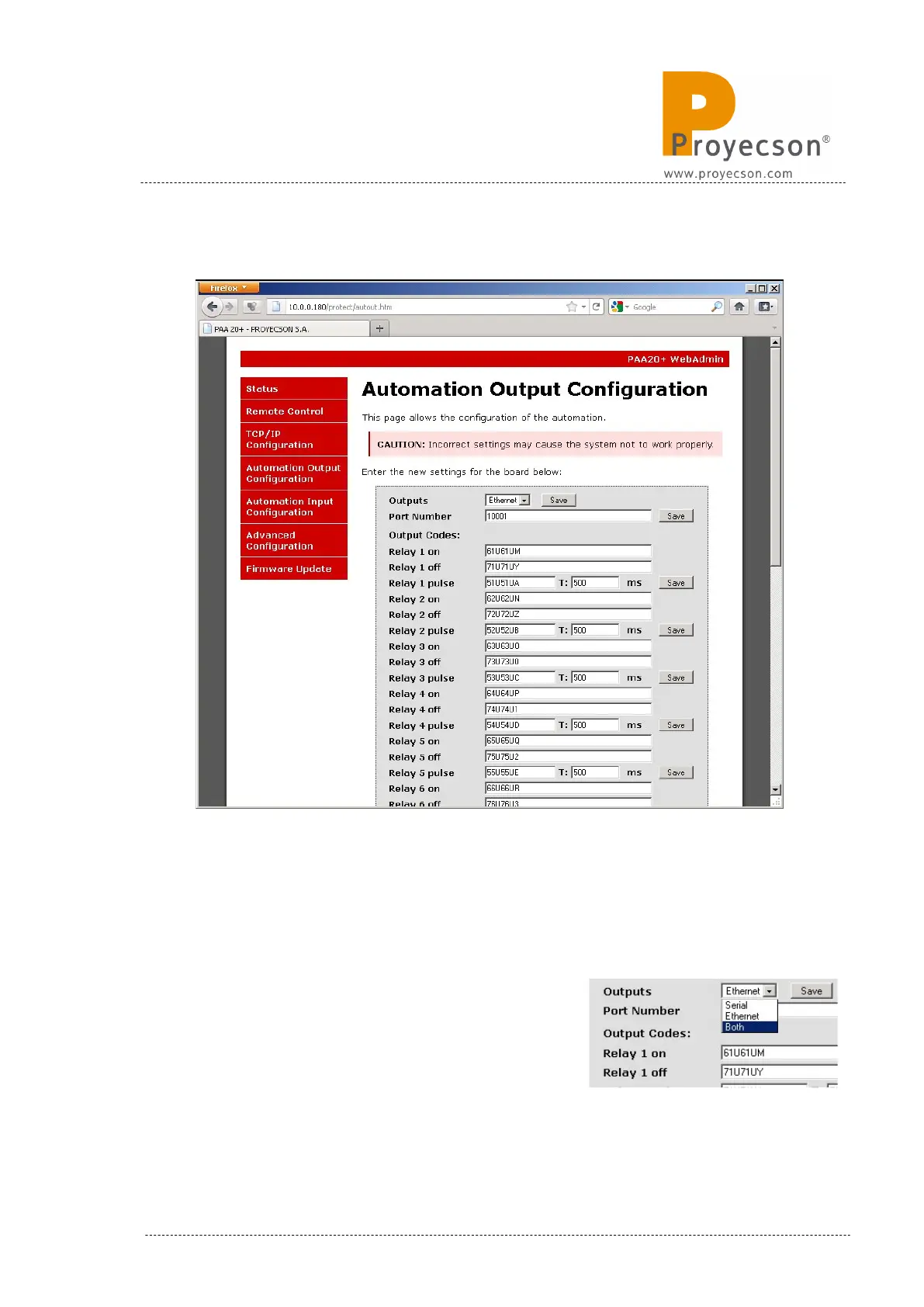
7.2.5 AUTOMATION OUTPUT CONFIGURATION PAGE.
Figure 7.2.5AI
The Automation Output Configuration page is the interface to set up the
reception of messages from the server and the relay performance.
To store the changes of every individual relay click on the “Save” button
located at the right side of the “Relay n pulse” field. Values will not be stored
unless you click on “save” before leaving the page or saving other fields.
Outputs: Is the field to choose if you want to
receive cue messages from either the Ethernet
interface or the Serial interface or both in
parallel. Figure 7.2.5.B shows selection tab to
do so.
INSTALLATION MANUAL: PAA20+ V 2.0 (10/2021) 29



 To Next Page